
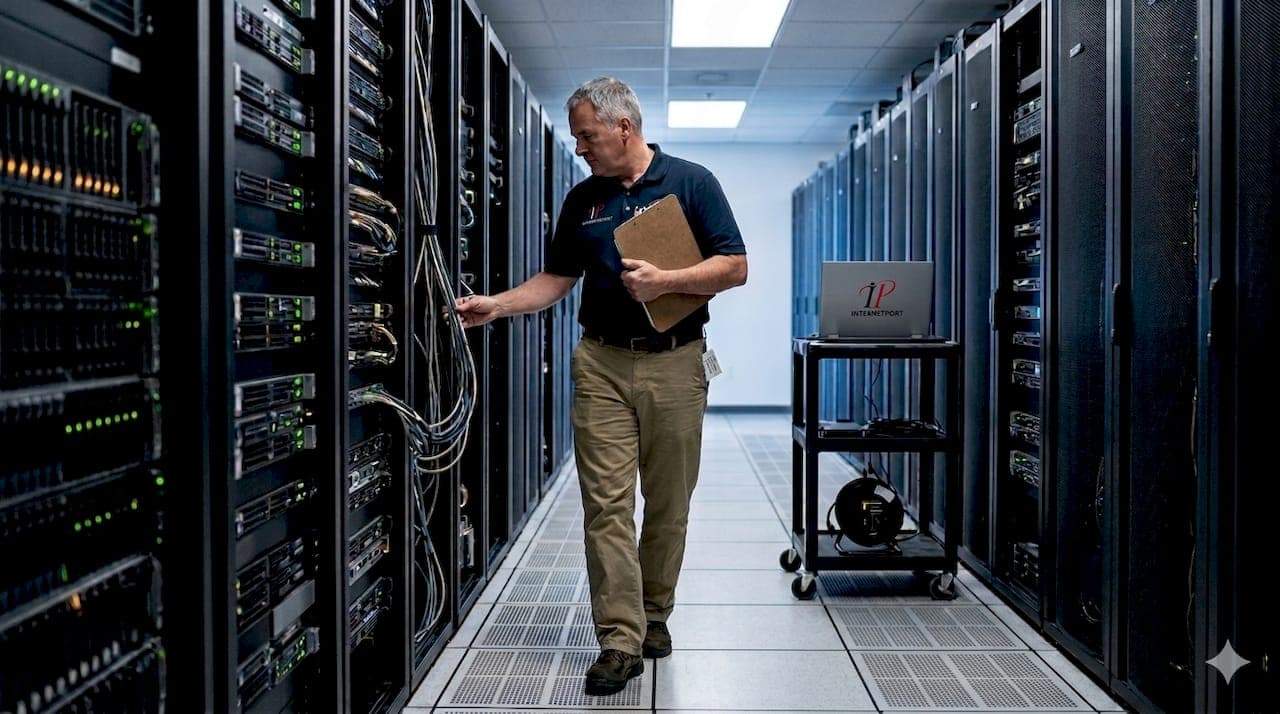
Most IT leaders think data centers are just buildings full of servers. In reality, they function as the nervous system of modern business infrastructure, enabling everything from daily operations to AI-driven analytics. Yet despite their critical importance, 66 to 80% of data center outages stem from preventable human errors during routine maintenance. Understanding how data centers work, what makes them fail, and how to leverage them strategically separates resilient organizations from those vulnerable to costly downtime.
Table of Contents
-
Comparing on-premises, colocation, and cloud data center options
-
Maximizing data center value in 2026: practical steps for IT leaders
-
Enhance your IT infrastructure with Internetport’s solutions
Key Takeaways
| Point | Details |
|---|---|
| Nervous system role | Data centers function as the nervous system of modern business, supporting operations, analytics, and AI workloads. |
| Core components | Compute, storage, networking, power, and cooling work together to keep services available and data secure. |
| Human error risk | 66 to 80 percent of outages stem from preventable human errors during routine maintenance. |
| On premises advantages | On premises data centers offer cost control and performance stability for steady workloads compared with cloud options. |
What data centers do and why they matter
Data centers serve as secure facilities housing servers, storage, and networking hardware to support core business operations, analytics, AI workloads, and regulatory compliance for SMBs and enterprises. They provide the controlled environment necessary for sensitive data processing and storage, maintaining optimal temperature, humidity, and power conditions that consumer-grade equipment cannot sustain.
For organizations of any size, data centers enable:
-
Core IT operations: Email servers, databases, ERP systems, and internal applications run continuously without interruption
-
Advanced analytics and AI: Machine learning models and big data processing require substantial compute resources and low-latency access to large datasets
-
Regulatory compliance: Industries like finance and healthcare mandate specific data residency, encryption, and audit trail requirements that data centers fulfill
-
Business continuity: Redundant systems and backup infrastructure ensure operations survive hardware failures or natural disasters
The distinction between a server room and a true data center lies in sophistication. Server rooms house equipment but lack comprehensive redundancy, monitoring, and environmental controls. Data centers implement layered systems for power backup, cooling redundancy, fire suppression, and physical security that transform infrastructure from vulnerable to resilient. This investment in reliability directly impacts revenue, as even brief outages can cost enterprises thousands per minute in lost transactions and productivity.
Modern data centers also support hybrid architectures, connecting on-premises systems to cloud services and remote offices. This flexibility lets organizations keep sensitive workloads local while leveraging cloud elasticity for variable demands. For IT decision-makers evaluating infrastructure options, understanding these capabilities clarifies when investing in Dell PowerEdge servers and dedicated facilities makes strategic sense versus relying solely on public cloud providers.
Key components and management practices of data centers
Every functional data center relies on five interconnected systems working in harmony. Key mechanics include compute servers, storage arrays like SAN and NAS, networking equipment including switches and routers, power redundancy through UPS and generators, and cooling systems paired with data center infrastructure management tools for real-time monitoring.
Essential hardware components:
-
Compute infrastructure: Rack-mounted servers provide processing power, with blade servers offering higher density for space-constrained facilities
-
Storage systems: SAN delivers block-level storage for databases, while NAS provides file-level access for shared documents and media
-
Network backbone: Core switches handle internal traffic, edge routers manage external connectivity, and firewalls enforce security policies
-
Power distribution: Primary utility feeds connect to automatic transfer switches, backup generators, and UPS systems that bridge the gap during switchover
-
Environmental controls: CRAC units maintain temperature, humidity sensors trigger alerts, and hot aisle/cold aisle layouts optimize airflow efficiency
Operational methodologies:
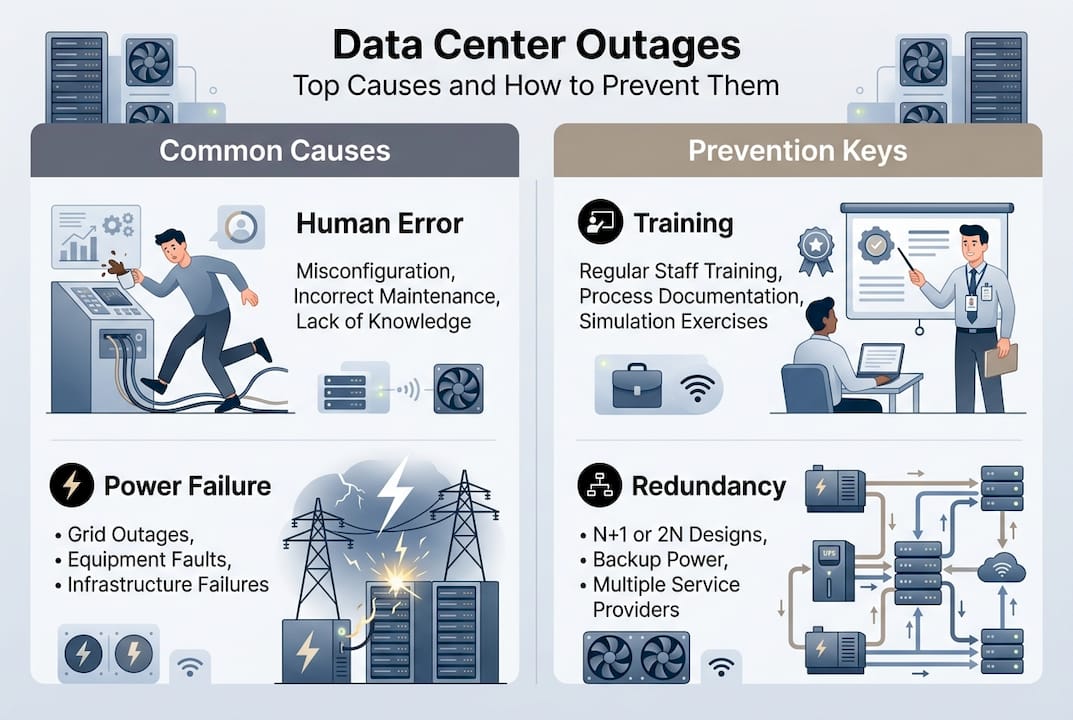
Redundancy planning ensures no single component failure disrupts services. N+1 redundancy means one extra unit beyond minimum requirements, while 2N provides fully duplicated systems. Predictive maintenance uses sensor data and machine learning to identify failing components before they cause outages. Capacity management tracks resource utilization trends to forecast when upgrades become necessary, preventing performance degradation as demand grows.
Commissioning levels, rated from 0 to 6, indicate facility sophistication. Level 0 represents basic server rooms with no redundancy. Level 3 facilities feature concurrent maintainability, allowing component replacement without downtime. Level 6 encompasses fault-tolerant designs with multiple independent distribution paths and compartmentalized security zones.
| Component | Purpose | Redundancy Level | Monitoring Priority |
|---|---|---|---|
| Compute | Process workloads | N+1 to 2N | CPU, memory, disk I/O |
| Storage | Data persistence | RAID + replication | Capacity, IOPS, latency |
| Network | Connectivity | Dual paths | Bandwidth, packet loss |
| Power | Continuous operation | N+1 generators, 2N UPS | Load, battery health |
| Cooling | Temperature control | N+1 CRAC units | Temperature, humidity |
Pro Tip: Implement data center infrastructure management software to aggregate metrics from all systems into unified dashboards. DCIM tools correlate power consumption with compute utilization, revealing inefficiencies like underused servers consuming disproportionate energy. This visibility enables data-driven decisions about consolidation, virtualization, and capacity planning that reduce operational costs by 15 to 25%.
Challenges and failure risks in data centers
Despite sophisticated designs, data centers remain vulnerable to cascading failures triggered by seemingly minor issues. Human error accounts for 66 to 80% of outages, particularly during maintenance windows when technicians temporarily reduce redundancy to service equipment. A single misconfigured switch or accidentally disconnected cable can ripple through interconnected systems, taking down entire racks or zones.
Common failure triggers:
-
Oversubscription without headroom: Provisioning more virtual capacity than physical resources support works until multiple hosts fail simultaneously, overwhelming remaining systems
-
Power supply cascades: One failed PSU in a host triggers high availability systems to migrate workloads, overloading other hosts and causing sequential failures
-
Cooling inadequacy: Blocked vents or failed CRAC units create hot spots that throttle CPU performance or trigger emergency shutdowns
-
Network misconfigurations: Spanning tree loops or incorrect VLAN settings can partition networks, making resources unreachable despite functioning hardware
Power and cooling failures constitute 64 to 73% of infrastructure-related outages. Aging UPS batteries that fail load tests, generators with stale fuel, or transfer switches that hesitate during switchover create vulnerability windows. Cooling systems face similar risks when filters clog, refrigerant leaks occur, or control systems malfunction.
“The anatomy of a cascade reveals how thin margins between normal operation and catastrophic failure really are. Organizations running at 70% capacity think they have headroom, but during maintenance windows or component failures, that buffer evaporates instantly, triggering HA thrashing that compounds the problem rather than solving it.”
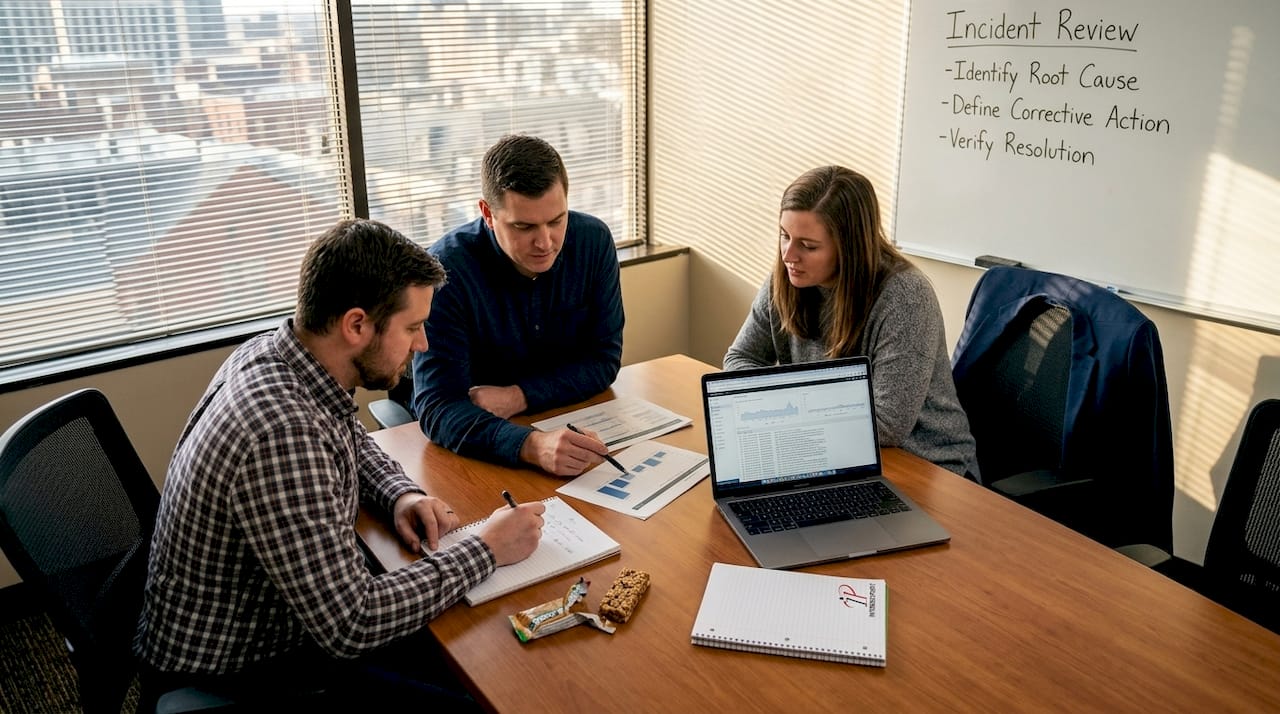
Blameless postmortems transform failures into learning opportunities. Instead of assigning blame, these structured reviews identify process gaps and systemic weaknesses. A technician who accidentally powered off the wrong server reveals unclear labeling standards or inadequate change management procedures. Addressing root causes prevents recurrence more effectively than disciplining individuals.
IT teams should document standard operating procedures for every maintenance task, require peer review of change requests, and simulate failure scenarios quarterly. Testing backup generators under load, validating failover automation, and practicing restoration procedures expose weaknesses before real emergencies occur. Organizations that invest in data center maintenance practices and continuous training reduce outage frequency by 40 to 60% compared to reactive approaches.
Comparing on-premises, colocation, and cloud data center options
IT leaders face three primary deployment models, each offering distinct trade-offs in cost, control, and flexibility. On-premises and colocation facilities deliver control, customization, and lower total cost of ownership for predictable workloads, while cloud services excel at elasticity and variable capacity but introduce higher ongoing expenses and potential vendor lock-in.
On-premises data centers give organizations complete control over hardware, software, and security policies. This autonomy matters for regulated industries with strict data residency requirements or companies with proprietary processes requiring custom configurations. Capital expenditures are higher upfront, but operational costs remain predictable. For stable workloads running 24/7, on-premises infrastructure typically costs 30 to 50% less over five years than equivalent cloud resources.
Colocation facilities split the difference by providing enterprise-grade infrastructure without the burden of building and maintaining physical plants. Organizations rack their own servers in professionally managed facilities with redundant power, cooling, and connectivity. This model suits companies needing control and customization but lacking real estate, capital, or expertise to operate their own data centers. Colocation server solutions offer flexible contracts and the ability to scale cabinet space as needs grow.
Cloud services shine for variable workloads with unpredictable demand patterns. Spinning up resources for seasonal peaks or experimental projects takes minutes instead of months. However, consistent 24/7 workloads become expensive, and egress fees for data transfer can surprise organizations migrating large datasets. Latency varies based on provider infrastructure and geographic distribution, potentially impacting real-time applications.
| Feature | On-Premises | Colocation | Public Cloud |
|---|---|---|---|
| Capital cost | High | Medium | Low |
| Operational cost | Low for stable loads | Medium | High for consistent use |
| Control level | Complete | High | Limited |
| Customization | Unlimited | Extensive | Constrained by provider |
| Scalability speed | Weeks to months | Days to weeks | Minutes to hours |
| Compliance flexibility | Maximum | High | Provider-dependent |
| Latency predictability | Excellent | Excellent | Variable |
| Best for | Predictable, sensitive workloads | Growth without facility burden | Variable, experimental workloads |
Pro Tip: Adopt hybrid architectures that leverage strengths of multiple models. Run core databases and compliance-sensitive applications on-premises or in colocation, while using flexible cloud solutions for development environments, disaster recovery, and burst capacity. This approach optimizes costs while maintaining control over critical systems and data sovereignty.
Maximizing data center value in 2026: practical steps for IT leaders
IT decision-makers and system administrators enhance infrastructure through resilient, scalable data center strategies that balance performance, cost, and risk. Implementing these practical steps positions organizations to leverage data centers effectively while adapting to evolving technology demands.
Design for resilience and scalability:
-
Implement layered redundancy: Deploy N+1 power and cooling at minimum, with 2N for mission-critical systems; ensure automatic failover mechanisms are tested quarterly under realistic load conditions
-
Plan capacity with growth curves: Project three-year requirements based on historical trends plus strategic initiatives; provision 20 to 30% headroom to absorb unexpected spikes without emergency procurement
-
Standardize hardware platforms: Limit server and storage models to simplify spare parts inventory, reduce training complexity, and accelerate troubleshooting during outages
-
Segment networks logically: Use VLANs and microsegmentation to contain failures and security breaches; ensure critical management networks remain isolated from production traffic
Strengthen operational processes:
Develop comprehensive standard operating procedures for routine maintenance, emergency response, and capacity changes. Require documented change requests with peer review before implementation. Schedule maintenance windows during low-traffic periods and always maintain one level of redundancy even during service work. Conduct tabletop exercises simulating various failure scenarios to validate procedures and identify gaps.
Integrate DCIM platforms with monitoring and alerting systems to create unified visibility across physical and virtual infrastructure. Configure alerts with appropriate thresholds to avoid alarm fatigue while catching issues early. Establish escalation procedures ensuring critical alerts reach on-call staff within minutes.
Address AI and high-density computing challenges:
Artificial intelligence workloads and GPU-accelerated computing introduce power densities exceeding 15 to 25 kW per rack, compared to traditional 5 to 8 kW loads. This concentration strains cooling systems designed for lower densities and increases the blast radius of power failures. Organizations deploying AI infrastructure should evaluate liquid cooling solutions, upgrade power distribution to support higher amperages, and reconsider redundancy ratios to account for reduced failure tolerance at extreme densities.
Pro Tip: Establish continuous improvement through blameless postmortems after every incident, not just major outages. Document what happened, why existing safeguards failed, and what process changes would prevent recurrence. Share findings across IT teams to build organizational knowledge. Invest in ongoing staff training covering both technical skills and soft skills like communication during emergencies. Organizations with mature incident response cultures experience 40 to 50% fewer repeat failures.
For teams managing infrastructure across multiple locations or considering expansion, explore data center management articles covering advanced topics like disaster recovery orchestration, capacity optimization algorithms, and emerging technologies. Pairing strategic planning with robust execution transforms data centers from cost centers into competitive advantages that enable business agility and innovation.
Organizations requiring high-performance computing should evaluate AMD dedicated servers for workloads benefiting from high core counts and memory bandwidth. Modern AMD EPYC processors deliver exceptional performance per watt, reducing both power consumption and cooling requirements while supporting demanding applications.
Enhance your IT infrastructure with Internetport’s solutions
Building resilient data center infrastructure requires the right combination of hardware, facilities, and expertise. Internetport delivers comprehensive solutions tailored to organizational needs, from fully managed webhosting services for growing businesses to enterprise-grade infrastructure for mission-critical applications.

Our colocation server services provide the benefits of enterprise data centers without the capital investment and operational complexity of building your own facility. Rack your hardware in our redundant, PCI DSS-certified facilities with direct connectivity options to private and public cloud networks. For organizations preferring fully managed infrastructure, our dedicated server offerings deliver customized configurations with SSD storage, automated backups, and 24/7 monitoring. Whether you need predictable performance for stable workloads or flexible capacity for dynamic demands, Internetport’s solutions scale with your business while maintaining the security and reliability your operations require.
FAQ
What is the primary role of a data center in an organization?
Data centers securely house servers, storage, and networking equipment that support core business operations, analytics, compliance requirements, and customer-facing applications. They provide the controlled environment and redundant systems necessary for reliable 24/7 operation. Beyond just housing equipment, data centers enable business continuity through backup power, cooling redundancy, and disaster recovery capabilities that consumer-grade facilities cannot match.
How do data centers differ from cloud computing services?
Data centers are physical facilities that organizations own or lease to house their IT infrastructure, providing direct control over hardware, security policies, and configurations. Cloud computing delivers virtualized resources on-demand via the internet, with providers managing underlying infrastructure. The choice depends on workload characteristics, with data centers offering better economics for predictable 24/7 applications and clouds excelling at variable, elastic workloads.
What are the common causes of data center outages and how can they be prevented?
Human error during maintenance causes 66 to 80% of outages, while power and cooling failures account for 64 to 73% of infrastructure-related disruptions. Prevention requires comprehensive standard operating procedures, mandatory peer review of changes, and regular simulation testing of failure scenarios. Implementing blameless postmortems after incidents identifies systemic weaknesses and process gaps that, when addressed, reduce recurrence by 40 to 60%.
Why is redundancy planning critical in data center management?
Redundancy provides backup systems for power, cooling, networking, and compute resources that prevent single component failures from causing outages. Business-critical applications require high availability that only redundant infrastructure can deliver, as even brief disruptions cost thousands per minute in lost revenue and productivity. Proper redundancy planning balances investment costs against downtime risks, with N+1 configurations suitable for most applications and 2N reserved for mission-critical systems.
When does on-premises infrastructure make more sense than cloud services?
On-premises data centers deliver 30 to 50% lower total cost of ownership over five years for stable, predictable workloads running continuously. Organizations with strict data residency requirements, proprietary processes needing custom configurations, or concerns about vendor lock-in benefit from the control and customization that owned infrastructure provides. Hybrid approaches combining on-premises for core systems with cloud for variable workloads optimize both cost and flexibility.