
TL;DR:
- Choosing between cloud solutions and on-premise infrastructure depends on workload needs, compliance, and internal capabilities. Cloud offers scalable, rapid deployment with variable costs, while on-premise provides predictable costs once hardware is amortized and better suits stable workloads. Hybrid strategies balance flexibility and control but require careful governance and management.
Cloud solutions vs on-premise infrastructure is the choice between deploying IT resources on third-party managed platforms over the internet or running them on hardware your organization owns and operates directly. Cloud platforms deliver compute, storage, and networking as a service, billed by consumption. On-premise deployment means your team buys, installs, and maintains every server, switch, and storage array in your own facility. The decision shapes your cost structure, security posture, and how fast your IT team can respond to business demands. Neither model is universally better. The right answer depends on your workload profile, compliance requirements, and internal capabilities.
What are the financial implications of cloud solutions vs on-premise?
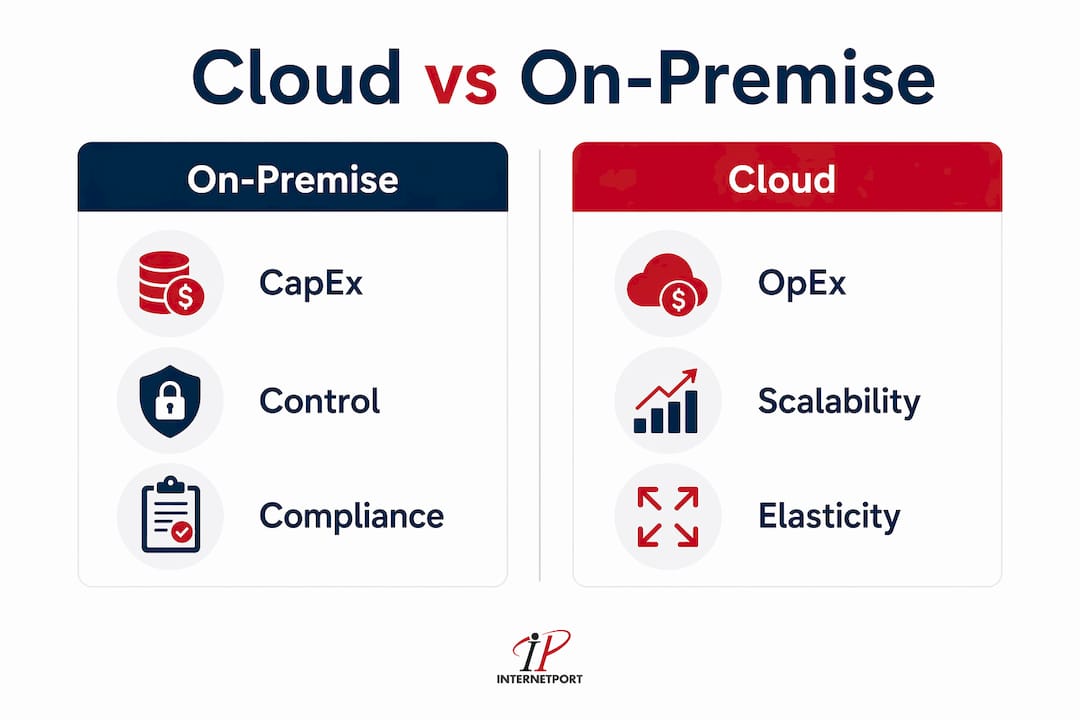
On-premise deployment requires significant capital expenditure upfront. You purchase servers, networking gear, and storage, then amortize those costs over 3–5 years. That amortization period matters because it locks your cost basis regardless of whether your workload grows, shrinks, or disappears entirely.

Cloud services flip that model. You pay operational expenses based on what you consume, with no hardware purchase required. This pay-as-you-go structure works well for variable or unpredictable workloads, where demand spikes and drops without warning. A retail business running heavy compute during the holiday season and almost nothing in february is a textbook case for cloud economics.
The hidden cost trap runs in both directions. On-premise carries costs beyond hardware: facilities, power, cooling, and the staff hours spent on maintenance. Cloud carries its own hidden costs, and they are significant. 31% of IT leaders report wasting more than half of their cloud spend on idle or over-provisioned resources. That number means cloud waste is not an edge case. It is a widespread operational failure that erases the cost advantages cloud promises.
For steady, predictable workloads, the math often favors on-premise once hardware is fully amortized. Long-term cloud costs for stable workloads can exceed the total cost of owned infrastructure when you factor in egress fees, licensing, and waste. This is the calculation most organizations skip when they move to cloud.
| Cost category | On-premise | Cloud |
|---|---|---|
| Initial investment | High CapEx, paid upfront | None or minimal |
| Ongoing costs | Facilities, power, staff | Consumption-based fees |
| Scaling costs | New hardware purchase | Immediate, billed by use |
| Waste risk | Underutilized hardware | Idle resources, egress fees |
| Cost predictability | High after amortization | Variable, requires governance |
Pro Tip: Run a full total cost of ownership analysis before committing to either model. Include staff time, facilities, licensing, and projected cloud waste alongside hardware costs. Most organizations underestimate at least one category.
How do scalability and deployment speed differ between cloud and on-premise?
Cloud's defining operational advantage is elasticity. Elasticity means resources scale up or down automatically in response to demand, often within minutes. Scalability, by contrast, refers to the planned capacity to handle growth. Cloud platforms deliver both. Cloud provides rapid deployment including multi-region application deployment, built-in redundancy, automated backups, and disaster recovery capabilities that are rarely feasible on-premise.
On-premise scaling follows a different timeline. Adding capacity means procuring hardware, waiting for delivery, installing and configuring equipment, and testing before production use. That process can take weeks or months. For businesses with predictable, stable growth, this lead time is manageable. For businesses responding to sudden market opportunities, it is a serious constraint.
Cloud is chosen for elasticity and rapid deployment while on-premise is preferred when strict data sovereignty or regulatory compliance demands full stack ownership. That distinction captures the core trade-off: speed and flexibility versus control and compliance.
Hybrid approaches address the gap. A business can run its core database on-premise for compliance reasons while spinning up cloud compute for burst processing. This combination captures hybrid cloud advantages without forcing an all-or-nothing commitment.
Scenarios where cloud deployment wins:
- Unpredictable or seasonal traffic spikes requiring rapid resource addition
- New product launches needing multi-region availability from day one
- Development and testing environments that run intermittently
- Disaster recovery setups requiring geographic redundancy without a second physical site
Scenarios where on-premise deployment wins:
- Regulated industries with strict data residency requirements
- Workloads with consistent, high-volume compute that run 24 hours a day
- Applications requiring ultra-low latency to local systems or machinery
- Organizations with existing hardware investments not yet fully amortized
What are the security and compliance considerations for cloud vs on-premise?
Cloud security operates on a shared responsibility model. The cloud provider secures the physical infrastructure, the hypervisor layer, and the network. You are responsible for securing your data, managing access controls, and configuring your applications correctly. This division is clear in theory and frequently misunderstood in practice.
On-premise does not automatically mean more secure. Physical control does not guarantee protection when internal security expertise is limited. A small IT team managing on-premise servers without dedicated security staff faces the same threat landscape as a cloud deployment, but without the baseline protections that major cloud providers invest in continuously. The security outcome depends on skills and processes, not on where the hardware sits.
Compliance is where on-premise often holds a genuine advantage. Regulations like GDPR, HIPAA, and PCI DSS impose requirements on where data resides and who can access it. Some industries require data to stay within specific national borders. Meeting those requirements in cloud environments is possible but requires careful configuration, contractual guarantees from providers, and ongoing audit processes. On-premise gives your legal and compliance teams direct, auditable control over the full stack.
Pro Tip: Before choosing a deployment model, map your regulatory obligations first. Identify which data sets are subject to sovereignty or residency rules, then design your architecture around those constraints. Retrofitting compliance onto an existing deployment is far more expensive than building it in from the start.
Internetport operates data centers in Sweden and internationally, with PCI DSS compliance built into its infrastructure. For organizations that need cloud hosting with verifiable compliance guarantees, that combination reduces the audit burden significantly.
How does cloud adoption shift IT team roles and focus?
Cloud adoption changes what IT teams do every day. IT focus shifts from hardware management to service management, security policy, and vendor orchestration. Engineers who spent their time racking servers, patching firmware, and managing storage arrays redirect that time toward architecture, automation, and business-facing projects.
That reallocation has real value. IT teams spending less time on maintenance spend more time on projects that generate revenue or reduce operational risk. Operational velocity drives cloud adoption in 2026 more than cost savings. The ability to spin up a new environment in hours rather than weeks changes how fast a business can test ideas and respond to market shifts.
The transition also creates new management challenges. Cloud governance requires tracking subscriptions, managing access policies, and monitoring spend across multiple services. Without clear ownership, cloud environments accumulate unused resources, orphaned accounts, and security gaps. These are not technical problems. They are organizational ones.
Operational shifts IT teams experience after cloud adoption:
- Vendor management replaces hardware procurement as a core skill
- Security policy configuration becomes a daily responsibility rather than a periodic audit
- Subscription and cost monitoring requires dedicated tooling and process
- Documentation and architecture diagrams need continuous updates as environments change
For SMBs without large IT departments, these shifts can be disorienting. The workload does not disappear. It changes shape. Teams that plan for this transition, including training and process redesign, adapt faster than those that treat cloud migration as purely a technical exercise.
When does a hybrid or multi-cloud strategy make sense?
A hybrid cloud strategy combines on-premise infrastructure with one or more cloud environments, connected through private networking or VPNs. A multi-cloud strategy uses services from multiple cloud providers simultaneously. Both approaches address the reality that the "cloud is always better" narrative is a misconception. Most organizations succeed by placing workloads where they perform best.
Hybrid cloud solutions provide a middle ground that balances speed, agility, and control for workloads with compliance or legacy constraints. A manufacturer running proprietary control systems on-premise can use cloud for analytics, customer portals, and collaboration tools without migrating the systems that cannot move. That separation is practical, not a compromise.
The complexity cost is real. Hybrid environments require managing network boundaries, security controls, and data flows across two or more distinct environments. Integration failures, latency between environments, and inconsistent security policies are common failure points. Organizations that underestimate this complexity often end up with higher costs and do (done) reliability than either pure model would have delivered.
| Hybrid strategy factor | Advantage | Challenge |
|---|---|---|
| Workload placement | Run each workload where it performs best | Requires clear workload classification |
| Compliance navigation | Keep regulated data on-premise | Ongoing audit complexity |
| Cost management | Optimize spend across environments | Requires unified monitoring |
| Disaster recovery | Cloud as failover for on-premise systems | Network dependency and latency |
| Legacy integration | Extend on-premise systems with cloud services | Integration development and maintenance |
For IT decision-makers considering this path, resources on scaling remote technology operations offer practical frameworks for managing distributed infrastructure without losing governance. The key is treating hybrid not as a temporary state on the way to full cloud, but as a deliberate architecture choice with its own management discipline.
Pro Tip: Start hybrid deployments with a single, well-defined use case. Pick one workload that clearly benefits from cloud while keeping another on-premise for compliance. Prove the integration model works before expanding it across your environment.
Key Takeaways
The best infrastructure choice is the one matched to your specific workload, compliance requirements, and internal capabilities, not the one that follows industry trends.
| Point | Details |
|---|---|
| Cost model differs fundamentally | On-premise uses CapEx amortized over 3–5 years; cloud uses consumption-based OpEx with variable waste risk. |
| Cloud waste is a real financial risk | 31% of IT leaders report wasting more than half their cloud budget on idle or over-provisioned resources. |
| Security depends on skills, not location | On-premise is not inherently more secure; effective protection requires expertise in either deployment model. |
| Hybrid requires deliberate governance | Combining cloud and on-premise captures flexibility and control but adds integration and security complexity. |
| IT roles change with cloud adoption | Cloud shifts IT focus from hardware maintenance to vendor management, security policy, and strategic projects. |
The infrastructure decision most teams get wrong
After watching organizations make this decision repeatedly, the pattern I see most often is this: teams choose a deployment model based on what their peers are doing, not based on what their workloads actually require. Cloud adoption accelerated dramatically over the past several years, and that momentum created pressure to migrate everything, regardless of fit.
The organizations that struggle most are the ones that moved stable, predictable workloads to cloud without running a real TCO analysis. They discover two years later that their cloud bill exceeds what on-premise would have cost, and they have already decommissioned the hardware. Reversing that decision is expensive and disruptive.
The organizations that get it right treat the decision as a workload-by-workload question. They keep regulated data on-premise or in compliant hosted environments. They use cloud for development, burst capacity, and customer-facing applications that need geographic reach. They revisit the decision annually as their business changes.
My honest advice: do not let the simplicity of cloud provisioning substitute for the discipline of capacity planning. Cloud makes it easy to spin up resources. That ease is also how waste accumulates. Build cost governance into your cloud adoption from day one, not as an afterthought when the bills arrive.
The private cloud advantages available through dedicated hosted environments often give SMBs the best of both worlds: cloud-like provisioning speed with on-premise-like control and compliance. That option deserves serious evaluation before committing to either extreme.
— Peter
Internetport's hosting options for cloud and on-premise workloads
Internetport offers a practical range of services for IT teams that need flexibility without sacrificing control. Whether you are running a cloud-first architecture or maintaining on-premise workloads alongside hosted services, Internetport's infrastructure covers the full spectrum.
For teams starting with web hosting or scaling up to virtual private servers, Internetport provides PCI DSS-compliant environments hosted in Swedish and international data centers. Organizations that need dedicated resources with full hardware control can choose dedicated server options that deliver on-premise-like performance without the facility overhead. Private networking, colocation, and flexible connectivity round out the offering for businesses managing hybrid deployments. Internetport's technical support team works directly with IT decision-makers to match infrastructure to workload requirements.
FAQ
What is the main difference between cloud and on-premise infrastructure?
Cloud infrastructure is hosted and managed by a third-party provider and accessed over the internet, while on-premise infrastructure is owned and operated by your organization in your own facility. The core difference is in ownership, cost structure, and who is responsible for maintenance and security.
Is cloud always cheaper than on-premise?
Cloud is not always cheaper. For variable or small workloads, cloud's pay-as-you-go model reduces costs compared to purchasing hardware. For stable, high-volume workloads, on-premise costs can be lower once hardware is fully amortized over its 3–5 year lifespan.
Is on-premise more secure than cloud?
On-premise is not inherently more secure than cloud. Security depends on the skills and processes your team applies, not on where the hardware sits. Cloud providers invest heavily in baseline infrastructure protections, but you remain responsible for data security and access management.
What is a hybrid cloud strategy?
A hybrid cloud strategy combines on-premise infrastructure with one or more cloud environments, connected through private networking. It allows organizations to run regulated or latency-sensitive workloads on-premise while using cloud for burst capacity, development, or customer-facing applications.
How does cloud adoption affect IT team responsibilities?
Cloud adoption shifts IT focus away from hardware procurement and maintenance toward vendor management, security policy configuration, and cloud cost governance. Teams typically gain time for strategic projects but must develop new skills in subscription management and cloud architecture.