

TL;DR:
- Cloud infrastructure benefits SMBs through cost savings, scalability, high availability, and security.
- SMBs must understand shared responsibility, vendor lock-in risks, and compliance needs when adopting cloud.
- Successful cloud use requires careful planning, workload assessment, and ongoing management.
Cloud infrastructure is often misread as a luxury reserved for tech giants with massive budgets and dedicated engineering teams. That assumption is costing small and mid-sized businesses real money and competitive ground. The reality is that cloud is driving agility and savings for SMBs worldwide, not just Fortune 500 companies. This guide walks IT managers and decision-makers through what cloud infrastructure actually is, why it matters for your business, how to compare providers, and how to avoid the pitfalls that trip up most first-time adopters.
Table of Contents
- Defining cloud infrastructure: The building blocks
- Why SMBs are adopting cloud infrastructure
- How cloud infrastructure compares: Leading providers and costs
- Overcoming challenges: Security, compliance, and vendor lock-in
- Our take: Cloud success depends on smart planning, not just technology
- Ready to modernize your business with reliable cloud infrastructure?
- Frequently asked questions
Key Takeaways
| Point | Details |
|---|---|
| Core components defined | Cloud infrastructure combines hardware, virtualization, and networking managed for you as IaaS. |
| Proven SMB advantages | SMBs gain lower costs, high reliability, and faster deployments with cloud solutions. |
| Provider comparison vital | Major providers like AWS, Azure, and Google Cloud offer distinct strengths and pricing for SMB workloads. |
| Plan for risks | Shared responsibility, compliance, and vendor lock-in are top challenges requiring careful planning. |
| Strategy drives success | Mapping workloads and optimizing over time is key to maximizing your cloud infrastructure investment. |
Defining cloud infrastructure: The building blocks
Cloud infrastructure is not a single product you buy off a shelf. It is a layered stack of physical and virtual resources that work together to deliver computing power over the internet. According to NIST cloud standards, cloud infrastructure combines hardware, software, virtualization, and networking, and is most commonly delivered as Infrastructure as a Service, or IaaS.
Think of it this way: underneath every cloud service are real physical servers sitting in a data center. Virtualization software then slices those physical machines into multiple isolated environments, each acting like its own independent server. That is what you rent when you spin up a virtual machine in the cloud.
The three main service models you will encounter are:
- IaaS (Infrastructure as a Service): You get raw compute, storage, and networking. You manage the operating system, middleware, and applications. This is the most relevant model for IT managers who want control.
- PaaS (Platform as a Service): The provider manages the underlying infrastructure and runtime. You focus on deploying and managing applications.
- SaaS (Software as a Service): Fully managed applications delivered over the internet. Think email or CRM tools.
For most SMB IT decisions, IaaS is the core model because it gives you the most flexibility without requiring you to own physical hardware.
The division of responsibility is equally important to understand. The provider owns and maintains the physical infrastructure, including servers, cooling, power, and physical security. You are responsible for everything that runs on top: your operating system, applications, user access controls, and data. Knowing where that line sits prevents nasty surprises when something goes wrong.
"Cloud infrastructure is not just a hosting upgrade. It is a fundamental shift in how you procure, manage, and scale your IT resources."
Understanding these building blocks gives you the vocabulary to evaluate vendors, negotiate contracts, and design architectures that actually fit your workloads.
Why SMBs are adopting cloud infrastructure
The business case for cloud infrastructure has never been stronger for small and mid-sized companies. The drivers are concrete, measurable, and directly tied to outcomes that IT managers are accountable for.
Here is why adoption is accelerating:
- Cost efficiency: 52% of SMBs report cost savings after moving to cloud infrastructure, primarily by eliminating capital expenditure on hardware and reducing deployment timelines from roughly 21 weeks to around 9 weeks.
- Scalability on demand: You can add compute resources in minutes rather than waiting weeks for new hardware to arrive and be configured. This matters enormously during traffic spikes or rapid business growth.
- High availability: Multi-zone cloud deployments allow SMBs to achieve 99.99% or better uptime, which translates to less than one hour of unplanned downtime per year.
- Security improvements: Major cloud providers invest billions annually in physical security, network monitoring, and compliance certifications that most SMBs could never replicate in-house.
- Pay-as-you-go pricing: You pay for what you use. This model is ideal for growing businesses where demand is unpredictable and locking into fixed infrastructure costs is a financial risk.
The uptime figure deserves a closer look. 99.99% availability sounds like a marketing number, but in practice it means your customer-facing systems, internal tools, and data pipelines stay online. For an e-commerce business, even a few hours of downtime can wipe out a week of revenue. Cloud infrastructure makes that level of reliability accessible without a massive on-prem investment.
Pro Tip: Before migrating, audit which workloads are truly mission-critical. Start with non-production environments to build team confidence, then move critical systems once you have validated your architecture. Exploring private cloud advantages can also help you decide where a dedicated environment makes more sense than shared public cloud.
For a broader sense of what cloud deployments look like in practice, reviewing cloud solution examples from comparable organizations can shortcut a lot of the guesswork.
How cloud infrastructure compares: Leading providers and costs
Choosing a cloud provider is not just about price. It is about matching provider strengths to your specific workload requirements, compliance needs, and long-term roadmap.
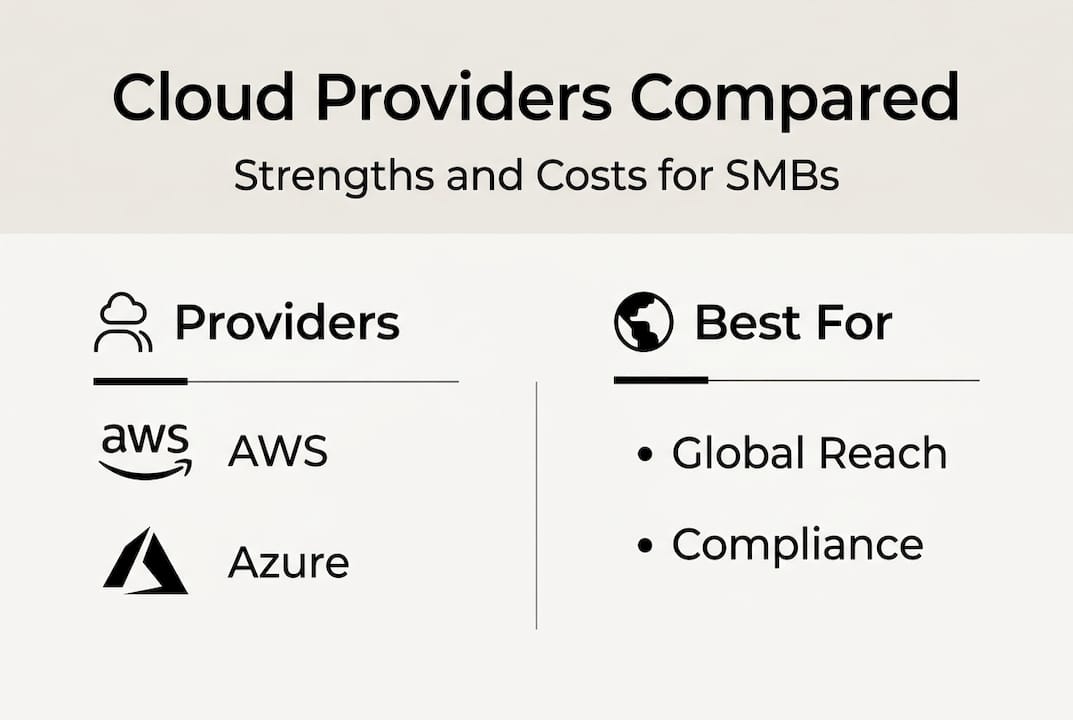
Here is a side-by-side comparison of the three dominant providers:
| Provider | Market share | Best for | Typical 2vCPU/8GB cost |
|---|---|---|---|
| AWS | 29-34% | Broad workloads, global reach | ~$0.083/hr |
| Azure | ~22% | Hybrid cloud, Microsoft integration | ~$0.080/hr |
| GCP | ~11% | Data analytics, machine learning | ~$0.067/hr |
According to 2025 cloud benchmarks, AWS leads market share and offers the widest service catalog, Azure excels in hybrid environments and organizations already running Microsoft workloads, and GCP wins on price and performance for data-heavy or ML-driven applications.
For most SMBs, the decision comes down to a few practical factors:
- Existing software stack: If your team runs Windows Server and Microsoft 365, Azure integration is a natural fit.
- Compliance requirements: Certain regulated industries, like healthcare or finance, may find that one provider's certifications align better with their obligations.
- Geographic coverage: If your users or customers are concentrated in specific regions, check which provider has data centers closest to them for latency reasons.
- Support quality: Enterprise support tiers vary significantly in response time and depth. Read the fine print before committing.
Pro Tip: Run a proof-of-concept workload on two providers before signing a long-term commitment. Real-world performance in your specific environment often differs from published benchmarks.
Learning how to optimize security and scalability across your chosen platform will help you get the most from whichever provider you select. If you are evaluating more complex setups, the enterprise hosting guide covers architectural patterns worth understanding before you finalize your design.
Overcoming challenges: Security, compliance, and vendor lock-in
Cloud infrastructure introduces risks that are different from traditional on-prem environments. Understanding them upfront lets you build safeguards into your architecture from day one rather than scrambling to fix problems after a breach or a surprise invoice.

The shared responsibility model is the single most important concept here. The provider secures the physical layer: data center access, hardware integrity, and network infrastructure. You are responsible for identity and access management (IAM), data encryption, application security, and monitoring. Misunderstanding this split is one of the leading causes of cloud security incidents.
Here is a quick breakdown of where responsibility typically falls:
| Layer | Provider responsibility | Customer responsibility |
|---|---|---|
| Physical hardware | Yes | No |
| Hypervisor/virtualization | Yes | No |
| Operating system | No | Yes |
| Application security | No | Yes |
| Data encryption | Shared | Yes |
| Identity and access | No | Yes |
Beyond security, vendor lock-in and hidden egress fees are real financial risks. Egress fees are charges for moving data out of a cloud provider's network. They are often overlooked during initial cost modeling and can become significant at scale. Some organizations have repatriated steady-state workloads back to on-prem or colocation environments specifically because egress costs eroded the expected savings.
Practical steps to reduce these risks:
- Use open standards and containerization (Docker, Kubernetes) to keep workloads portable across providers.
- Architect for multi-cloud or hybrid from the start if long-term flexibility is a priority.
- Review egress pricing before finalizing your data architecture, especially for high-volume applications.
- Implement IAM policies with least-privilege access and rotate credentials regularly.
- Enable logging and alerting from day one, not as an afterthought.
For SMBs in regulated industries, compliance adds another layer. GDPR, HIPAA, and PCI DSS each impose specific requirements around data residency, encryption, and audit trails. Confirm that your chosen provider holds the relevant certifications and that your configuration actually meets the standard, not just the provider's baseline.
Pro Tip: If you run predictable, steady-state workloads, evaluate dedicated server management as a complement or alternative. Fixed-cost dedicated infrastructure can be more economical than cloud for workloads that run 24/7 at consistent utilization.
Our take: Cloud success depends on smart planning, not just technology
After working with SMBs across a range of industries, one pattern stands out clearly: the organizations that struggle with cloud are not struggling because of technology. They are struggling because they skipped the planning phase.
Multi-cloud strategies sound appealing in vendor presentations, but for most SMBs they add cost and operational complexity without delivering proportional value. A well-configured single-provider setup, properly monitored and continuously optimized, will outperform a sprawling multi-cloud environment managed by a team that is already stretched thin.
The real work is in workload assessment. Not every application belongs in the cloud, and forcing a legacy system into a cloud-native architecture just to tick a box is a waste of resources. Map your workloads honestly, identify which ones benefit from elasticity and which ones run better on predictable dedicated infrastructure, and build your strategy around that reality.
Technology is only one piece. Process and people complete the picture. Cloud governance, cost monitoring, and security reviews need to be ongoing disciplines, not one-time setup tasks. The SMBs that get the most value from cloud are the ones treating it as a managed capability, not a set-and-forget utility. Reviewing solution selection insights can help you build a more structured evaluation process before you commit.
Ready to modernize your business with reliable cloud infrastructure?
If this guide has clarified what cloud infrastructure actually involves and what it takes to adopt it successfully, the next step is finding a hosting partner that matches your technical requirements and growth plans.

At Internetport, we have been building reliable, secure hosting and cloud infrastructure for SMBs and enterprises since 2008. Whether you need flexible webhosting to get started quickly, affordable VPS solutions with SSD storage and daily backups, or dedicated server options for workloads that demand consistent performance, we have infrastructure built around your needs. Our PCI DSS certified data centers and redundant systems mean you get the uptime and security your business depends on, without the overhead of managing it all yourself.
Frequently asked questions
What are the main benefits of cloud infrastructure for SMBs?
52% of SMBs report cost savings after adopting cloud infrastructure, and multi-zone deployments enable 99.99% uptime, making cloud a practical choice for scalability, security, and reliability at a lower capital cost than on-prem alternatives.
What does the shared responsibility model mean in cloud infrastructure?
The provider secures the physical hardware, data center, and network layer, while you are responsible for your operating system, applications, user access, and data protection, as defined in the NIST cloud computing framework.
Are there downsides or risks to cloud infrastructure?
Yes. Vendor lock-in and egress fees are the most common financial risks, while compliance gaps and misconfigured access controls are the leading security concerns. Proper planning and architecture choices minimize all of these.
How much does cloud infrastructure typically cost?
A standard SMB workload with 2 virtual CPUs and 8GB of RAM runs approximately $0.067 to $0.083 per hour depending on the provider, with GCP typically being the most affordable and AWS the most expensive at this tier.