

TL;DR:
- Modern AI workloads require high-density power and advanced cooling, challenging traditional data center assumptions.
- Selecting the right data center depends on workload demands, scalability, security, and efficiency metrics like PUE.
- Ongoing infrastructure review, transparency, and strategic partnerships are essential in the AI era.
Most IT leaders assume two data centers offering similar uptime guarantees are essentially interchangeable. They are not. Modern AI workloads have shattered that assumption: AI racks now require 120kW+ of power per rack, compared to 5-10kW for a standard server rack a decade ago. The facility that served your organization well in 2018 may be completely inadequate for today's GPU-heavy, latency-sensitive workloads. This guide breaks down what data centers actually are, the major types, how their infrastructure works, and the decision framework you need to choose the right solution for your organization's current and future demands.
Table of Contents
- Defining a data center: Foundation and functions
- Major types of data centers and their use cases
- Core infrastructure: Power, cooling, and efficiency metrics
- Key considerations for IT leaders when choosing a data center
- Why IT leaders must rethink data centers for the AI era
- Advance your infrastructure with leading data center solutions
- Frequently asked questions
Key Takeaways
| Point | Details |
|---|---|
| Data center essentials | Modern data centers provide secure, scalable environments for business-critical IT infrastructure. |
| Types and fit | Enterprise, hyperscale, colocation, and edge data centers offer unique benefits for different business needs. |
| Infrastructure focus | Power, cooling, and efficiency metrics are crucial to uptime and cost management. |
| Selection strategy | IT leaders should evaluate data centers based on reliability, flexibility, security, and future scalability. |
Defining a data center: Foundation and functions
A data center is a purpose-built facility or platform that centralizes an organization's computing, networking, and storage hardware under controlled, secure, and redundant conditions. That definition sounds simple. The operational reality is far more complex.
At its core, a data center exists to answer three business imperatives: keep systems running, protect data, and scale capacity on demand. Everything else, from the raised floors to the redundant power feeds, is in service of those three goals. When any one of them fails, the business consequences are immediate and measurable.
Modern data centers exist in two broad forms. Physical data centers are actual buildings housing hardware, staffed by engineers, and connected to power grids and fiber networks. Virtualized or cloud data centers abstract that physical layer, delivering compute and storage as a service. Many enterprise environments run a hybrid of both, and understanding data center reliability across both models is critical before committing infrastructure budgets.
The key components inside any serious data center include:
- Servers: The compute workhorses running applications, databases, and virtual machines
- Networking equipment: Switches, routers, and firewalls managing internal and external traffic
- Power distribution: UPS systems, generators, PDUs ensuring uninterrupted supply
- Cooling systems: CRAC units, liquid cooling, or immersion systems managing heat
- Physical and cyber security: Access controls, surveillance, firewalls, and intrusion detection
As cloud storage costs continue shifting, organizations increasingly weigh owned infrastructure against managed or colocated alternatives. The right answer depends entirely on workload type, compliance requirements, and growth trajectory.
Pro Tip: Before evaluating any data center, document your uptime requirements, compliance obligations, and projected compute growth over 36 months. That single exercise eliminates most mismatched vendor conversations.
Enterprise, hyperscale, colocation, and edge data centers each serve unique organizational needs, which means there is no universal best choice. The next section maps those differences clearly.
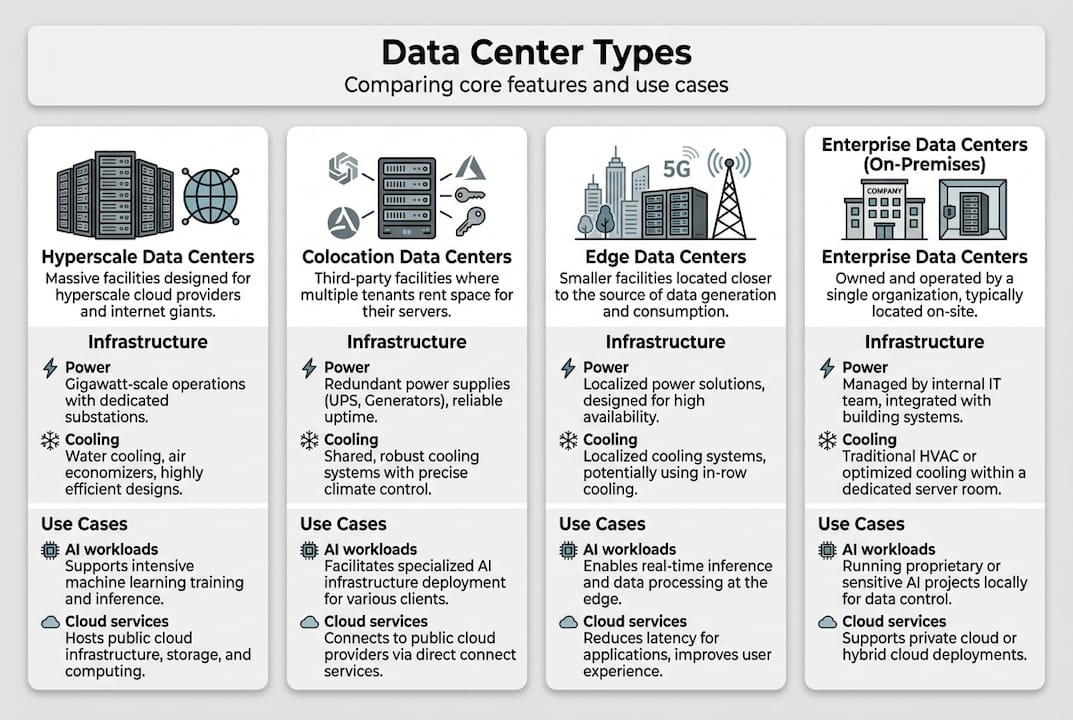
Major types of data centers and their use cases
Once you understand what a data center fundamentally is, the next step is matching your organization's workloads to the right category. The four major types differ significantly in ownership, cost structure, scalability, and latency profile.
Enterprise data centers are owned and operated by a single organization. They offer maximum control over hardware, security policy, and configuration. The tradeoff is capital intensity and the operational burden of maintaining the facility. Legacy workloads and highly regulated industries often favor this model.
Hyperscale data centers are the massive facilities operated by cloud providers like AWS, Azure, and Google. These facilities house 5,000 or more servers and consume over 100MW of power. They deliver economies of scale for generic, high-demand workloads, but they offer limited customization and can introduce latency for geographically distributed users.
Colocation data centers let organizations rent physical space, power, and cooling while deploying their own hardware. This model combines cost efficiency with operational flexibility. You control your equipment; the provider handles the facility. Colocation data centers are particularly attractive for organizations that need predictable costs without the capital expense of building their own facility.
Edge data centers are small, distributed facilities positioned close to end users or data sources. They are purpose-built for ultra-low latency applications like IoT platforms, 5G infrastructure, and real-time analytics.
| Feature | Enterprise | Hyperscale | Colocation | Edge |
|---|---|---|---|---|
| Ownership | Organization-owned | Provider-owned | Shared/rented | Distributed |
| Scalability | Limited | Massive | Moderate | Small footprint |
| Cost model | High CapEx | Pay-as-you-go | Predictable OpEx | Variable |
| Latency | Low (on-site) | Variable | Low to moderate | Very low |
| Best use case | Legacy/regulated | Cloud-native apps | Cost-flexible IT | IoT, 5G, real-time |
As hyperscale offers economies of scale while colocation prioritizes flexibility and edge enables low latency, the right model depends on your specific workload mix and growth plans.
Pro Tip: Most mature enterprises end up with a hybrid approach, using enterprise hosting options for sensitive workloads and colocation or cloud for scalable, less-regulated applications.
Core infrastructure: Power, cooling, and efficiency metrics
Recognizing the different types is only the start. Understanding what keeps them running reliably is where IT leaders gain a real operational edge.
Redundancy models define how resilient a facility is to component failure. The three common models are:
- N: Exactly enough capacity to meet demand. No redundancy. Any failure causes an outage.
- N+1: One additional component beyond what is needed. A single failure is tolerated without downtime.
- 2N: Full duplication of every critical system. Used in Tier III and Tier IV facilities where even scheduled maintenance must not interrupt operations.
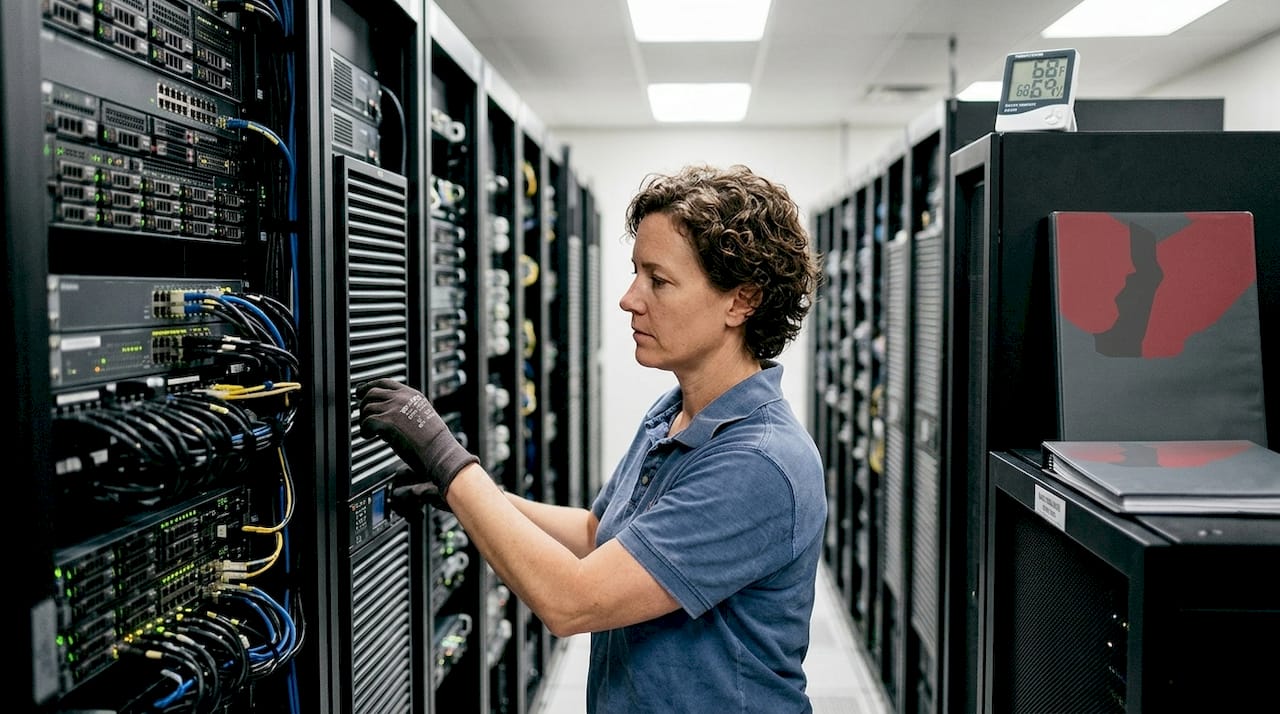
Power and cooling are where most scaling bottlenecks actually occur. Power planning involves critical IT load, UPS overhead, battery systems, lighting, and cooling, with AI racks requiring 120kW or more and UPS efficiency running between 96 and 99 percent. That is a fundamentally different engineering challenge than the 5-10kW racks that dominated data center design for the past two decades.
Cooling technology has evolved to match. Air cooling handles up to 30kW per rack, direct-to-chip liquid cooling manages up to 120kW, and immersion cooling reaches 100 to 150kW per rack. The global data center cooling market reflects this urgency.
| Rack type | Power density | Cooling method | Typical PUE |
|---|---|---|---|
| Standard server rack | 5-15kW | Air cooling | 1.4-1.8 |
| High-density GPU rack | 30-80kW | Direct-to-chip liquid | 1.2-1.5 |
| AI/ML training rack | 80-120kW+ | Immersion or hybrid | 1.1-1.3 |
Two efficiency metrics every IT leader should understand:
- PUE (Power Usage Effectiveness): Total facility power divided by IT equipment power. A PUE of 1.0 is perfect. Best-in-class facilities target 1.2 to 1.5.
- WUE (Water Usage Effectiveness): Liters of water used per kilowatt-hour of IT load. Critical for sustainability reporting and operating cost analysis.
"The facilities that will win the next decade are not the ones with the most servers. They are the ones that can deliver the most compute per watt, per dollar, per liter of water."
When evaluating a provider, ask specifically about their PUE, cooling architecture, and outage prevention strategies. Vague answers are a red flag. Providers managing modern workloads should have precise, auditable answers ready.
For context on how cooling decisions affect adjacent workloads, video storage cooling offers a useful parallel for understanding high-throughput data environments.
Key considerations for IT leaders when choosing a data center
Now that technical foundations are clear, here is a practical framework for the actual selection process.
Start with requirements, not features. Before comparing providers, document:
- Uptime SLA requirements: What is the true cost of one hour of downtime for your organization?
- Security and compliance obligations: Do you operate under PCI DSS, HIPAA, ISO 27001, or GDPR constraints?
- Current and projected power density: Are you running standard servers, or planning GPU and AI workloads?
- Scalability horizon: What does your compute footprint look like in 24 and 48 months?
- Latency sensitivity: Do your applications require sub-10ms response times for end users?
Once those are documented, evaluate providers against them directly. Key questions to ask:
- What redundancy model does your facility operate on (N+1, 2N)?
- What is your measured PUE over the last 12 months?
- How do you handle capacity expansion for high-density racks?
- What physical access controls and audit logging do you provide?
- What is your process for notifying clients of planned maintenance or incidents?
Facilities with advanced cooling enable denser AI deployments and better energy efficiency, with best-in-class PUE values of 1.2 to 1.5 separating modern facilities from legacy ones.
Cost optimization is another area where IT leaders often leave value on the table. Colocation contracts, for example, can often be structured around committed power draw rather than rack count, which better aligns cost with actual utilization.
Pro Tip: Request a facility tour and ask to see the power and cooling infrastructure directly. A provider confident in their setup will welcome it. One that deflects should raise concern.
For organizations evaluating their full infrastructure stack, reviewing secure scalable solutions alongside data center options helps ensure hosting and facility decisions align.
Why IT leaders must rethink data centers for the AI era
Here is the uncomfortable reality most vendor conversations avoid: the criteria that defined a "good" data center five years ago are now table stakes at best and misleading at worst.
Uptime percentages and physical security checklists matter. But they do not tell you whether a facility can actually support a 40-rack GPU cluster, absorb a 3x spike in power demand, or give you real-time visibility into thermal performance. Traditional enterprise models often lock organizations into fixed capacity at exactly the moment when AI workloads demand fluid, rapid scaling.
Hyperscale is not the automatic answer either. Routing sensitive workloads through a shared, multi-tenant cloud environment introduces compliance complexity and latency that many organizations underestimate until it becomes a production problem.
What actually works is a combination of operational transparency, vendor collaboration, and regular infrastructure review cycles. The organizations winning on infrastructure right now are not the ones with the biggest budgets. They are the ones treating data center selection as an ongoing strategic decision, not a one-time procurement event. Edge deployments, liquid cooling readiness, and clear SLA accountability are the real differentiators. Revisiting data center strategies annually is no longer optional. It is a competitive necessity.
Advance your infrastructure with leading data center solutions
If this guide surfaced gaps in your current infrastructure setup, the next step is straightforward: evaluate your options against the framework above and move quickly.

At Internetport, we have operated PCI DSS-certified data centers with redundant power and cooling since 2008, purpose-built for organizations that cannot afford ambiguity in their uptime or security posture. Whether you need physical space through our colocation solutions, a managed environment through business webhosting, or flexible compute through our VPS options, we have the infrastructure depth to match your requirements. Talk to our team and get a clear picture of what your infrastructure should look like next.
Frequently asked questions
What is a data center in simple terms?
A data center is a specialized facility that houses computing, networking, and storage equipment to power and protect business technology systems. Data centers centralize and protect organizational computing infrastructure, making them the backbone of modern IT operations.
What are the main types of data centers?
The main types are enterprise, hyperscale, colocation, and edge data centers, each optimized for different size, cost, and operational requirements. Choosing the right type depends on your workload profile, compliance needs, and scalability goals.
Why is power and cooling critical in data centers?
Without robust power and cooling, data centers risk outages and hardware failure. AI racks require 120kW+ per rack, making high-density cooling systems a non-negotiable requirement for modern workloads.
How do IT leaders choose a suitable data center?
They match business requirements to reliability, security, cooling capacity, and scalability by comparing SLAs and future-proofing features. Best-in-class PUE of 1.2 to 1.5 is a reliable benchmark for evaluating facility efficiency and readiness for dense workloads.