
TL;DR:
- Cloud storage offers flexibility, remote access, and automatic redundancy, making it ideal for dynamic workloads. Local storage provides control, predictable costs, and low latency, suited for regulated or performance-sensitive data. Businesses should map their data needs and consider hybrid approaches to optimize costs, security, and operational efficiency.
Cloud versus local storage defines whether a business stores data on remote, provider-managed servers or on physical hardware it owns and controls on-site. The industry terms for these two approaches are cloud storage and on-premises storage, and the difference between them shapes everything from your IT budget to your compliance posture. For small to medium-sized businesses and IT professionals, this choice carries real consequences. Cloud storage delivers flexibility and remote access. Local storage delivers control and predictability. The right answer depends on your workload, your regulatory environment, and how much management overhead your team can absorb.
What are the main differences between cloud and local storage?
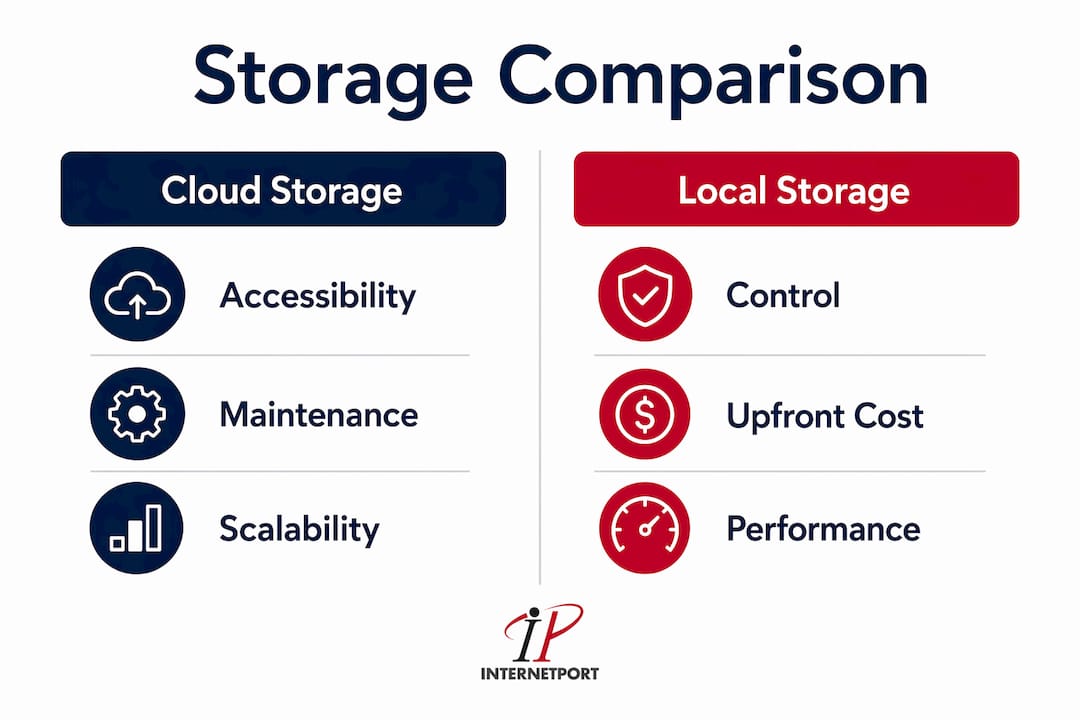
Cloud storage and on-premises storage differ across four core dimensions: scalability, accessibility, maintenance, and redundancy.

Scalability is where cloud storage wins decisively. You add capacity by adjusting a subscription. With local storage, you order hardware, wait for delivery, rack it, and configure it. That process takes days or weeks. For businesses with variable workloads, that lag is a real operational risk.
Accessibility tells a different story. Cloud storage is available from any device with an internet connection, which makes it the natural fit for distributed or remote teams. Local storage is location-bound. Without a VPN or remote desktop setup, your data stays at the office. That limitation matters less for businesses where all staff work on-site, but it becomes a bottleneck the moment your team goes hybrid.
Maintenance is the hidden cost most SMBs underestimate. Cloud storage transfers physical security, hardware replacement, and climate control responsibilities to the provider. Your IT staff stops managing drives and starts managing policies. With local storage, your team owns every layer: firmware updates, drive failures, power protection, and physical access controls.
Redundancy and disaster recovery favor cloud by default. Most cloud platforms replicate data across multiple geographic regions automatically. A local storage setup requires deliberate investment in backup hardware, offsite replication, or tape rotation. Businesses that skip this step discover the gap only after a fire, flood, or ransomware attack.
How remote access changes the equation
Remote access is not just a convenience feature. For businesses operating across multiple offices or with field staff, cloud storage benefits include real-time file synchronization that eliminates version conflicts. Local storage requires additional infrastructure like VPNs or remote desktop servers to replicate that experience, and those systems add their own maintenance burden.
Data redundancy in practice
A NAS device sitting in a server closet is one hardware failure away from data loss unless you have a second NAS or an offsite backup. Cloud providers build redundancy into the base service. That does not mean cloud is infallible, but the baseline protection is higher without any additional configuration from your team.
How do costs compare between cloud and local storage for SMBs?
Cost is the most common reason SMBs revisit their storage strategy. The two models use fundamentally different financial structures.
Local storage runs on capital expenditure (CapEx). You buy hardware upfront, depreciate it over time, and pay for maintenance, power, and eventual replacement. A NAS device for a 10-person team might cost $1,500–$3,000 upfront, with additional costs for drives, UPS protection, and IT labor. The spending is front-loaded, but once the hardware is paid off, ongoing costs drop significantly.
Cloud storage runs on operational expenditure (OpEx). You pay a monthly or annual subscription based on storage consumed. There is no upfront hardware cost, which lowers the barrier to entry. Shifting to cloud-based storage can reduce total IT storage costs by up to 30% for many SMBs by eliminating large upfront hardware expenses and reducing maintenance. That figure reflects the full cost picture, not just the subscription price.
The catch is that cloud costs grow with your data. Providers charge for storage volume, egress fees, and sometimes API calls. A business storing 50TB pays meaningfully more than one storing 5TB, and those costs compound year over year.
Pro Tip: Run a 3-year total cost of ownership model before committing to either approach. Include hardware depreciation, IT labor, power costs, and projected data growth. The math often surprises teams that assume cloud is always cheaper.
NAS devices can be more cost-effective than cloud over a 3–5 year lifecycle by eliminating subscription fees and price hikes tied to data growth. That advantage disappears if you factor in a major hardware failure or the IT hours required to manage the system. The honest answer is that neither model is universally cheaper. The winner depends on your data volume, growth rate, and internal IT capacity.
| Cost factor | Cloud storage | Local storage (NAS) |
|---|---|---|
| Upfront investment | Low (subscription only) | High (hardware purchase) |
| Ongoing monthly cost | Variable, scales with data | Low after initial purchase |
| Maintenance responsibility | Provider-managed | IT staff-managed |
| Disaster recovery cost | Included in most plans | Requires additional investment |
| 3–5 year total cost | Higher for large data volumes | Lower if hardware stays healthy |
One underappreciated cost factor is egress fees. Cloud providers charge for data transferred out of their platform. If your applications frequently pull large datasets, those fees accumulate fast. Local storage has no egress cost because the data never leaves your network.
What are the security and compliance considerations for cloud vs on-premise storage?
Security is the section where most SMBs get the analysis wrong. The common assumption is that local storage is inherently more secure because you control the hardware. That assumption is only half right.
Security effectiveness depends more on governance than platform. Cloud providers offer advanced automated controls. Local storage requires strong operational discipline to achieve the same compliance outcomes. A cloud provider with ISO 27001 certification and 24/7 threat monitoring often delivers better security than a local server room with a padlock and quarterly backups.
Cloud storage security strengths include:
- Automated encryption at rest and in transit, typically AES-256
- Threat detection using behavioral analysis and anomaly monitoring
- Access controls with multi-factor authentication and role-based permissions
- Audit logging that captures every file access event for compliance review
- Physical security at the data center level, including biometric access and redundant power
Local storage security strengths include:
- Physical control over who can touch the hardware
- Air-gap capability for systems that must never connect to the internet
- No third-party data exposure because data never leaves your premises
- Predictable compliance scope for regulated industries with strict data residency rules
"Security depends on organizational capabilities. Cloud providers offer automated encryption and threat detection, while local storage enables direct physical security control to meet compliance demands. The question is not which platform is more secure by default. The question is which platform your team can actually govern well."
Compliance frameworks add another layer to this decision. HIPAA requires covered entities to protect patient data with administrative, physical, and technical safeguards. ISO 27001 sets a global standard for information security management. Both frameworks are achievable with cloud or local storage, but the implementation path differs. Cloud providers often offer compliance documentation and shared responsibility models that reduce your audit burden. Local storage puts the full compliance burden on your team.
For businesses handling payment card data, PCI DSS compliance is non-negotiable. Internetport operates with PCI DSS compliance built into its infrastructure, which reduces the compliance overhead for businesses that host sensitive data on its platform. You can find additional guidance on data center security practices that apply to both cloud and on-premises environments.
When should businesses prefer cloud storage versus local storage?
The right storage model depends on your specific operating conditions, not on which technology is trending.
Choose cloud storage when:
- Your team works remotely or across multiple locations and needs consistent file access.
- Your data volume fluctuates significantly month to month.
- You lack dedicated IT staff to manage hardware and backups.
- Your disaster recovery plan needs to be reliable without significant additional investment.
- You need to automate backups and lifecycle policies to reduce manual IT risk and human error.
Choose local storage when:
- Your applications require low latency that a network connection cannot reliably deliver.
- Your industry mandates data residency in a specific country or jurisdiction.
- Your data volume is large and stable, making subscription costs predictable and high.
- You have the IT staff to manage hardware, backups, and physical security.
- You operate in an environment where internet connectivity is unreliable.
Cloud storage suits flexible remote teams while local storage serves businesses with strict data sovereignty and performance needs. That distinction is not a marketing claim. It reflects the actual infrastructure trade-offs each model makes.
The hybrid approach most SMBs overlook
Hybrid storage combines local storage for performance-critical workloads with cloud storage for backup and disaster recovery. A manufacturing company might store production databases on a local NAS for speed while replicating nightly backups to a cloud platform. This approach captures the local storage advantages of low latency and control while using cloud for the redundancy and offsite protection it does best.
Pro Tip: If you are evaluating a hybrid setup, start by mapping your data into two categories: data that needs speed and data that needs safety. Speed data stays local. Safety data goes to the cloud. That single framework resolves most hybrid architecture decisions.
Hybrid strategies are increasingly common because they align cost with function. You pay for cloud storage only on data that genuinely benefits from it. You keep local hardware only for workloads that justify the management overhead. The cloud hosting migration guide from Internetport walks through the practical steps for SMBs moving workloads to the cloud, including how to structure a phased migration that preserves local systems during the transition.
What is browser local storage, and how does it differ from enterprise storage?
"Local storage" means two completely different things depending on context. Conflating them leads to real technical and security mistakes.
Browser local storage is a Web Storage API built into modern browsers. It lets web applications store small amounts of data on a user's device without sending it to a server. Browser local storage capacity per origin is typically limited to 5MB–10MB. That limit makes it suitable only for lightweight state management, not file storage. The two components of the Web Storage API are:
- localStorage: Persists data with no expiration. Data survives browser restarts and tab closures.
- sessionStorage: Stores data only for the duration of a browser session. It clears when the tab closes.
Browser localStorage should not store sensitive information like passwords or authentication tokens because it is accessible to any JavaScript running on the page. Cross-site scripting attacks can read localStorage contents directly. For larger or offline-capable data, IndexedDB is the appropriate browser-side alternative.
Enterprise local storage refers to physical hardware: NAS devices, SAN arrays, direct-attached storage, or dedicated servers. Capacity runs from terabytes to petabytes. Security is enforced at the network, operating system, and physical access levels. The two concepts share a name but nothing else.
Web developers building applications that store user preferences or UI state can use localStorage appropriately. IT professionals evaluating business data storage should ignore browser storage entirely. It is not part of that conversation.
Key Takeaways
Cloud storage and local storage each solve a different problem, and the best storage decision aligns the model to the workload rather than defaulting to one approach for all data.
| Point | Details |
|---|---|
| Cloud reduces upfront costs | Switching to cloud can cut IT storage costs by up to 30% by eliminating hardware purchases. |
| Local storage suits regulated workloads | On-premises hardware gives direct physical control needed for data sovereignty and low-latency apps. |
| Security depends on governance | Cloud providers automate encryption and monitoring; local storage requires strong internal discipline. |
| Hybrid strategies balance both | Use local storage for speed-critical data and cloud for backup and disaster recovery. |
| Browser localStorage is not business storage | The Web Storage API is limited to 5MB–10MB and is unsuitable for enterprise file storage. |
The case for stopping the either/or debate
The storage debate in 2026 still gets framed as a binary choice, and that framing costs SMBs money and flexibility. After working through dozens of infrastructure decisions, I have found that the businesses struggling most with storage are not the ones that chose the wrong platform. They are the ones that chose a platform without understanding what they were actually optimizing for.
Cloud storage gets oversold as a cost-saving tool. It can be, but only if your data volume stays manageable and you actively govern egress costs. I have seen SMBs migrate entirely to cloud storage and then watch their monthly bills triple as data grew. Nobody modeled the growth curve before signing the contract.
Local storage gets undersold as outdated. It is not. For a business running a database that serves thousands of transactions per minute, the latency difference between local and cloud storage is measurable and consequential. Putting that workload on cloud storage to save on hardware is a false economy.
The honest recommendation is to treat storage as a portfolio decision. Map your workloads. Assign each one to the model that fits its actual requirements. Revisit that map every 12 months because your data volume, your team structure, and your regulatory environment will all change. The businesses that do this well are not the ones with the biggest budgets. They are the ones that ask the right questions before they sign anything.
— Peter
How Internetport supports your storage and hosting decisions
Choosing between cloud and on-premises storage is only the first decision. The second is finding infrastructure that actually delivers on the model you choose.
Internetport offers web hosting plans built for SMBs that need reliable, scalable cloud infrastructure without the complexity of managing it themselves. For businesses that want local-like control with cloud flexibility, Internetport's VPS solutions and dedicated servers provide dedicated resources in PCI DSS-compliant data centers in Sweden and internationally. Whether you are moving workloads to the cloud for the first time or building a hybrid setup, Internetport's technical team provides direct support at every stage. No ticket queues, no generic responses.
FAQ
What is the main difference between cloud and local storage?
Cloud storage hosts data on remote, provider-managed servers accessible via the internet. Local storage keeps data on physical hardware you own and manage on-site.
Is cloud storage more secure than local storage?
Neither is inherently more secure. Cloud providers offer automated encryption and threat detection, while local storage gives direct physical control. Security outcomes depend on how well each model is governed.
Can cloud storage reduce IT costs for SMBs?
Yes. Shifting to cloud storage can reduce total IT storage costs by up to 30% by eliminating upfront hardware purchases and ongoing maintenance expenses.
What is a hybrid storage strategy?
A hybrid strategy uses local storage for performance-critical or regulated data and cloud storage for backup and disaster recovery. It captures the strengths of both models without committing entirely to either.
What is browser localStorage, and is it safe for business data?
Browser localStorage is a Web Storage API that stores up to 5MB–10MB of data per browser origin. It is not safe for sensitive business data and is designed only for lightweight UI state management.