
TL;DR:
- Most SMBs underestimate the extensive preparation required for cloud migration, which involves architectural, security, and operational changes. A thorough discovery, strategic use of the 6 Rs, and careful wave planning with rollback procedures are essential to minimize risks. Establishing a secure landing zone and post-migration optimization unlock long-term cost savings and operational efficiency.
Most IT managers at small and medium-sized businesses know they need to move to the cloud. What trips them up is underestimating how much preparation the cloud migration process actually demands. This isn't a simple lift-and-shift of files from one place to another. It's an architectural shift that touches your security model, your team's skills, your cost structure, and your day-to-day operations. This guide walks you through every phase, from the pre-migration audit to post-migration cost governance, giving you a realistic, structured path rather than a list of generic advice you've already heard.
Table of Contents
- Key takeaways
- The cloud migration process starts with discovery
- Choosing the right path with the 6 Rs framework
- Planning migration waves and rollback procedures
- Building a secure cloud foundation before you migrate
- Post-migration optimization and cost governance
- My honest take on what actually breaks SMB migrations
- How Internetport can support your migration
- FAQ
Key takeaways
| Point | Details |
|---|---|
| Assess before you migrate | Map dependencies and audit skills gaps before touching a single workload. |
| Use the 6 Rs to assign strategy | Match each application to the right migration path to control cost and risk. |
| Plan rollbacks for every wave | A rollback plan is non-negotiable before any migration window opens. |
| Build your landing zone first | Setting up governance and security architecture before migration prevents costly fixes later. |
| Optimize continuously after migration | Post-migration tuning can deliver an additional 20-35% in cost savings beyond the initial move. |
The cloud migration process starts with discovery
Before you create a single migration ticket, you need a precise picture of what you actually own and how it all connects. This is where most SMB migrations quietly fall apart. Teams start moving workloads before they understand how those workloads depend on each other, and the result is outages, scrambled rollbacks, and budget overruns that could have been avoided.
The foundation of a good cloud migration checklist is a thorough inventory. That means documenting every server, virtual machine, database, storage volume, and network component. It also means capturing utilization data, not just what exists but how heavily it's used, when it peaks, and what it costs today.
Dependency mapping goes deeper. You're looking for all upstream and downstream integrations, batch jobs, shared databases, and hard-coded IP couplings that could cause outages if migrated out of sequence. Tools like AWS Migration Hub, Azure Migrate, or open-source alternatives like Netdata can automate much of this discovery work, but nothing replaces a manual review of critical application configs.
Here's what your discovery phase should produce:
- Application inventory: A catalog of every workload with owner, business function, and interdependencies noted.
- Utilization baseline: CPU, memory, storage, and network usage data collected over at least 30 days to capture realistic load patterns.
- Security and compliance map: Which applications handle regulated data? Which need PCI DSS, GDPR, or HIPAA controls? Which have external audit requirements?
- Skills assessment: A readiness check of your team's cloud competencies. Technology migration that exceeds your team's capability creates operational fragility post-migration.
Pro Tip: Run automated discovery tools for at least four weeks, not just one. Monthly batch jobs and end-of-quarter reporting cycles only show up in longer collection windows, and missing them in your dependency map almost guarantees a production incident.
| Discovery Category | What to Capture | Why It Matters |
|---|---|---|
| Application inventory | Name, owner, function, dependencies | Prevents orphaned or out-of-sequence migration |
| Utilization data | 30-day CPU/memory/storage averages | Right-sizing cloud instances accurately |
| Compliance requirements | Data classification, regulatory frameworks | Prevents security gaps in cloud architecture |
| Team skills | Cloud certifications, experience gaps | Identifies training needs before cutover |
Choosing the right path with the 6 Rs framework
Once your discovery data is in hand, you need to assign every workload a migration strategy. The 6 Rs framework gives you a structured way to do that without defaulting to "move everything as-is and figure it out later."
Here's what each strategy means in practice:
Rehost (Lift and Shift): Move the application to the cloud without changing its architecture. Fast and low-risk, but it leaves efficiency gains on the table. Good for applications with tight migration timelines or where the business case doesn't justify refactoring costs.
Replatform: Make targeted optimizations during the move without re-architecting the core. Migrating from a self-managed MySQL database to a managed RDS instance is a classic example. You get operational benefits without a full rebuild.
Refactor: Re-architect the application to take full advantage of cloud-native capabilities like containers, serverless functions, or microservices. High effort, high reward. Reserve this for applications where the business value justifies the investment.
Repurchase: Replace the existing application with a SaaS alternative. If you're running a self-hosted CRM, moving to a SaaS CRM eliminates the migration effort entirely and often reduces total cost of ownership.
Retire: Decommission applications that no longer serve a business function. This is consistently underused. 10 to 20% of applications are typically retired during migration, delivering immediate cost savings and reducing technical debt.
Retain: Leave certain workloads on-premises for now. Mainframe workloads, highly regulated systems, or applications with near-term end-of-life dates may not justify migration yet.
Pro Tip: Don't let technical teams own the Retire decision alone. Bring in a business stakeholder to confirm that a system is genuinely unused before decommissioning. IT teams often assume a legacy system has no users until someone in accounting raises an alarm on day two.
| Strategy | Effort | Risk | Primary Benefit |
|---|---|---|---|
| Rehost | Low | Low | Speed and minimal disruption |
| Replatform | Medium | Low-Medium | Operational efficiency with limited rework |
| Refactor | High | High | Maximum cloud-native optimization |
| Repurchase | Low-Medium | Low | Eliminates maintenance burden |
| Retire | Very Low | Very Low | Immediate cost and complexity reduction |
| Retain | None | None | Avoids premature migration risk |
Ignoring cost modeling during this phase is one of the most common and painful mistakes. Egress fees, data transfer costs between availability zones, and licensing changes can all dramatically shift the financial case for a given strategy. Run the numbers before you commit.
Planning migration waves and rollback procedures
A cloud migration workflow built around waves is the most reliable way to manage risk across a multi-workload migration. Instead of migrating everything at once, you sequence workloads into logical groups and move them incrementally, validating each wave before proceeding to the next.
Here's how to structure your waves effectively:
- Wave 0: Foundation. Deploy your landing zone, identity management, and networking before migrating any workloads. This is not optional.
- Wave 1: Low-risk workloads. Start with development environments, test systems, or archived data. These are low-stakes and give your team experience with the process.
- Wave 2: Supporting services. Move middleware, logging systems, and monitoring tools that don't have external customer dependencies.
- Wave 3: Business-critical applications. Production workloads come last, after your team has proven the process with lower-risk systems.
- Wave 4: Decommissioning. Retire source systems after a parallel-run validation period confirms the cloud environment is stable.
Rollback planning is where teams get complacent, and that complacency is dangerous. Rollback plans must be documented and tested for every migration wave and are a mandatory condition before any migration window opens. A good rollback plan isn't just a document on a shared drive. It needs to be executable by team members other than the lead architect, under time pressure, with clear triggers and automation where possible. If your rollback procedure requires the one person who built the system to be on-call, it's not a real rollback plan.
Pilot phases should run for a minimum of two weeks in production-equivalent load conditions before you declare a wave complete. Use dual-run validation to compare outputs between the legacy and cloud environments for data-sensitive workloads. Any discrepancy is a blocker, not a footnote.
- Validate network latency, throughput, and failover behavior before cutover.
- Confirm that monitoring and alerting are active before you retire the source system.
- Document every configuration change made during the wave, not just the planned ones.
Pro Tip: Set a hard cutover deadline before the wave begins and communicate it widely. Open-ended migrations have a way of stretching indefinitely as teams keep finding "just one more thing" to validate. A deadline forces resolution rather than avoidance.
Building a secure cloud foundation before you migrate
Security is not something you retrofit after migration. It's something you architect before the first workload moves. This is the purpose of a landing zone: a pre-configured cloud environment with networking, identity and access management (IAM), and governance policies already in place.

A well-built landing zone enforces security, governance, and operational standards from the start, preventing the kind of costly issues that appear six months post-migration when an auditor finds open storage buckets or over-permissioned service accounts. Tools like AWS Control Tower or Azure Landing Zones can automate the initial setup and apply guardrails that prevent configuration drift from day one.
Your security architecture during migration also needs to account for the shift in responsibility that cloud introduces. In a traditional data center, your team controls the physical hardware, the hypervisor, and the network. In the cloud, the provider handles those layers. Security controls must be remapped to the shared responsibility model to avoid compliance gaps. What you monitored at the network perimeter now needs to be monitored at the identity layer.
Here's what a sound cloud security foundation covers before migration begins:
- IAM policies: Least-privilege access for every service account and user. No wildcard permissions.
- Network segmentation: VPCs, subnets, and security groups configured to reflect your on-premises zones.
- Encryption standards: Data encrypted at rest and in transit by default, with key management policy defined.
- Compliance alignment: Security controls mapped to relevant frameworks. The CSA Cloud Controls Matrix provides a structured approach to auditing security continuity across cloud environments.
- Policy enforcement via Infrastructure as Code: IaC with peer review prevents configuration drift and human error that manual setup inevitably introduces.
Security configured manually is security that will eventually drift. Automate your baseline from day zero and treat any manual change as an exception that requires review.
Pro Tip: Tag every cloud resource with environment, owner, and data classification from the moment it's created. Retroactively tagging a cloud environment with hundreds of resources is one of the most tedious and error-prone tasks in IT. Tagging policies belong in your landing zone from day one, enforced by policy rather than developer memory. You can find additional guidance on staying compliant in cloud environments in Internetport's data center security tips.
Post-migration optimization and cost governance
Getting to the cloud is step one. Getting value from the cloud is the ongoing work that many teams neglect once the migration is declared complete. The gap between "migrated" and "optimized" is where real money sits.
Post-migration optimization typically delivers 20 to 35% additional cost savings beyond the initial migration. That number comes from right-sizing instances to actual usage, retiring resources provisioned for peak loads that never materialized, and replacing on-demand pricing with reserved or committed-use pricing where workloads are predictable. Here's a practical sequence to follow:
- Right-size within 60 days. Pull utilization data from your first 30 to 45 days in production. Most teams migrate at a conservative size and find they've over-provisioned by 30 to 50%.
- Purchase reserved capacity. For stable workloads, reserved instances or savings plans typically reduce compute costs by 30 to 70% compared to on-demand pricing. Commit only after you've right-sized.
- Eliminate idle resources. Scheduled shutdowns for non-production environments, unused load balancers, and orphaned snapshots are low-hanging cost opportunities.
- Establish FinOps ownership. Assign clear ownership of cloud cost budgets by team or workload. When no one owns the bill, everyone overprovisioned resources. FinOps practices bring financial accountability to engineering decisions.
- Track business KPIs alongside infrastructure metrics. Cost per transaction, cost per active user, and revenue per cloud dollar spent tell a more useful story than CPU utilization alone. Report both to leadership.
Alert fatigue post-migration is a real risk. When monitoring tools generate hundreds of alerts daily, analysts start ignoring them, and real threats go undetected. Prioritize alerts by business impact from the start. A misconfigured storage bucket on a production customer data system is not the same severity as a CPU spike on a dev instance. Your alerting system should reflect that difference clearly.
For teams managing large volumes of monitoring data, reducing alert noise with AI-assisted prioritization is an increasingly practical option. The key is configuring thresholds based on business risk, not just technical thresholds that fire on anything unusual.
My honest take on what actually breaks SMB migrations
From what I've seen working with businesses across different industries and sizes, the most common failure mode in SMB cloud migrations isn't technical. It's organizational. Teams spend weeks on architecture diagrams and almost no time preparing their people.
I've watched well-planned migrations fall apart because the engineer who built the on-premises system left six months before the migration started, and no one had documented how the system actually worked. I've seen rollback plans that existed only as bullet points in a slide deck, untested and unexecutable under real pressure.
My honest advice: the cloud migration steps that feel administrative, dependency documentation, skills assessment, rollback testing, tend to be the ones that get rushed or skipped. They're not glamorous. But they're the difference between a migration that succeeds and one that creates a months-long incident response.
Another thing I've learned: speed and risk management are not opposites. Teams that rush the first wave to "show progress" often spend more time recovering from issues than a slower, wave-based approach would have taken. Patience in the planning phase pays off in a significantly shorter recovery time when things go wrong, and things will go wrong in at least one wave.
Post-migration optimization is where I see teams leave the most value unrealized. The migration gets declared a success, everyone moves on to the next project, and six months later the cloud bill is 40% higher than the on-premises equivalent because no one right-sized anything. Build the optimization phase into your project plan before migration starts, not as an afterthought.
Cloud adoption strategy is not a one-time project. It's a capability you're building. The teams that treat it that way end up with infrastructure that actually outperforms what they had before.
— Peter
How Internetport can support your migration

If you're planning a cloud migration and need infrastructure that's ready for it, Internetport has been building reliable, security-focused cloud environments for businesses since 2008. Their data centers in Sweden and internationally support PCI DSS-compliant hosting with up to 10 Gbps bandwidth, redundant architecture, and SSD storage built for demanding workloads. Whether you need flexible web hosting for your front-end applications or scalable VPS solutions for your backend services, Internetport offers options that fit SMB budgets without compromising on performance or security. Their team understands that migrating to the cloud means more than moving servers. It means getting the infrastructure foundation right from day one, and that's exactly what they're built to deliver.
FAQ
What are the main steps in the cloud migration process?
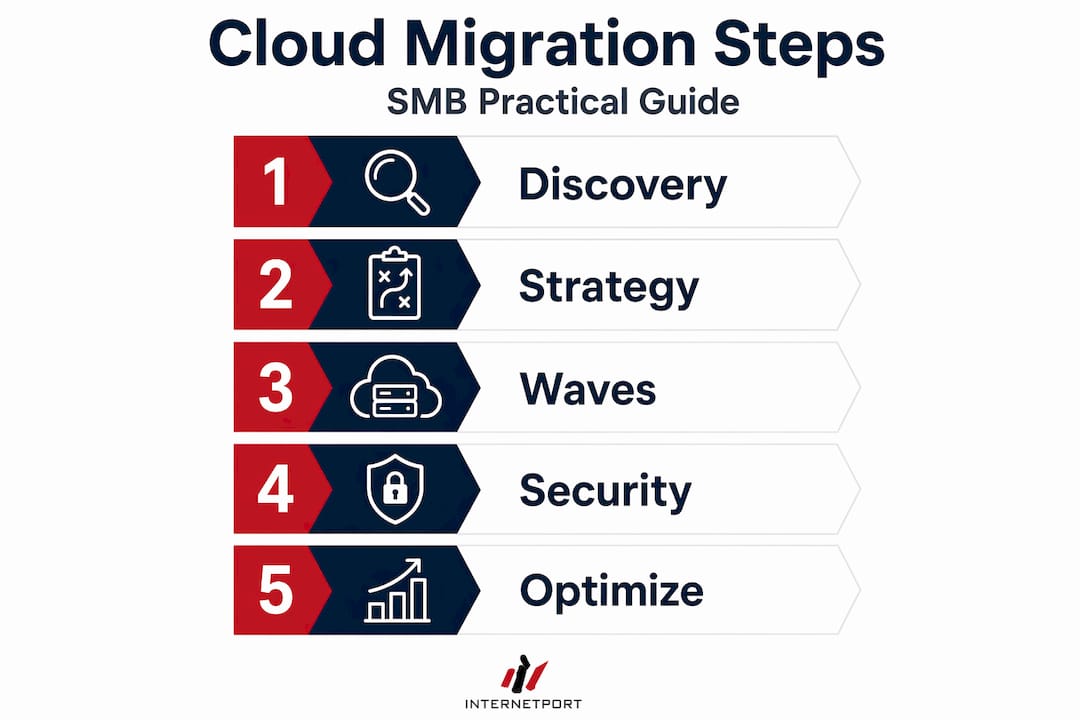
The cloud migration process covers five broad steps: discovery and assessment, strategy selection using the 6 Rs, wave-based execution with rollback planning, landing zone and security setup, and post-migration optimization. Each step builds on the previous one, and skipping the assessment phase is the most common cause of migration failures.
How long does a cloud migration take for an SMB?
Timeline varies by workload complexity and team size, but a well-planned SMB migration typically runs three to nine months from initial assessment to final decommissioning. Teams that skip dependency mapping or rollback planning often extend timelines significantly due to unplanned incidents.
What is a landing zone in cloud migration?
A landing zone is a pre-configured cloud environment that establishes networking, identity management, security policies, and governance controls before any workloads are migrated. Building it first prevents security and compliance gaps that are expensive to fix after migration.
How much can cloud migration reduce IT costs?
Initial migration alone doesn't guarantee savings. However, post-migration optimization through right-sizing, reserved instances, and eliminating idle resources typically delivers 20 to 35% additional savings beyond what the migration itself achieved.
What is the 6 Rs framework in cloud migration?
The 6 Rs are Rehost, Replatform, Refactor, Repurchase, Retire, and Retain. Each represents a different migration path for individual workloads. Assigning the right strategy per application based on business value and technical complexity is the core of a sound cloud adoption strategy.