

TL;DR:
- Proper assessment, dependency mapping, and data cleansing prevent costly migration failures.
- Choosing tailored strategies like rehost, refactor, or repurchase optimizes cloud ROI.
- Mitigating security risks with IaC, zero-trust, and pilot tests ensures a secure, compliant migration.
Migrating to cloud hosting sounds straightforward until your legacy ERP app refuses to cooperate, your cutover window bleeds into business hours, and your cost estimates double overnight. For SMB IT managers, these aren't hypothetical fears. They're the recurring headlines in post-migration reviews. The good news is that most migration failures trace back to the same avoidable mistakes: skipping dependency mapping, choosing the wrong strategy for the wrong workload, and underestimating security risks. This guide walks you through every critical phase, from environment assessment and strategy selection to risk mitigation, step-by-step execution, and final validation, so you migrate once and migrate right.
Table of Contents
- Assessing your environment and planning migration
- Choosing your migration strategy: rehost, refactor, or repurchase
- Mitigating risks: Security, compliance, and operational pitfalls
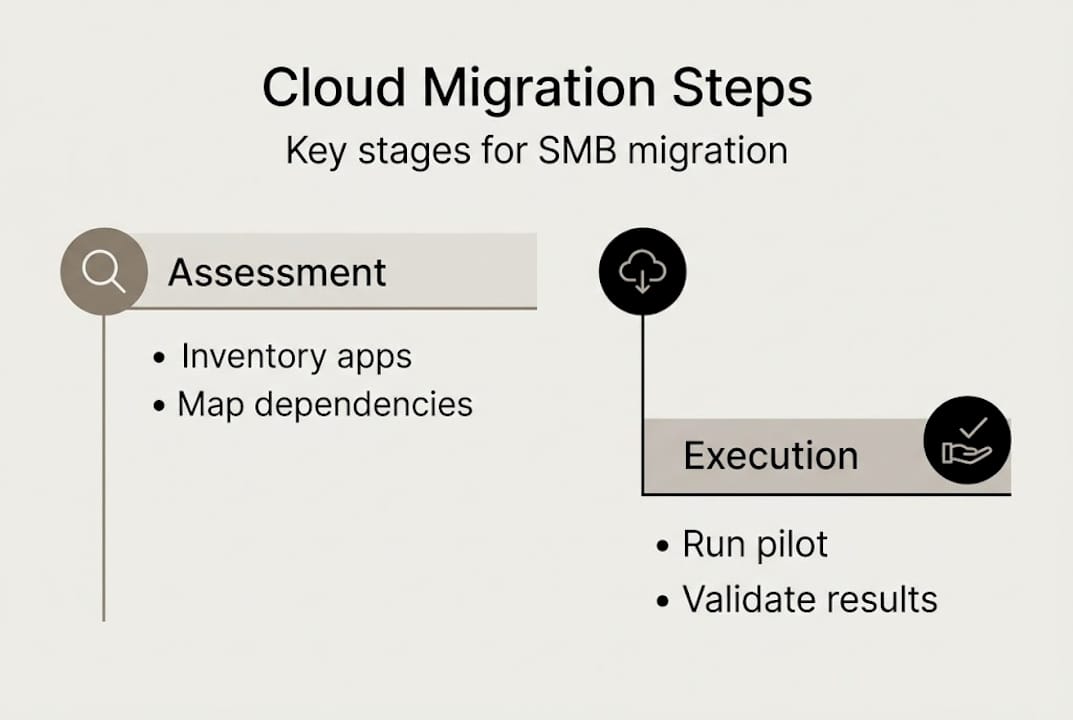
- Executing and validating migration: Step-by-step checklist
- A hard-won perspective: Why 'just migrate' thinking sets SMBs back
- Take the next step: Cloud migration made easier
- Frequently asked questions
Key Takeaways
| Point | Details |
|---|---|
| Map dependencies first | Thorough assessment and dependency mapping prevent costly surprises mid-migration. |
| Choose the right migration path | Selecting rehost, refactor, or repurchase for each workload maximizes cost efficiency and reliability. |
| Mitigate security risks | Most migration delays and breaches stem from overlooked misconfigurations—use automation and validation. |
| Pilot, validate, and optimize | Conduct pilot runs, rollbacks, and full validation to ensure a clean cutover and long-term supportability. |
| Consider expert help | SMBs that partner with migration specialists experience fewer setbacks and smoother transitions. |
Assessing your environment and planning migration
Before you move a single workload, you need a clear picture of what you actually have. Many SMBs underestimate outdated infrastructure costs because the pain is gradual. A server that's been running for six years feels stable until it isn't. Start by cataloging every application, database, storage volume, and network dependency in your environment.
Dependency mapping is the most critical step most teams skip. A "blind" lift-and-shift, where you move workloads without understanding which apps talk to which servers, is a recipe for broken integrations and unplanned downtime. Document which applications depend on on-premises databases, which services rely on specific IP ranges, and which workflows touch third-party APIs. This work takes time, but it prevents far costlier rework later.
Data quality also matters more than most people plan for. If your databases contain duplicate records, orphaned entries, or outdated schemas, migrating that mess into the cloud just creates a cleaner-looking mess. Build two to three months of data cleansing time into your project plan if your data estate hasn't been audited recently. Skipping this is one of the most common reasons migrations stall mid-flight.
Compliance and latency requirements shape your architecture decisions early. If you handle payment data, you need PCI DSS-aligned hosting. If you serve EU customers, GDPR data residency constraints apply. Hybrid approaches, where regulated data stays on-premises while less sensitive workloads move to the cloud, are often the right answer for SMBs navigating these requirements. Understanding cloud migration basics gives you the vocabulary to have these conversations with your provider before contracts are signed.
Key assessment tools
| Tool | What it analyzes |
|---|---|
| Azure Migrate | App dependencies, VM sizing, cost estimates |
| AWS Application Discovery | Server inventory, network connections |
| CloudHealth | Cost and utilization across environments |
| Nmap / Lansweeper | Network topology and device discovery |
Migration readiness checklist:
- Complete application and database inventory
- Map all inter-app and external dependencies
- Identify compliance and data residency requirements
- Audit and cleanse data before migration
- Define rollback criteria for each workload
- Assign workload owners and migration leads
Pro Tip: Engage a cloud migration partner before you finalize your project plan. They've seen failure patterns you haven't, and early involvement is far cheaper than late-stage firefighting. The Azure Cloud Adoption Framework recommends thorough assessment, dependency mapping, pilot migrations, rollback plans, FinOps tagging, and post-migration validation as baseline best practices.
With this foundation in mind, the next section covers how to execute migration steps securely and efficiently.
Choosing your migration strategy: rehost, refactor, or repurchase
Not every workload deserves the same treatment. The biggest mistake SMBs make is applying one strategy across every app, usually because speed feels like the priority. The three core strategies each have a place, and choosing the right one per workload is where migrations win or lose.
Rehost (lift-and-shift): You move the workload to the cloud without changing its architecture. It's the fastest path and requires the least upfront work. The problem is that rehost migrations are quick but lead to higher long-term costs without optimization, and 55% of organizations that rush this approach exceed budget in year one.
Refactor: You modify the application to take advantage of cloud-native features, such as managed databases, auto-scaling, or containerization. It takes longer and costs more upfront but yields better long-term ROI. Best suited for core business applications you plan to run for years.

Repurchase: You replace the application with a SaaS equivalent. Migrating your on-premises email server to Microsoft 365 is the classic example. It's a fast win and eliminates ongoing infrastructure management entirely.
Strategy comparison
| Strategy | Speed | Upfront cost | Long-term ROI | Complexity |
|---|---|---|---|---|
| Rehost | Fast | Low | Lower without optimization | Low |
| Refactor | Slow | High | High | High |
| Repurchase | Fast | Medium | High (SaaS) | Low |
How to choose the right strategy per workload:
- Is the app actively developed or business-critical long term? Consider refactor.
- Is it a commodity function like email, file storage, or HR? Repurchase with SaaS.
- Is it a stable, low-complexity workload with a tight timeline? Rehost first, optimize later.
- Does it have complex dependencies or custom integrations? Map them before deciding.
- Is there a vendor-supported cloud version already available? Repurchase is probably fastest.
Hybrid migrations are the norm, not the exception, for SMBs. You might rehost your legacy billing system, refactor your customer portal, and repurchase your file sharing tool simultaneously. That's not complexity for its own sake; it's matching strategy to reality. Reviewing hosting options for SMBs helps you align workload needs with the right infrastructure tier from the start.
Pro Tip: Use SaaS repurchases as early quick wins. Moving email, collaboration, or backup to managed services frees your team's attention for harder migration work and builds confidence across the organization. Managed service partnerships cut migration risks by 2.4x compared to going solo, which matters when your team is already stretched thin.
With your migration strategies selected, it's crucial to address the primary risks, especially security and compliance, before moving workloads.
Mitigating risks: Security, compliance, and operational pitfalls
Cloud migrations open a window of vulnerability. New environments, new access controls, and new network paths all need to be secured before and during the move, not after. SMBs tend to understaff this phase because security review feels slower than migration progress.
The numbers here are sobering. Security misconfigurations during migration cause 63% of delays and 40% of breaches in newly deployed assets. And a separate analysis found that misconfigurations drive 95% of security failures in migrations. These aren't sophisticated attacks. They're open S3 buckets, overly permissive IAM roles, and forgotten test environments left running with default passwords.
Security failures in cloud migrations almost never come from zero-day exploits. They come from rushed configurations, skipped reviews, and temporary access credentials that never get revoked.
Core mitigation steps:
- Use Infrastructure as Code (IaC) tools like Terraform or AWS CloudFormation so configurations are auditable and repeatable
- Apply zero-trust principles: no implicit trust based on network location, verify every access request
- Implement a change freeze in the two weeks before cutover to reduce the number of moving parts
- Run pilot migrations on non-critical workloads first to identify configuration gaps early
- Tag all resources from day one for cost tracking, ownership, and compliance reporting
- Validate enterprise security controls before any production data moves
- Conduct a post-migration security audit within 30 days of cutover
Pilot migrations are the most underused risk reduction tool available. Running a low-stakes workload through your full migration process, including security controls, monitoring setup, and rollback testing, surfaces problems you simply cannot anticipate from a spreadsheet. Treat it as a rehearsal, not a shortcut.
For SMBs without a dedicated security team, the fastest path to security and connectivity optimization is partnering with a managed hosting provider that already operates within a certified security framework. When your provider holds PCI DSS certification and runs redundant infrastructure, you're inheriting controls rather than building them from scratch. That gap matters enormously for small teams. Good business security practices let your customers stay focused on outcomes, not incidents.
Pro Tip: Never use the same access credentials across your test and production migration environments. It's a small discipline that prevents a large category of accidental exposure.
Once risks are addressed, focus shifts to running the migration process and validating the result for a smooth cutover.
Executing and validating migration: Step-by-step checklist
Execution is where planning meets reality. The teams that navigate this phase well share one trait: they treat the checklist as non-negotiable, not advisory.
Migration execution steps:
- Run your pilot migration on a non-critical workload and document every issue
- Remediate all issues found during the pilot before scheduling production migration
- Communicate the migration timeline, expected downtime windows, and rollback criteria to all stakeholders
- Implement the change freeze across affected systems
- Execute data replication to the cloud environment and verify data integrity
- Perform a final cutover during a low-traffic window
- Activate rollback procedures immediately if critical validation checks fail
- Run post-migration validation across performance, security, compliance, and user acceptance
- Tag all resources for FinOps tracking and document all configuration changes
- Schedule iterative optimization reviews at 30, 60, and 90 days post-migration
The Azure Cloud Adoption Framework is explicit: pilot migrations, rollback plans, change freeze protocols, and post-migration validation are baseline requirements, not optional enhancements. Organizations that skip any of these steps are not moving faster; they're just deferring their incident response.
Post-migration validation checklist
| Validation area | Key checks |
|---|---|
| Performance | Response times, throughput, CPU and memory utilization |
| Security | IAM policies, open ports, encryption at rest and in transit |
| Compliance | Data residency, audit logging, regulatory controls active |
| User acceptance | Core workflows functional, no data loss, acceptable latency |
| Cost baseline | Actual spend vs. forecast, untagged resources identified |
Downtime communication is often an afterthought, but it's central to user trust. Send a clear notice at least 48 hours before the migration window, specify the expected duration, and provide a status page or contact point for updates. Leveraging global hosting infrastructure with built-in redundancy reduces the length of your maintenance windows significantly.
Post-migration, schedule iterative reviews rather than declaring victory at cutover. The first 90 days reveal cost inefficiencies, underutilized resources, and performance gaps that weren't visible before real production load hit the new environment. Reliable cloud operations depend on ongoing monitoring, not a one-time setup.
Completing validation brings us to lessons learned and hard truths revealed by real SMB migration journeys.
A hard-won perspective: Why 'just migrate' thinking sets SMBs back
The pressure to migrate quickly is real. Leadership wants cloud benefits on the roadmap. Vendors push timelines. Competitors seem to be moving faster. But 55% of rushed migrations exceed budget in year one, and 25% of organizations end up repatriating workloads back to on-premises because performance or cost targets weren't met.
Here's what we've seen consistently: the SMBs that fare best aren't the ones that migrated fastest. They're the ones that spent an extra four to six weeks in assessment, chose their migration strategies deliberately, and involved a knowledgeable partner before problems became crises.
Rushing a lift-and-shift feels like progress. But running an unoptimized workload in the cloud at 3x the on-premises cost while your team scrambles to fix configuration issues isn't progress. It's expensive regret. Phased migration, where you move, validate, optimize, and then move again, consistently delivers better reliability and ROI than the all-at-once approach. Reviewing your cloud readiness fundamentals before committing to a timeline isn't delay. It's discipline.
Take the next step: Cloud migration made easier
If this guide has surfaced gaps in your current migration plan, you're not alone. Most SMB IT teams hit the same walls: unclear strategy, understaffed security review, and no validated rollback process. That's exactly where the right hosting partner makes the difference.

At Internetport, we've supported SMBs and enterprises through cloud migrations since 2008, with infrastructure built around redundancy, PCI DSS certification, and SSD-based performance. Whether you need web hosting solutions for your company sites, a VPS environment for scalable application workloads, or dedicated server capacity for high-demand applications, we can help you find the right fit. Reach out to our team for a direct consultation and take the guesswork out of your next migration step.
Frequently asked questions
What is the difference between lift-and-shift (rehost) and refactor migrations?
Lift-and-shift moves workloads to the cloud without architectural changes, while refactor modifies them for cloud-native efficiency. Refactor typically yields better long-term ROI, though it takes longer and costs more upfront than a straight rehost.
How do SMBs avoid migration delays and cost overruns?
Thorough dependency mapping, data cleansing, and matching the right migration strategy to each workload reduce the biggest risk factors. The Azure Cloud Adoption Framework identifies pilot migrations, rollback plans, and post-migration validation as the non-negotiable practices that keep projects on track.
What are common security pitfalls during cloud migration?
The most frequent issues are misconfigured access controls, open storage buckets, and forgotten test credentials. Security misconfigs cause 63% of delays during migration; implementing IaC templates and zero-trust access from the start eliminates most of these exposures.
Why do some SMBs repatriate from the cloud after migrating?
Unexpectedly high running costs and performance issues that weren't caught before cutover are the main drivers. About 25% of organizations repatriate workloads after discovering that an unoptimized lift-and-shift costs far more in the cloud than it did on-premises.
Can a partner or managed service reduce cloud migration risks?
Significantly. Working with an experienced migration partner cuts risk by 2.4x compared to managing the process internally, largely because partners have already encountered and resolved the failure patterns that catch first-time teams off guard.