
TL;DR:
- Effective server security management involves continuous layered controls, automation, and adherence to established benchmarks. Regularly inventory servers, enforce baseline configurations, automate patching, and monitor logs centrally to prevent vulnerabilities and ensure compliance. Ongoing maintenance, including scans and incident planning, is essential to sustain a secure environment over time.
Server security management is the practice of applying layered controls, automation, and continuous monitoring to protect servers from unauthorized access, data breaches, and configuration drift. For IT managers at small to medium-sized businesses, knowing how to manage server security is not optional. A single misconfigured server can expose customer data, trigger compliance failures, and cause costly downtime. This guide covers the full lifecycle: from building a foundational server security checklist to automating patch management, hardening SSH, and validating your posture against CIS Benchmarks and NIST SP 800-123. You will walk away with a practical, repeatable framework built for teams with limited headcount and real operational pressure.
How to manage server security: foundations first
Before you touch a single configuration file, you need a clear picture of what you are protecting. Start by inventorying every server in your environment, including its role, operating system, network exposure, and data classification. A web server facing the public internet carries a different risk profile than an internal database server sitting behind a firewall. Without this map, you are hardening blindly.

The industry standard for this work is called defense-in-depth. Defense-in-depth structures your controls in layers: network perimeter, operating system configuration, user authentication, application layer, and monitoring. Each layer catches what the previous one misses. No single control is treated as sufficient on its own.
What belongs on your server security checklist
A solid server security checklist covers six categories before you move into active hardening:
- Inventory and classification: Document every server, its OS version, its role, and its network zone.
- Baseline configuration: Define a secure default state aligned to CIS Benchmarks or NIST SP 800-123 for each server type.
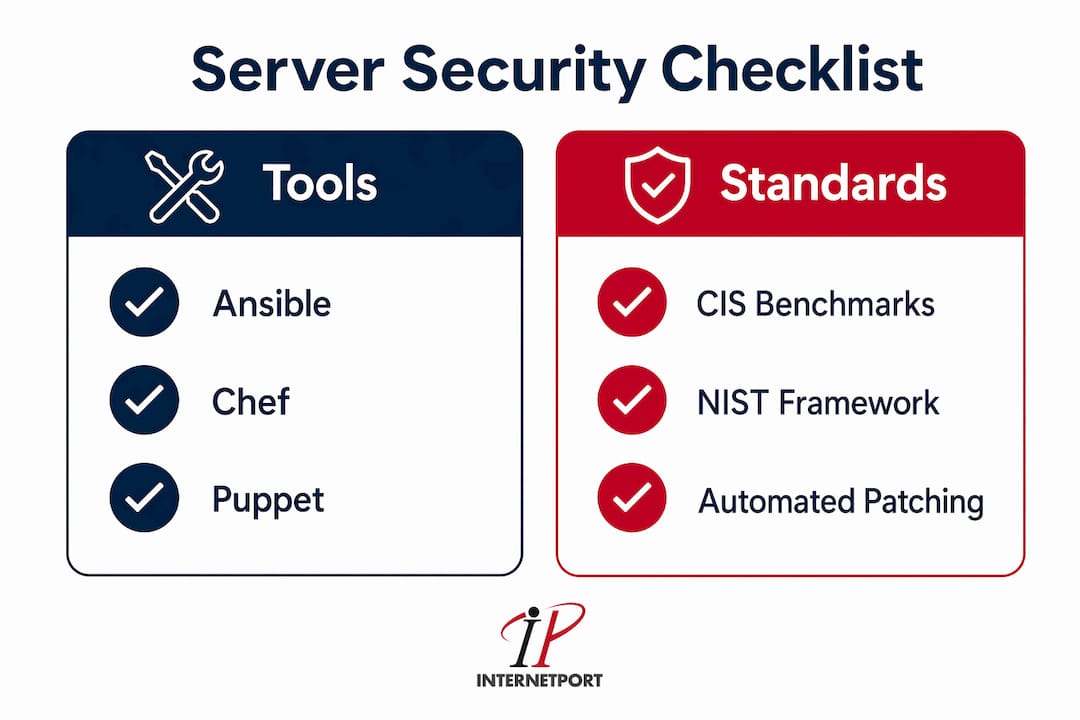
- Patch management tooling: Select a tool such as Ansible, Chef, or Windows Server Update Services (WSUS) to automate OS and software updates.
- SSH key management: Replace password-based SSH authentication with key pairs and store private keys securely.
- Firewall rules: Confirm that default-deny rules are in place and that only explicitly required ports are open.
- Centralized logging: Route all server logs to a Security Information and Event Management (SIEM) platform such as Splunk, Elastic SIEM, or Microsoft Sentinel.
The table below summarizes the tools and configurations most commonly used at this stage.
| Category | Common Tools / Standards |
|---|---|
| Configuration management | Ansible, Chef, Puppet |
| Patch automation | WSUS, Ansible, Unattended Upgrades |
| Compliance scanning | OpenSCAP, Qualys, Tenable Nessus |
| Centralized logging / SIEM | Splunk, Elastic SIEM, Microsoft Sentinel |
| Intrusion prevention | fail2ban, CrowdStrike Falcon |
| Benchmark references | CIS Benchmarks, NIST SP 800-123, NIST SP 800-53 |
Defining roles and least-privilege policies belongs at this stage too. Every user account, service account, and administrator should have only the permissions required for their specific function. This limits the blast radius if any single account is compromised.
How to harden servers and reduce your attack surface
Server hardening is the process of reducing the number of ways an attacker can reach, enter, or move through your system. The recommended hardening order runs from the network perimeter inward: firewall configuration, patch automation, SSH hardening, least privilege enforcement, centralized logging, and incident response planning. Follow that sequence and you avoid the common mistake of locking down SSH before your firewall rules are confirmed.
Here is a step-by-step process for systematic hardening:
- Remove unnecessary services. Disable or uninstall every service not required for the server's role. On Linux, use
systemctl disableto stop services from starting at boot. On Windows Server, use Server Manager to remove unused roles and features. - Close unused ports. Run a port audit using nmap or netstat to identify open ports. Close anything not explicitly required. Document every exception.
- Harden SSH. Edit
/etc/ssh/sshd_configto enforce key-only authentication (PasswordAuthentication no), disable root login (PermitRootLogin no), and move SSH to a non-default port. These three changes eliminate the majority of automated brute-force attacks. - Set up a default-deny firewall. Use iptables, nftables, or ufw on Linux, or Windows Defender Firewall with Advanced Security on Windows. Start with a deny-all rule and add explicit allowlist entries for required traffic only.
- Enforce least privilege on user accounts. Audit sudo policies on Linux and local administrator group membership on Windows. Remove accounts that are no longer active. Require justification for any elevated access.
- Apply CIS Linux hardening controls. CIS audit controls for Linux servers include disabling kernel modules like cramfs and usb-storage, and mounting
/tmpwithnodev,nosuid, andnoexecoptions. These settings reduce the risk of privilege escalation and malicious file execution. - Automate configuration enforcement. Use Ansible playbooks or Chef recipes to push your hardened baseline to every server. Manual hardening does not scale and leads to configuration drift when emergency fixes are applied without documentation.
Pro Tip: Before applying SSH hardening changes, open a second terminal session to the server and keep it active. Test your new SSH configuration in a third session before closing the original. This prevents lockouts caused by a typo in sshd_config.
Treat your hardened configuration as a deployable artifact. Manage baselines through version-controlled configuration management tools with a staging environment and a controlled rollout process. This approach catches conflicts before they hit production.
For a deeper look at layered defense strategies specific to virtual servers, the Internetport VPS security guide covers attack surface reduction in detail.
What ongoing monitoring and maintenance keep servers secure?
Hardening a server once is not enough. Configuration drift, new vulnerabilities, and evolving attack techniques mean your security posture degrades over time without active maintenance. Effective patching is part of a broader maintenance cadence that includes validation scans, drift detection, and exception management bundled together.
The following practices form the core of ongoing server security management:
- Automate patch management. Schedule automated updates for OS packages and critical software. Use WSUS for Windows environments and Unattended Upgrades or Ansible for Linux. Automation prevents the weeks-long gaps that attackers exploit after a CVE is published.
- Run continuous compliance scans. Tools like OpenSCAP, Qualys, and Microsoft Defender for Cloud scan your servers against your chosen benchmark on a scheduled basis. Quarterly re-scans and penetration testing validate that your hardening holds and that new deployments meet baseline.
- Centralize and retain logs. Route authentication events, privilege escalations, and process execution logs to your SIEM. Comprehensive logging that captures command-line arguments is critical for threat hunting. Logs that record only event codes without command detail leave gaps that attackers can hide in.
- Deploy intrusion prevention. Install fail2ban on Linux servers to automatically block IP addresses after repeated failed authentication attempts. Configure thresholds aligned to your CIS Benchmark lockout policy.
- Conduct monthly security audits. Review user accounts, firewall rules, open ports, and patch status monthly. A Linux server security checklist includes SSH key audits, firewall reviews, port scans, and fail2ban log reviews as standard monthly tasks.
- Store logs out-of-band. Log integrity depends on storing logs on a separate system that the monitored server cannot modify. If an attacker compromises a server and can delete its own logs, your incident response is blind.
Pro Tip: Set up alerting rules in your SIEM for specific high-value events: new sudo grants, SSH logins from new IP addresses, and changes to cron jobs or startup scripts. These three alert types catch a large percentage of post-compromise activity before it escalates.
Incident response planning belongs in this phase too. Document a clear runbook for your team: who gets notified, what gets isolated, and how evidence is preserved. Practice the runbook at least twice a year so the process is familiar when a real incident occurs.
How do CIS benchmarks and NIST frameworks guide server security?
Security frameworks give your hardening program a measurable, auditable foundation. Without them, "secure" is a subjective term. With them, you have specific numeric targets and control lists that any auditor or team member can verify.
CIS Benchmarks are the most widely used technical hardening guides for production servers. They provide control-by-control configuration targets for Windows Server, Red Hat Enterprise Linux, Ubuntu, and other platforms. For Windows Server, CIS Benchmark numeric targets include a maximum password age of 365 days, a minimum password length of 14 characters, an account lockout threshold of no more than 5 failed attempts, and a lockout duration of at least 15 minutes. These specific numbers eliminate the ambiguity of vague policies like "use strong passwords."
NIST SP 800-123 provides general server security guidance covering planning, operating system controls, user authentication, and maintenance. Though published in 2008, NIST SP 800-123 remains a foundational reference and pairs well with the more current NIST SP 800-53, which maps controls to specific risk categories and organizational roles.
The table below compares the two frameworks at a practical level for SMB IT teams.
| Framework | Best Used For | Key Strength | SMB Fit |
|---|---|---|---|
| CIS Benchmarks | Technical configuration hardening | Specific numeric targets per OS | High: ready-to-apply controls |
| NIST SP 800-123 | General server security planning | Broad lifecycle coverage | Medium: requires interpretation |
| NIST SP 800-53 | Risk-based control selection | Maps controls to risk categories | Medium: better for compliance programs |
Compliance scanning tools like Tenable Nessus, OpenSCAP, and Qualys can import CIS Benchmark profiles and run automated checks against your live servers. The output is a scored report showing which controls pass, which fail, and what the remediation steps are. This makes audit preparation significantly faster and removes the guesswork from your server security best practices program.
For teams working within regulated environments, aligning to NIST frameworks also supports data center security compliance requirements and reduces the time spent mapping controls during external audits.
What are the most common server security mistakes?
Even experienced teams make predictable errors when managing server security. Knowing where things go wrong is as useful as knowing what to do right.
- Hardening manually without automation. Manual changes applied server by server create inconsistency. One server gets the updated SSH config; another does not. Over time, your environment fragments into servers at different security levels, and you lose visibility into which ones are actually compliant.
- Locking yourself out of SSH. Applying SSH hardening changes without a backup session is the most common operational mistake. Always keep an active session open and test new configurations before closing your original connection.
- Incomplete or uncentralized logging. Teams that log to local files without forwarding to a SIEM cannot perform effective threat hunting. Without centralized log management that includes verbose command auditing, security teams cannot confidently map adversary tactics or reconstruct an attack timeline.
- Delaying patches after CVE publication. Attackers move fast after a Common Vulnerabilities and Exposures (CVE) disclosure. Manual patch processes that require ticket approvals and scheduled maintenance windows create exposure windows that automated patching eliminates.
- Skipping a staging environment. Pushing configuration changes directly to production servers without testing in a staging environment is a reliable way to cause outages. Treat configuration changes with the same discipline as code deployments.
- Overly broad firewall rules. Rules like "allow all traffic from the internal network" are common in SMB environments and defeat the purpose of network segmentation. Every firewall rule should specify source, destination, port, and protocol.
The fix for most of these mistakes is the same: build repeatable, automated processes and validate them regularly. A one-time hardening effort without ongoing maintenance is not a security program. It is a starting point.
Key takeaways
Effective server security management requires layered controls, automation, and continuous validation against established benchmarks to maintain a hardened state over time.
| Point | Details |
|---|---|
| Start with inventory and baselines | Document every server's role and align its configuration to CIS Benchmarks or NIST SP 800-123 before hardening. |
| Automate to prevent drift | Use Ansible, Chef, or WSUS to enforce configurations; manual changes create inconsistency across your environment. |
| Harden SSH and reduce attack surface | Disable root login, enforce key-only auth, close unused ports, and set default-deny firewall rules as foundational steps. |
| Centralize logs with full command detail | Route logs to a SIEM and capture command-line arguments; incomplete logs make threat hunting unreliable. |
| Validate continuously with scans | Run quarterly compliance scans using OpenSCAP or Qualys to confirm hardening holds and catch new vulnerabilities. |
What i have learned managing server security for smbs
The biggest mistake I see SMB IT teams make is treating server hardening as a project with a finish line. You harden the servers, check the box, and move on. Six months later, emergency patches have been applied manually, a new developer has sudo access nobody remembers granting, and three firewall rules were added "temporarily" during an incident and never removed. The hardened state you started with no longer exists.
The teams that actually maintain secure environments treat security as a process, not an event. They automate configuration enforcement so drift gets flagged automatically. They run compliance scans on a schedule and review the delta, not just the score. They practice their incident response runbook before they need it.
One thing I push hard on is logging quality over logging volume. Storing gigabytes of event logs that only capture event codes is nearly useless for threat hunting. What you need is logs that capture who ran what command, from where, and when. That level of detail is what lets you reconstruct an attack and answer the question your leadership will ask: "How far did they get?"
The other thing worth saying plainly: CIS Benchmarks are your friend. They remove the argument from security decisions. Instead of debating what "strong password policy" means, you point to a specific numeric target and scan against it. For small teams without a dedicated security architect, that clarity is worth a lot.
— Peter
Secure your servers without starting from scratch
Implementing everything in this guide takes time, tooling, and ongoing attention. For SMBs that want a hosting environment with security controls already built in, Internetport provides web hosting, cloud VPS, and dedicated servers designed for teams that need reliable infrastructure without building every layer themselves. Internetport's Swedish data centers operate with PCI DSS compliance, monitored access, and private networking options that align directly with the defense-in-depth principles covered in this guide.

If you are evaluating hosting options that reduce your server security management burden, Internetport's web hosting plans and dedicated server configurations give your team a secure foundation to build on.
FAQ
What is server security management?
Server security management is the ongoing process of applying layered controls, automated patching, access restrictions, and monitoring to protect servers from threats and maintain compliance. It follows a lifecycle of assess, harden, validate, and maintain.
What should a server security checklist include?
A server security checklist should cover server inventory, baseline configuration aligned to CIS Benchmarks, patch automation, SSH key management, default-deny firewall rules, and centralized logging to a SIEM platform.
How do i harden SSH on a linux server?
Edit /etc/ssh/sshd_config to set PasswordAuthentication no, PermitRootLogin no, and change the default port. Always keep an active session open while testing the new configuration to avoid lockout.
Which frameworks should smbs use for server security?
CIS Benchmarks are the most practical starting point for SMBs because they provide specific numeric targets per operating system. NIST SP 800-123 and NIST SP 800-53 add broader risk-based context for compliance programs.
How often should servers be scanned for compliance?
Quarterly compliance scans using tools like OpenSCAP, Qualys, or Tenable Nessus are the standard cadence. Scans should run after every major configuration change and after any security incident to confirm your baseline is intact.