
TL;DR:
- Server hardware deployment is a comprehensive process involving planning, staging, configuration, testing, and formal handover to ensure reliable operational readiness. It emphasizes validation of firmware, BIOS, security features, and coordinated management practices to prevent costly errors and delays. Effective deployment requires structured workflows, measurable criteria, and cross-team collaboration to succeed at scale.
Server hardware deployment is the end-to-end process of planning, procuring, physically installing, configuring, testing, and validating server hardware until it reaches full operational readiness in a production environment. The industry term for this discipline is "hardware deployment," and it covers far more than physical rack installation. A complete deployment cycle includes firmware verification, BIOS configuration, RAID setup, OS installation, security baseline configuration, failover testing, and formal handover to operations teams. Technologies like TPM 2.0, Secure Boot, and Intel VT-d are not afterthoughts. They are prerequisites that must be confirmed before the first OS image is applied. Understanding this process end-to-end is what separates a reliable infrastructure rollout from a costly, delay-prone scramble.
What is server hardware deployment and why does it matter?
Server hardware deployment is defined as the full lifecycle process of bringing server hardware from procurement into active production service, covering planning, physical setup, configuration, integration, validation, and operational handover. This definition matters because organizations that treat deployment as simple installation routinely encounter misconfiguration, security gaps, and missed go-live dates.
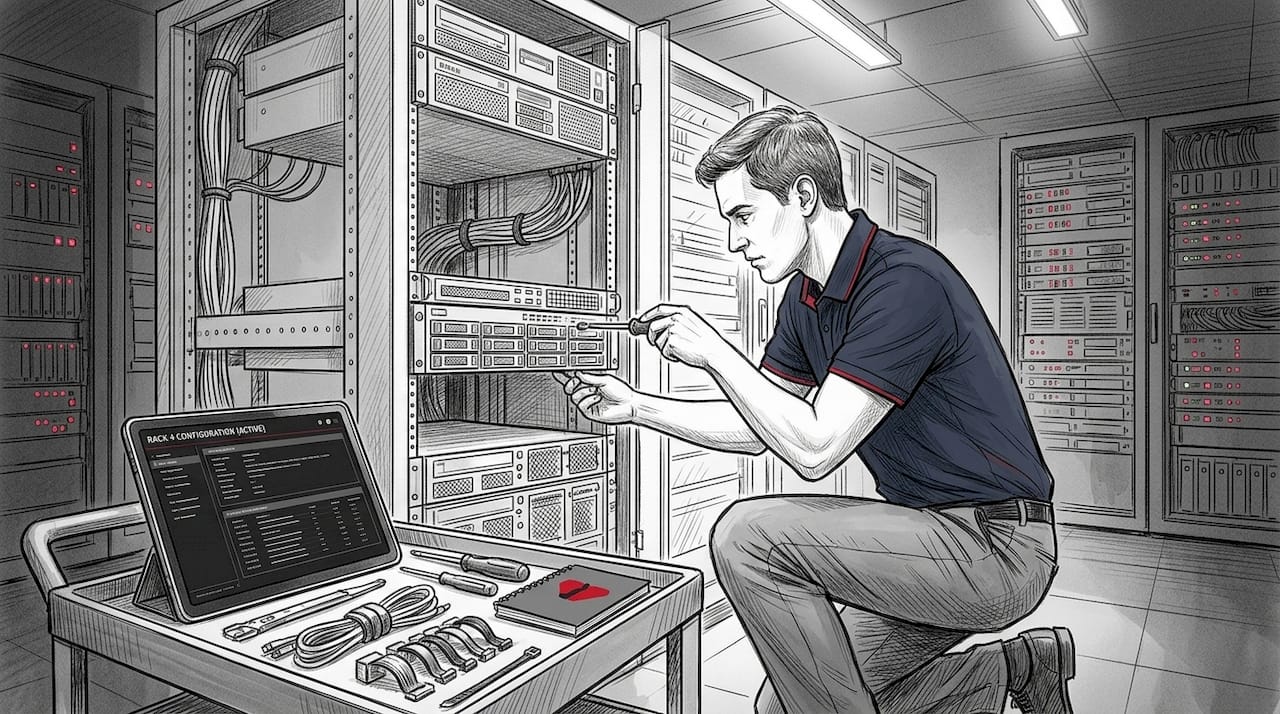
The distinction between installation and deployment is not semantic. Installation is a single physical act. Deployment is a structured program that produces a server ready to host applications, databases, or network services at the reliability level the business requires. A financial services firm deploying a new database cluster, for example, cannot afford to discover a RAID misconfiguration after the system goes live. Deployment discipline catches that error in staging.
The business case for structured deployment is direct. Downtime costs enterprises an average of tens of thousands of dollars per hour, and the majority of outages trace back to configuration errors introduced during setup. A rigorous server deployment guide eliminates the most common failure vectors before production workloads ever touch the hardware.
What are the key stages of a server hardware deployment workflow?
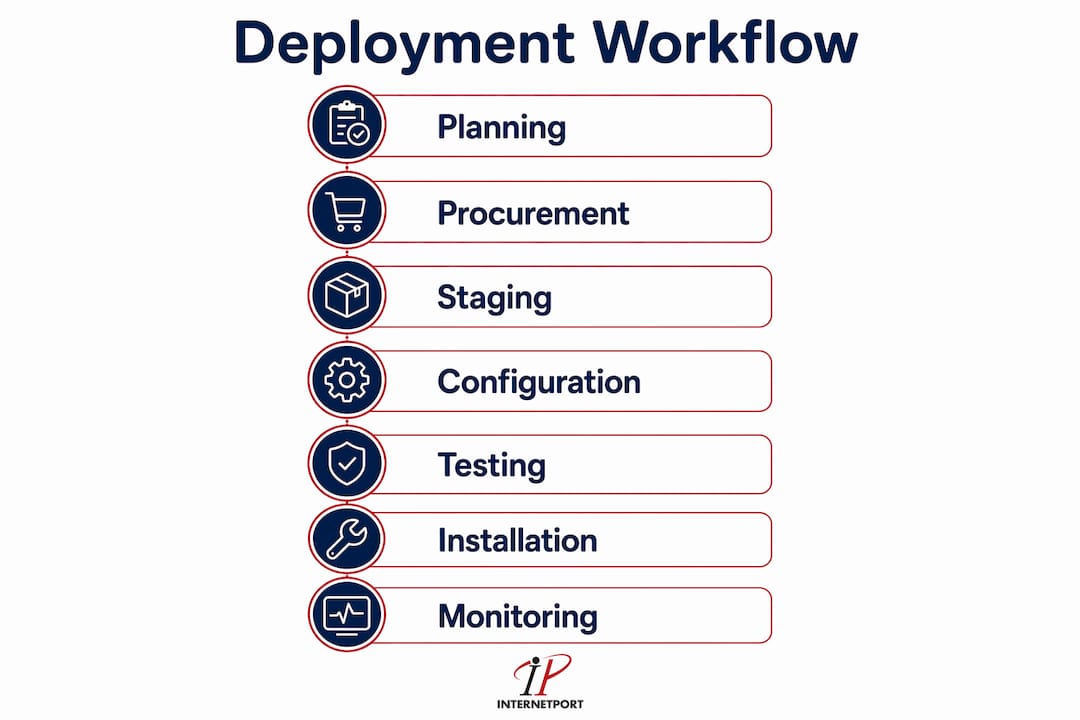
A standard deployment workflow covers eight distinct phases, each with defined inputs, outputs, and verification checkpoints. Skipping or compressing any phase increases the probability of production failure.
-
Site readiness audit. Verify that the target data center or server room meets power, cooling, and physical space requirements before hardware arrives. This includes checking UPS capacity, rack unit availability, cable management infrastructure, and ambient temperature controls. A failed site audit discovered after delivery creates expensive delays and potential hardware damage.
-
Rollout strategy selection. Choose between a phased deployment, where servers go live in controlled batches, or a big-bang deployment, where all hardware transitions simultaneously. This decision shapes every subsequent planning step.
-
Procurement and vendor coordination. Confirm hardware specifications against workload requirements, negotiate delivery timelines, and verify warranty and support terms. For enterprise deployments, this phase includes coordinating with vendors like Dell Technologies, HPE, or Lenovo for firmware baseline documentation.
-
Physical staging with firmware and BIOS verification. Before racking, verify firmware and BIOS settings in a staging area. This is where RAID configurations are set, firmware is updated to the approved baseline, and hardware health is confirmed. A rack of 16 servers staged this way arrives at the data center floor pre-validated, not pre-problematic.
-
Racking, cabling, and power connection. Mount servers in racks, connect power with appropriate redundancy (dual PSU to separate PDUs), and run network cabling to top-of-rack switches. Label every cable and port at this stage. Unlabeled infrastructure becomes a troubleshooting liability within months.
-
OS and driver installation with baseline configuration. Install the operating system, apply approved drivers, and configure the security baseline. For Windows Server environments, this includes enabling BitLocker and configuring Group Policy. For Linux environments, this means applying hardening scripts aligned with CIS Benchmarks.
-
Connectivity and failover testing. Validate network connectivity, test failover paths, and confirm that redundant power sources switch correctly under simulated failure. This phase is where high availability validation occurs before any production traffic is introduced.
-
Documentation and operational handover. Produce as-built documentation covering IP assignments, firmware versions, RAID configurations, and support contacts. Transfer operational responsibility formally to the team that will manage the system day-to-day.
Pro Tip: Stage all hardware in a controlled environment before it reaches the data center floor. Discovering a failed drive or a BIOS version mismatch during staging costs hours. Discovering it after racking costs days.
How do hardware security requirements impact server deployment planning?
Windows Server secured-core deployments require specific hardware features that must be present and enabled before OS installation begins. Missing these requirements forces rework that can delay a deployment by days and, in regulated environments, trigger compliance review cycles.
The core hardware security requirements for modern server deployments include:
- TPM 2.0. The Trusted Platform Module chip is a prerequisite for BitLocker drive encryption and Windows Server secured-core features. TPM 2.0 must be present, enabled in BIOS, and confirmed operational before OS installation. Systems shipped with TPM disabled by default will fail BitLocker provisioning silently if this check is skipped.
- Secure Boot. This firmware feature prevents unauthorized code from loading during the boot sequence. It must be enabled and configured with the correct key database for the target OS. Misconfigured Secure Boot is a common cause of failed OS installations on new hardware.
- Dynamic Root of Trust for Measurement (DRTM). This feature, part of secured-core server requirements, uses hardware to establish a trusted measurement of the boot environment. It depends on CPU support and must be validated against the hardware vendor's compatibility matrix.
- Hardware virtualization extensions. Intel VT-d and AMD-Vi are required for virtualization-based security (VBS) and for hypervisor deployments using platforms like VMware vSphere or Microsoft Hyper-V. These extensions are sometimes disabled by default in server BIOS and must be explicitly enabled during staging.
Validating hardware capabilities before OS installation is not optional for secured-core deployments. It is the difference between a deployment that completes on schedule and one that requires hardware returns or firmware reflashing mid-project.
Pro Tip: Request the vendor's hardware compatibility matrix for your target OS version before procurement finalizes. Discovering that a specific server model requires a firmware update to support TPM 2.0 activation is far less painful at the purchase order stage than at the staging bench.
What deployment management practices ensure smooth enterprise integration?
Deployment management within ITSM is defined as the practice of safely moving new or changed hardware from a controlled staging environment into production, with planning, testing, and verification as non-negotiable prerequisites. This framing positions hardware deployment not as a one-time event but as a managed service transition.
Effective enterprise deployment management depends on several coordinated practices:
- Pre-deployment testing gates. No hardware moves to production without passing defined test criteria. These criteria cover firmware version compliance, security baseline validation, connectivity tests, and performance benchmarks.
- Go/no-go decision frameworks. Setting explicit go/no-go thresholds based on testing completion rates, open defect counts, and training completion removes subjective judgment from cutover decisions. This makes deployment windows predictable and defensible to stakeholders.
- Staging environment integration. Hardware should mirror the production environment in staging as closely as possible. This means using the same network topology, the same OS version, and the same security policies. Differences between staging and production are the primary source of "it worked in testing" failures.
- Legacy system phase-out planning. Deployment extends beyond technical installation to include the transfer of operational responsibility and the structured retirement of systems being replaced. Failing to plan legacy decommission creates parallel infrastructure costs and support complexity.
- Cross-team coordination. Successful deployments require active participation from operations, network engineering, security, and application teams. A deployment that the security team reviews only after go-live is a deployment that will be rolled back.
| Practice | Why it matters |
|---|---|
| Pre-deployment testing gates | Prevents misconfigured hardware from reaching production workloads |
| Go/no-go thresholds | Makes cutover decisions objective and removes last-minute guesswork |
| Staging environment parity | Eliminates "works in test, fails in production" failure patterns |
| Legacy phase-out planning | Avoids dual-infrastructure costs and support gaps during transition |
| Cross-team coordination | Catches security and network issues before they become production incidents |
What are the main deployment strategies and how do you choose?
The two primary server deployment strategies are phased rollout and big-bang deployment. Each suits different organizational contexts, and choosing incorrectly increases both risk and cost.
| Strategy | Best suited for | Key risk | Mitigation |
|---|---|---|---|
| Phased rollout | Large environments, risk-averse organizations, complex integrations | Extended transition period with parallel infrastructure costs | Define clear batch criteria and decommission timelines |
| Big-bang deployment | Smaller environments, hard cutover deadlines, greenfield builds | Single point of failure for the entire transition | Exhaustive pre-deployment testing and a tested rollback plan |
A phased rollout deploys hardware in controlled batches, typically organized by workload type, business unit, or geographic location. This approach limits blast radius if a configuration error surfaces. A retail chain deploying new point-of-sale servers across 200 locations, for example, would deploy to 10 locations first, validate performance and integration, then proceed in larger batches. The tradeoff is time and the cost of running old and new infrastructure simultaneously.
Big-bang deployment transitions all hardware in a single window. This approach works well for greenfield data center builds or for organizations with hard regulatory deadlines that prohibit extended parallel operation. The risk is concentrated: if a critical issue surfaces during the cutover window, the entire deployment is affected. A tested rollback plan is not optional for big-bang deployments. It is the primary risk control.
Automation tools like Ansible, Terraform, and vendor-specific platforms such as HPE iLO Amplifier Pack reduce human error in both strategies by codifying configuration steps and enforcing consistency across large hardware fleets. For server infrastructure setup at scale, automation is the difference between a repeatable process and a heroic effort.
What are best practices for a successful server hardware deployment?
The most failure-prone aspect of any deployment is not the physical rack installation. It is the pre-production validation loop that verifies firmware, BIOS, and RAID configurations before final build integration. Organizations that compress or skip this phase pay for it in production incidents.
The following practices define the difference between deployments that succeed and those that require emergency remediation:
- Validate firmware and BIOS in staging, not production. Every server should arrive at the data center floor with firmware already updated to the approved baseline and BIOS settings already verified. This single practice eliminates the most common class of post-deployment misconfiguration.
- Set measurable go/no-go criteria before the deployment window opens. Criteria should include specific thresholds: 100% of firmware validation complete, zero critical open defects, all failover tests passed. Vague criteria produce vague decisions under pressure.
- Run stress tests and failover verification before production cutover. Tools like Memtest86 for memory validation, FIO for storage performance, and vendor diagnostics for hardware health should all produce clean results before any production workload is scheduled. Early stress testing catches hardware defects that pass initial power-on tests but fail under sustained load.
- Produce complete as-built documentation before handover. Documentation should cover every IP address, every firmware version, every RAID configuration, and every support contract reference. Teams that inherit undocumented infrastructure spend their first weeks reverse-engineering it instead of operating it.
- Plan for dedicated post-deployment support coverage. The two to four weeks following a major deployment are the highest-risk period for unexpected issues. Assign dedicated support resources during this window rather than relying on normal operational capacity.
- Validate automation scripts against actual hardware capabilities. Automation reduces human error but introduces its own failure mode: scripts written for one hardware generation that behave unexpectedly on another. Always run automation in a staging environment that matches production hardware exactly.
Pro Tip: Build a pre-deployment checklist that maps every go/no-go criterion to a specific test result and a named owner. When the deployment window opens at 2 AM, you want a checklist, not a conversation.
For teams managing data center security compliance alongside deployment, integrating security validation into the deployment checklist from day one prevents the security review from becoming a post-deployment bottleneck.
Key takeaways
Successful server hardware deployment requires structured validation at every phase, from firmware staging through production handover, not just physical installation.
| Point | Details |
|---|---|
| Deployment is end-to-end | Planning, procurement, staging, configuration, testing, and handover are all required phases. |
| Security requirements are pre-deployment | TPM 2.0, Secure Boot, and VT-d must be validated before OS installation begins. |
| Pre-production validation is highest risk | Firmware, BIOS, and RAID mismatches caught in staging cost hours, not days. |
| Go/no-go criteria must be measurable | Define specific thresholds for testing completion and defect counts before the deployment window. |
| Handover includes operational transfer | Documentation, support coverage, and legacy phase-out are part of deployment, not afterthoughts. |
Why deployment complexity is always underestimated
I have watched organizations with mature IT practices underestimate server hardware deployment more times than I can count. The pattern is consistent: the physical installation gets scheduled, the rack space gets reserved, and then someone discovers that the new servers require a firmware update to support TPM 2.0 activation, or that the network team was never looped in on the VLAN requirements, or that the security baseline hasn't been approved yet.
The uncomfortable truth is that most deployment failures are not hardware failures. They are coordination failures. The firmware is wrong because nobody owned the staging validation. The failover test was skipped because the window was tight. The documentation was incomplete because handover was treated as a formality rather than a deliverable.
What I have seen work consistently is treating deployment as a service transition, not a project task. That means assigning a deployment owner who is accountable for every phase, not just the physical installation. It means running a formal go/no-go review with representatives from operations, network, and security before any cutover window opens. And it means planning the post-deployment support period as deliberately as the deployment itself.
Deployment is also evolving from manual installation toward automated orchestration integrated with monitoring and predictive maintenance. Organizations that build automation into their deployment practice now are building the foundation for infrastructure that manages itself. Those that don't are building technical debt that compounds with every new server generation.
The collaboration between operations, network, and security teams is not a soft skill. It is the primary determinant of whether a deployment succeeds on schedule or becomes a war story. Invest in that coordination before the hardware arrives, not after.
— Peter
Deploy with confidence using Internetport's infrastructure

Planning a server hardware deployment is complex enough without having to worry about whether the underlying infrastructure can support it. Internetport's dedicated server solutions are built for organizations that need hardware deployed, validated, and running without the coordination overhead of managing physical data center logistics in-house. Sweden-based data centers with PCI DSS compliance, private networking options, and expert technical support mean your deployment lands on infrastructure that is already production-ready. For teams that need flexible scaling alongside dedicated resources, Internetport's VPS options provide a practical complement to physical server deployments. Talk to Internetport's team about your next infrastructure rollout.
FAQ
What is server hardware deployment?
Server hardware deployment is the end-to-end process of planning, procuring, physically installing, configuring, testing, and validating server hardware until it reaches full operational readiness. It covers everything from site-readiness checks and firmware staging through OS installation, security configuration, failover testing, and formal handover to operations teams.
How long does a typical server hardware deployment take?
Deployment timelines vary by scale and complexity, but a single server deployment in an enterprise environment typically takes two to five days when staging, configuration, testing, and documentation are included. Large-scale deployments of multiple racks can take several weeks, particularly when phased rollout strategies are used.
What is the difference between server installation and server deployment?
Server installation refers specifically to the physical act of mounting and connecting hardware. Server deployment is the full lifecycle process that includes installation as one phase, alongside planning, firmware validation, OS configuration, security hardening, integration testing, and operational handover.
Why is pre-production staging critical in server deployment?
Pre-production staging is where firmware, BIOS, and RAID configurations are verified before hardware reaches the data center floor. Mismatches caught in staging cost hours to resolve. The same mismatches discovered after production connection can cost days and trigger compliance reviews.
What hardware features are required for secured-core server deployments?
Secured-core server deployments require TPM 2.0, Secure Boot, Dynamic Root of Trust for Measurement (DRTM), and hardware virtualization extensions such as Intel VT-d or AMD-Vi. These features must be present, enabled, and validated before OS installation begins to avoid rework and deployment delays.