

TL;DR:
- Managing multiple websites under one system offers centralized control and streamlined administration, but it also consolidates risks, making failures affect all sites simultaneously. The decision between multisite, multi-install, reseller, or containerized hosting depends on your site's relationship, need for isolation, and management capacity, with each approach presenting distinct benefits and challenges. Carefully assessing your infrastructure, governance, and growth plans ensures you select the architecture that balances operational efficiency with security and scalability.
Managing multiple websites under one roof sounds like a no-brainer until you discover that one bad plugin update can bring down every site you own simultaneously. That is the tension at the heart of the question of why choose multi-site hosting: the promise of centralized control is real, but so are the risks most vendors gloss over. This guide cuts through the noise for business owners and IT managers who need a straight answer on whether multi-site hosting fits their operations, their risk tolerance, and their growth plans.
Table of Contents
- Key takeaways
- Why choose multi-site hosting: what it actually means
- The real benefits of multi-site hosting
- Challenges and risks you need to understand
- Comparing multi-site hosting to the alternatives
- How to choose the right approach for your business
- My take on multi-site hosting after years of watching SMBs get it wrong
- Internetport's hosting solutions for managing multiple sites
- FAQ
Key takeaways
| Point | Details |
|---|---|
| Centralization has a cost | Multi-site hosting simplifies management but consolidates risk, meaning one failure can affect every site. |
| Shared sites need shared needs | Multi-site works best when sites share branding, plugins, and security requirements, not when they operate independently. |
| Isolation beats convenience at scale | For sites with different traffic patterns or owners, isolated hosting avoids cascading failures. |
| Infrastructure matters more than software | VPS or dedicated server resources are required for reliable multi-site performance, not shared hosting plans. |
| Planning prevents painful migrations | Choosing the wrong architecture today leads to costly, complex separations later. |
Why choose multi-site hosting: what it actually means
Multi-site hosting is not a single product. It is a broad category covering several different architectures, and confusing them leads to bad decisions.
The most common form is WordPress Multisite, a native WordPress feature that runs multiple websites from a single installation. All sites share one codebase, one database, and one set of plugins and themes. A network administrator manages everything centrally, and individual site admins get limited control over their own properties.
A second model uses multiple single-site installs on the same server or hosting account. Each site runs its own WordPress installation and database but shares underlying server resources. Tools like MainWP or ManageWP connect them through a central dashboard without merging their infrastructure.
A third, increasingly popular model uses containerized or multi-account hosting, where each site runs in an isolated environment but is managed through a unified control panel. Think of it as the best of both worlds: centralized visibility with site-level isolation.
Here is what separates these models in practical terms:
- WordPress Multisite: Shared database, shared plugins, shared themes, shared user table, single point of failure
- Multi-install on shared server: Separate databases and installs, shared server resources, managed centrally through third-party tools
- Containerized multi-account: Full site isolation per container or account, centralized dashboard, no shared failure points
The distinction matters because WordPress Multisite is best for related sites sharing themes and plugins but creates real risk when used for unrelated projects. A traffic spike or security incident on one site can ripple across the entire network.
Pro Tip: Before evaluating any multi-site hosting platform, write down whether your sites share a brand, share plugins, share a team, or operate independently. Your answer to that question should drive your architecture choice, not the other way around.
The real benefits of multi-site hosting
When multi-site hosting fits your situation, the advantages are concrete and measurable. Here is where businesses genuinely gain:
Centralized administration
Managing ten sites from one dashboard instead of ten separate login panels cuts administrative overhead significantly. Updates, backups, and security scans run once across all sites rather than being repeated site by site. For IT managers running lean teams, that operational efficiency is worth real money.

WordPress Multisite facilitates centralized user management, allowing a single user account to access multiple sites without duplicate login credentials. If your team regularly works across properties, that alone reduces friction and support requests.
Consistent branding and standards
Pushing a design update or new plugin to every site in your network takes minutes instead of hours. You define the approved plugin list once, enforce it across all sites, and eliminate the "rogue install" problem where individual site managers add untested or incompatible software.
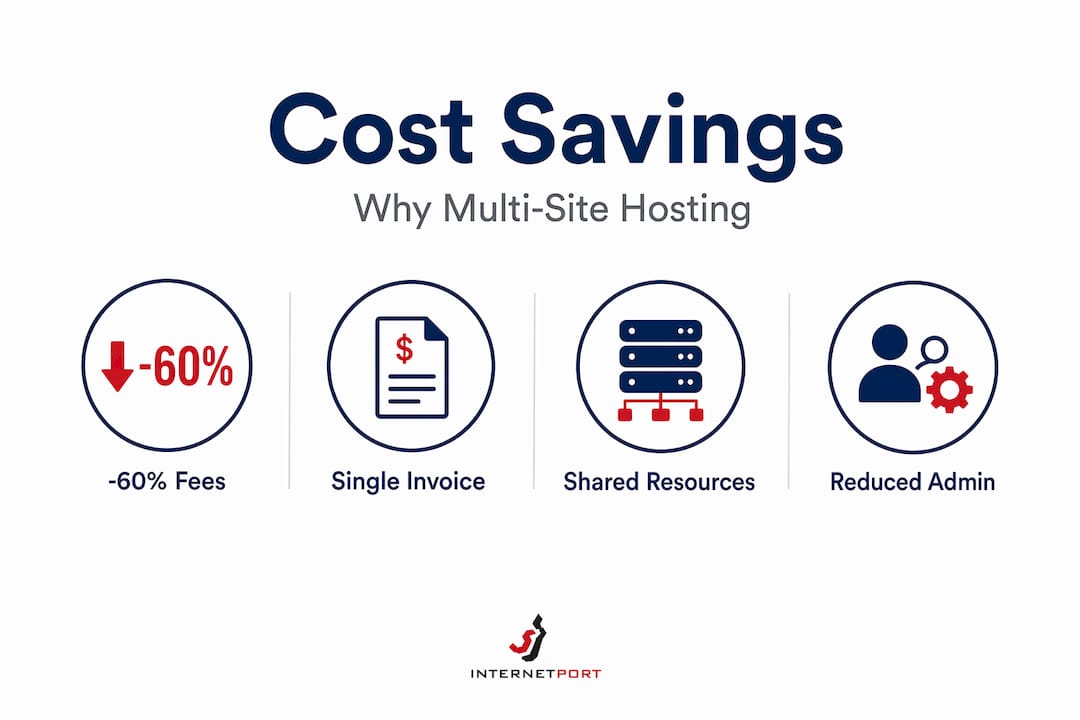
Reduced hosting costs
Running one hosting account instead of five or ten reduces line items on your invoice. A single managed Cloud VPS can serve multiple sites more cost-effectively than five separate shared hosting accounts, provided the server is sized correctly for the combined traffic load.
Simplified compliance and security policies
When all sites live under one roof, you apply security hardening, SSL management, and access controls once. For businesses operating under data regulations, a unified hosting environment can simplify audit trails and policy enforcement.
The multi-site hosting advantages above are real, but they depend entirely on your sites sharing enough operational DNA to benefit from consolidation. Sites with different traffic patterns, different owners, or fundamentally different purposes will not get these benefits. They will inherit the risks instead.
Challenges and risks you need to understand
The benefits of multi-site hosting are well-documented. The risks are less frequently discussed with the same candor.
-
Single point of failure. This is the most consequential risk. One plugin exploit or bad update can affect every site in the network simultaneously. What would be a contained problem on an isolated site becomes a network-wide outage.
-
Plugin conflicts at scale. In a multisite environment, you cannot run different plugin versions across sites. If one site needs a plugin that conflicts with another site's requirements, you have no clean resolution without breaking the shared environment.
-
Performance bottlenecks from shared resources. The shared database in WordPress Multisite creates overhead as the network grows. Enterprise WordPress multisite requires database sharding for scalability beyond around 50 or more sites to avoid row-level locking and query pile-ups.
-
Security contamination across sites. Isolated hosting environments contain malware or plugin conflicts to a single site. In a multisite setup, a compromised site can expose every other site on the network to the same vulnerability. You can read more about these cross-site risks in Internetport's guide to hosting security practices.
-
Migration complexity. Separating a site from a multisite network later is painful. The shared database means tables are intermingled, and properly extracting one site without data loss or URL corruption requires significant technical expertise.
-
Hosting environment limitations. WordPress Multisite does not perform reliably on shared hosting plans. It needs dedicated CPU and RAM to handle concurrent requests from multiple properties without degrading.
Centralizing multiple sites under one installation is not just a technical choice. It is a governance decision. If your organization does not have clear policies for who controls plugins, updates, and user permissions, multi-site hosting will amplify your management problems, not solve them.
Comparing multi-site hosting to the alternatives
Understanding why use multiple sites under one system requires honestly comparing it to the available alternatives. Here is how the main architectures stack up:
| Architecture | Isolation | Management | Cost | Best for |
|---|---|---|---|---|
| WordPress Multisite | None (shared) | Single dashboard | Low | Related brand family sites |
| Multi-install, shared server | Partial | Third-party tool | Low to medium | Small portfolios, similar sites |
| Reseller hosting | Full per account | Fragmented | Medium | Agencies managing client sites |
| Containerized multi-account | Full per container | Unified dashboard | Medium to high | SMBs needing control and isolation |
| Dedicated server, separate installs | Full | Manual or tooled | High | High-traffic, mission-critical sites |
Reseller hosting uses isolated accounts that improve client independence but complicate updates and backups because each account operates separately. It is a good fit for web agencies managing client properties, where each client owns their own data and needs independence. For an internal IT team managing company properties, fragmented management is a liability.
The containerized multi-account model deserves special attention. Multi-account and containerized hosting platforms provide centralized dashboards with full site isolation, offering a genuinely modern alternative to traditional multisite or reseller hosting. You get a single pane of glass for updates, monitoring, and backups without the shared-failure risk of WordPress Multisite.
For businesses that already use tools like MainWP or ManageWP, the multi-install approach on a properly resourced VPS delivers most of the administrative convenience of multisite without merging your databases. Updates still push from one dashboard. Sites still fail independently.
The right choice depends on three honest answers: How related are your sites? How much isolation do you need? And how much complexity can your team realistically manage?
How to choose the right approach for your business
Choosing the right multi-site hosting architecture is not a software decision. It is a business decision with technical consequences. Work through these steps before committing:
-
Audit your sites. List every site you manage or plan to manage. Note whether they share a brand, share a team, share plugins, or serve the same audience. Sites with different traffic, ownership, or plugin requirements should avoid a shared multisite install.
-
Assess your risk tolerance. If any single site going offline would cause significant business harm, shared infrastructure is a risk you should quantify before accepting. Map your tolerance against the single-point-of-failure scenario.
-
Evaluate your infrastructure. Small to medium companies need dedicated CPU and RAM for multi-site hosting performance. If your current hosting plan is shared, multi-site hosting will underperform from day one. Plan for a VPS or dedicated environment.
-
Plan for growth and ownership changes. If you might sell a site, bring in a partner, or spin off a business unit, a tightly coupled multisite install creates complications. Build separation capability into your architecture from the start.
-
Define your governance model. Who controls plugin approvals? Who can add new users? Who handles updates? Without clear answers, centralized hosting becomes a source of conflict rather than efficiency.
-
Evaluate caching and performance tools. Performance tuning for WordPress multisite includes object caching with Redis or Memcached, database optimization, and proper hosting selection. Factor these into your infrastructure plan before launch, not after you hit slowdowns.
Pro Tip: If you are genuinely unsure whether to use multisite or isolated installs, run a pilot. Spin up a two-site multisite network on a staging environment for 30 days. The operational friction and limitations you encounter in testing are far cheaper to deal with than the same friction in production.
The ideal SMB setup balances site isolation with unified management tools, giving you control over resources and security without the cascading risk of a fully shared network. That is the architecture most IT managers land on after running multisite for a year and hitting its limits.
My take on multi-site hosting after years of watching SMBs get it wrong
I have watched business owners make this decision dozens of times, and the pattern is consistent. They choose multi-site hosting because it sounds simpler. They discover six months later that simpler administration came with more complex problems.
The most common mistake is treating multi-site hosting as a default for anyone managing more than one website. It is not. It is the right tool for a specific situation: related sites, shared teams, consistent branding, and a mature IT governance model. When those conditions are present, the benefits of multi-site hosting are genuinely compelling. When they are not, you are trading one set of headaches for a worse one.
What I have learned is that centralized control in multisite environments is often mistaken for a universal benefit. It is not. Centralization consolidates risk just as efficiently as it consolidates control. If you are not ready to manage that risk with proper governance, security policies, and the right infrastructure, isolation is the more defensible choice.
The trend I find most interesting right now is containerized hosting. It resolves the core tension between convenience and isolation in a way that traditional multisite never could. You get one dashboard, but failures do not cascade. That is the architecture I recommend most often to IT managers who need to manage multiple sites without betting everything on a single shared install.
If there is one thing I would push back on in most advice you will find on this topic, it is the framing of multi-site hosting as a cost-saving measure. The server you actually need to run it properly costs more than the shared plan you are replacing. Build that into your evaluation honestly, and you will make a much better decision. For a deeper look at how centralized and isolated hosting models compare in practice, the Internetport guide to scalable IT hosting is worth your time.
— Peter
Internetport's hosting solutions for managing multiple sites
If you have worked through the decision framework above and concluded that a properly resourced, isolated or semi-isolated architecture is the right path, the next question is where to host it.
Internetport offers cloud VPS, dedicated servers, and web hosting plans built for businesses that need real infrastructure behind their sites, not consumer-grade shared plans dressed up as business hosting. Their data centers in Sweden run on redundant power and connectivity up to 10 Gbps, which matters when you are running multiple sites that cannot afford downtime. For SMBs managing several web properties, Internetport's VPS hosting plans give you the dedicated CPU and RAM that multi-site environments genuinely require. Their web hosting options suit smaller setups, while dedicated servers cover businesses with high-traffic or compliance requirements. Everything is backed by PCI DSS-compliant infrastructure and responsive technical support.
FAQ
What is multi-site hosting?
Multi-site hosting refers to running multiple websites from a shared infrastructure, either through a single platform install like WordPress Multisite or through multiple isolated installs managed from a central dashboard. The architecture you choose determines how much isolation exists between your sites.
When does multi-site hosting make sense for a business?
Multi-site hosting works best when your sites share branding, plugins, and operational teams. Sites with different traffic levels, owners, or plugin requirements are better served by isolated installs managed through a unified tool.
What are the main risks of WordPress Multisite?
The primary risk is a single point of failure: one bad plugin update or security exploit affects every site in the network simultaneously. Plugin compatibility conflicts and shared database performance limitations add to the operational complexity as the network grows.
How much server resources do I need for multi-site hosting?
Shared hosting plans are not sufficient for reliable multi-site performance. Small to medium businesses need a managed Cloud VPS with dedicated CPU and RAM to handle the combined load of multiple sites without degradation.
Can I separate a site from a multisite network later?
Yes, but it is technically complex. Because WordPress Multisite stores all sites in a shared database with intermingled tables, extracting a single site requires careful database work and URL restructuring. Planning for potential separation before you build saves significant effort later.