
TL;DR:
- Cloud storage for small teams provides secure, collaborative file sharing with features like real-time editing and granular permissions. It enhances workflow efficiency by centralizing files and integrating with existing productivity tools. Prioritizing security, backups, and cost management ensures reliable and compliant team collaboration.
Cloud storage for small teams is the practice of using hosted remote servers to provide secure, accessible, and collaborative file storage tailored to small group workflows. The industry term is cloud file storage, and it covers everything from shared drives and version control to access permissions and automated backups. For small team leaders, the right setup does more than hold files. It replaces email chains, prevents data loss, and keeps everyone working from the same source of truth. Business-grade cloud file storage differs from personal plans by offering administrative controls, audit trails, and compliance certifications such as ISO 27001, HIPAA, and GDPR. That distinction matters the moment your team handles client data, financial records, or any regulated information.
What are the essential features of cloud storage for small teams?
The features that matter most for small teams are not the ones with the biggest marketing budgets. They are the ones that solve real daily friction: version conflicts, accidental deletions, and permission chaos.
Real-time collaboration and co-authoring
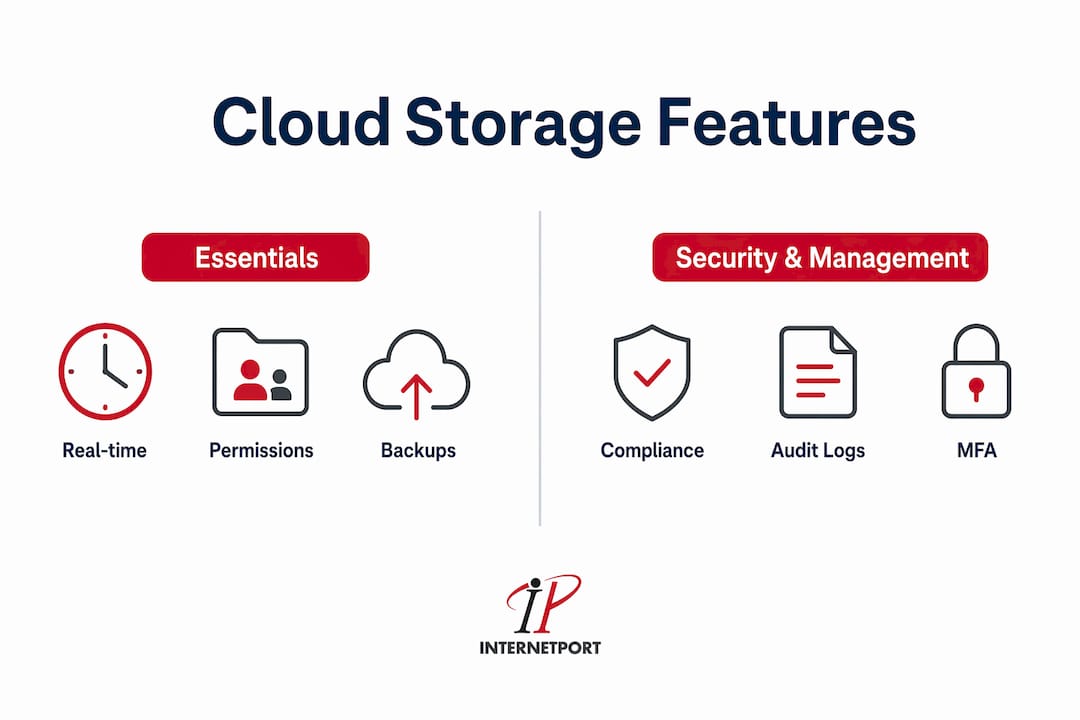
Real-time co-authoring reduces friction in remote and hybrid team workflows far more than simple file-syncing services do. When two people can edit the same document simultaneously and see each other's changes live, you eliminate the "final_v3_ACTUAL_FINAL.docx" problem entirely. Look for inline commenting, @mentions, and activity feeds as baseline requirements.

Granular permissions and user management
Role-based access control lets you decide who can view, edit, or share each folder. A marketing contractor should not have the same access as your finance lead. Granular permissions prevent accidental data exposure and make offboarding a departing team member a two-minute task instead of a security audit.
Automated backups, versioning, and recovery
Recovery features, including granular version history and ransomware rollback tools, are critical for small teams that lack dedicated IT staff. A good versioning system keeps 30 to 180 days of file history. That window gives you a realistic chance of recovering from a ransomware attack or a well-intentioned but destructive bulk edit.
Cross-platform sync and offline access
Your team uses a mix of Windows laptops, MacBooks, and mobile devices. The storage platform must sync reliably across all of them and support offline access for files that need to be available without an internet connection. Sync failures are a silent productivity killer because teams often do not notice them until data is already out of date.
Security protocols and compliance certifications
For teams handling sensitive data, certifications are not optional extras. ISO 27001 covers information security management. HIPAA applies to any team touching health data. GDPR governs personal data for anyone with European customers or employees. Check the provider's compliance certifications before signing a contract, not after.
Pro Tip: Request the provider's SOC 2 Type II report before committing. This report shows whether their security controls actually worked over a 6-to-12-month audit period, not just whether they exist on paper.
How much does cloud storage cost for small teams?
Cost is where small teams consistently get surprised. The monthly subscription line item is rarely the full picture.
Small businesses with fewer than 10 employees typically spend between $50 and $200 monthly on cloud storage. Teams of 5 to 10 employees average $15 to $25 per user per month for comprehensive solutions. That range reflects a wide gap in feature depth, and the cheapest option is rarely the most cost-effective one once you factor in what it lacks.
Understanding total cost of ownership
Total Cost of Ownership includes storage fees, per-user licenses, API operation charges, and egress fees that most teams underestimate. Egress fees are charged when you download or migrate data out of the platform. They look small per gigabyte but add up fast during a large restore or a platform migration. A team moving two terabytes of data can face a bill that dwarfs a full year of subscription costs.
| Cost component | What it covers | Common oversight |
|---|---|---|
| Per-user license | Monthly fee per team member | Scales with headcount growth |
| Storage capacity | GB or TB of data stored | Underestimating growth rate |
| API operation fees | Automated sync and integration calls | High-volume workflows spike costs |
| Egress fees | Data downloaded or exported | Migration and large restores |
| Annual vs. monthly billing | Commitment discount | Missing 15%–20% savings |
Volume discounts for annual commitments typically save 15%–20% compared to monthly billing. That saving is real money for a team of eight paying $20 per user per month. Paying annually on that plan saves roughly $288 to $384 per year with no change in service.
Pro Tip: Build a 12-month storage growth projection before choosing a tier. If your team adds 50 GB per month today, you will need 600 GB more capacity by next year. Choosing the right tier now avoids a mid-contract upgrade and the billing disruption that comes with it.
How does cloud storage improve team collaboration and workflow efficiency?
Shared storage changes how teams work together at a structural level. The shift from individual drives to shared folders is the single biggest productivity gain most small teams experience.
When files live in a shared folder structure rather than on individual laptops, everyone accesses the same version. There is no "can you send me the latest deck?" There is no waiting for someone to return from vacation to access a file only they have. The folder becomes the single source of truth, and that clarity alone reduces miscommunication.
Link sharing controls add another layer of efficiency. Password-protected links with expiry dates let you share a proposal with a client without giving them permanent access to your file system. That combination of openness and control is something email attachments cannot replicate.
Cloud file storage also integrates directly with the productivity tools your team already uses:
- Project management platforms like Asana or Trello can attach cloud files directly to tasks, keeping context and assets in one place.
- Communication tools like Slack or Microsoft Teams display file previews inline, so team members review documents without switching apps.
- E-signature platforms connect to cloud folders, pulling contracts directly into signing workflows without manual uploads.
- Accounting and CRM software often supports direct cloud storage connections, keeping client files and financial documents linked to the right records.
The practical result is that a five-person marketing team can run an entire campaign from a single shared folder. The brief, the creative assets, the client feedback, and the final deliverables all live in one place, with a clear version history and access log. Collaboration depth is the key utility driver for small teams, more valuable than raw storage capacity alone.
What security and compliance considerations should small teams prioritize?
Security for cloud file storage goes well beyond encryption. Effective protection requires access controls, audit logs, and automatic ransomware backups working together as a system.
Access controls and authentication
Single Sign-On (SSO) and Multi-Factor Authentication (MFA) are the baseline. SSO reduces password fatigue and makes deprovisioning departing employees instant across all connected tools. MFA blocks the majority of credential-based attacks. Role-based permissions then limit what authenticated users can actually do once they are inside the system.
Audit logging and data retention
Audit logs record who accessed, edited, shared, or deleted every file. For teams subject to GDPR or HIPAA, these logs are not optional. They are evidence of compliance. Data retention policies define how long deleted files and old versions are kept before permanent removal. A 90-day retention window is a practical minimum for most small teams.
Ransomware protection and backup snapshots
Automated, recoverable backup structures that do not require daily manual intervention are the standard for protecting against ransomware. Look for platforms that take immutable snapshots, meaning backups that cannot be encrypted or deleted by ransomware even if it reaches your connected devices. Some platforms offer dedicated ransomware recovery modes that restore an entire folder structure to a point before the attack.
Data residency and export options
Data residency determines which country your files are physically stored in. For European teams, GDPR requires that personal data stays within the EU unless specific transfer mechanisms are in place. Swedish-hosted infrastructure, like that operated by Internetport, keeps data within a jurisdiction with strong privacy protections. Check the compliance requirements for your industry before selecting a provider.
| Security feature | Why it matters for small teams |
|---|---|
| MFA | Blocks most credential-based account takeovers |
| Role-based permissions | Limits damage from insider errors or compromised accounts |
| Immutable backups | Prevents ransomware from destroying recovery points |
| Audit logs | Provides evidence of compliance and tracks data access |
| Data residency controls | Meets GDPR and regional data sovereignty requirements |
What practical steps help small teams implement cloud storage successfully?
Choosing a provider based on your team's specific workflows and compliance needs leads to better satisfaction and fewer costly adjustments later. The selection process should start with your actual work, not a feature checklist from a vendor's website.
-
Audit your current storage habits. List every place your team currently stores files: local drives, email attachments, USB drives, and any existing cloud tools. Identify the biggest pain points, whether that is version conflicts, access problems, or recovery failures.
-
Define your compliance requirements. Determine which regulations apply to your data before evaluating any provider. HIPAA, GDPR, and ISO 27001 each impose specific technical and contractual requirements that narrow your options significantly.
-
Run a pilot test with real workflows. Before committing, test the platform with your actual files and your actual team for two to four weeks. Pay attention to sync reliability, mobile performance, and how intuitive the permission system is for non-technical team members.
-
Conduct a restore drill. Most teams test uploads but never test recovery. Delete a test folder and time how long it takes to restore it completely. This single exercise reveals more about a platform's real-world reliability than any sales demo.
-
Set company-wide sharing and backup rules. Document which folders are shared with external parties, which require password-protected links, and how often backups run. Written rules prevent the gradual permission creep that turns a tidy folder structure into a security liability.
-
Plan your exit strategy before you sign. Providers that allow easy export and migration reduce vendor lock-in risks. Moving terabytes and reconfiguring permissions can trap a team financially and operationally. Confirm the export format, the egress cost, and the migration timeline before you commit.
-
Train your team on day one. A platform is only as good as the team using it consistently. A 30-minute onboarding session covering folder structure, naming conventions, and sharing rules prevents months of bad habits.
For teams evaluating cloud security best practices, the implementation phase is also the right time to establish your incident response procedure. Know in advance who gets notified if a file is shared incorrectly or a device with cloud access is lost.
Key Takeaways
The most effective cloud storage setup for small teams combines granular access controls, real-time collaboration features, automated backups, and a clear understanding of total cost before signing any contract.
| Point | Details |
|---|---|
| Feature fit beats popularity | Choose based on your team's workflows and compliance needs, not vendor rankings. |
| TCO includes hidden costs | Budget for egress fees, API charges, and annual vs. monthly billing differences. |
| Recovery features are non-negotiable | Immutable backups and version history protect teams without dedicated IT staff. |
| Collaboration depth drives value | Live co-authoring and shared folders matter more than raw storage capacity. |
| Plan your exit before you enter | Confirm export formats and migration costs before committing to any provider. |
What I've learned after watching teams pick the wrong platform
The most common mistake I see small teams make is choosing a cloud storage platform the way they choose a restaurant: by looking at the star rating and going with the most popular option. Popularity tells you nothing about fit. A platform built for 500-person enterprises has permission structures and billing models that actively work against a team of six.
The second mistake is treating backup as a checkbox. Teams set up automated backups, confirm the green light is on, and never test recovery. The first time they actually need to restore something, they discover the backup ran but the restore process requires a support ticket and a 48-hour wait. That is not a backup. That is a false sense of security.
I also think the industry undersells the cost of switching. The real cost is not the egress fee. It is the two weeks your team spends rebuilding folder structures, resetting permissions, and retraining on a new interface while actual work piles up. That cost never appears in any pricing comparison, but it is the most expensive line item in a bad platform decision.
My honest recommendation: spend more time on the restore drill and the exit strategy than on comparing storage tiers. The storage tier is easy to upgrade. A bad recovery experience or a locked-in migration is not.
For teams that want a deeper look at SMB cloud hosting options before making a final decision, comparing uptime guarantees and support response times alongside storage features gives a much more complete picture of real-world reliability.
— Peter
Internetport's cloud solutions for small teams
Small teams need infrastructure that grows with them without requiring a full-time IT department to manage it.
Internetport offers flexible cloud hosting and VPS solutions built for businesses that need reliable performance, strong data security, and clear pricing without surprise fees. With data centers in Sweden and internationally, Internetport supports data residency requirements for GDPR-conscious teams. PCI DSS compliance, private networking options, and expert technical support mean your team gets enterprise-grade protection at a scale that fits a small team's budget. If you are evaluating your next cloud infrastructure step, Internetport's cloud solutions are worth a direct conversation with their team.
FAQ
What is cloud storage for small teams?
Cloud storage for small teams is a hosted file storage service that provides shared access, version control, and collaboration features designed for groups of 2 to 50 people. It differs from personal cloud storage by including administrative controls, audit trails, and compliance certifications.
How much should a small team budget for cloud storage?
Teams of 5 to 10 employees typically spend $15 to $25 per user per month for a comprehensive solution. Annual billing commitments generally save 15%–20% compared to monthly plans.
What security features does a small team actually need?
The minimum security set includes MFA, role-based permissions, audit logging, and automated backups with ransomware rollback. Teams handling regulated data also need compliance certifications such as ISO 27001, HIPAA, or GDPR.
How do I avoid vendor lock-in with cloud storage?
Before signing, confirm the provider supports full data export in standard formats and disclose their egress fees for large migrations. Testing the export process during your pilot period is the most reliable way to verify this claim.
Is cloud storage the same as cloud backup?
Cloud storage and cloud backup serve different purposes. Cloud storage is designed for active file access and collaboration. Cloud backup is designed for recovery, storing point-in-time snapshots that are not meant for daily editing. The best setups for small teams use both together.