

TL;DR:
- Virtualization is a foundational technology that separates software from hardware, enabling efficient use of physical resources. It manages multiple isolated environments through hypervisors and virtual machines, supporting various types like server, storage, and network virtualization. This technology reduces costs, accelerates deployment, and enhances disaster recovery while remaining integral to modern cloud and hybrid infrastructures.
Virtualization gets misrepresented constantly. Most people hear the term and picture one physical server pretending to be several computers, and while that's technically adjacent to correct, it misses the strategic point entirely. What is virtualization really about? It's a foundational technology that separates software from the hardware it runs on, giving organizations the ability to use physical resources with a precision that static, one-server-one-function infrastructure simply cannot match. This guide cuts through the abstraction and gives you exactly what you need to evaluate, adopt, and maximize virtualization for your organization's infrastructure.
Table of Contents
- Key Takeaways
- What is virtualization, exactly
- Types of virtualization and what they solve
- How virtualization works under the hood
- Benefits of virtualization for business IT
- Adopting virtualization: practical steps for decision-makers
- My take on virtualization's staying power
- Virtualization-ready infrastructure from Internetport
- FAQ
Key Takeaways
| Point | Details |
|---|---|
| Virtualization separates software from hardware | Physical resources are abstracted into virtual environments, enabling multiple workloads on a single machine. |
| Hypervisors are the control layer | A hypervisor manages resource allocation between virtual machines, making the entire system function efficiently. |
| Multiple virtualization types exist | Server, storage, application, and network virtualization each serve distinct infrastructure roles. |
| Business benefits are measurable | Organizations gain cost efficiency, faster deployment, improved disaster recovery, and better hardware utilization. |
| Provider selection matters | A reliable infrastructure partner with scalable virtual environments directly impacts performance and uptime. |
What is virtualization, exactly
At its core, the definition of virtualization is the process of creating a software-based representation of something that would typically require dedicated physical hardware. That "something" could be an entire server, a storage system, a network, or just a single application. Instead of one physical machine doing one job, virtualization lets you run multiple isolated environments on the same physical hardware simultaneously.
The two foundational components that make this possible are virtual machines and hypervisors.
Virtual machines (VMs) are the isolated environments themselves. A VM is a software-based emulation of a physical computer, running its own operating system and applications entirely separate from other VMs on the same host. Each VM believes it is operating on its own dedicated hardware. It has its own virtual CPU, memory, storage, and network interfaces. This isolation means a crash or security incident in one VM does not affect others sharing the same physical machine.
Hypervisors are the management layer that makes any of this work. The hypervisor sits between the physical hardware and the virtual machines, partitioning and distributing hardware resources across all the VMs it manages. Think of it as a traffic controller for compute resources. Hypervisors allocate CPU, memory, and storage dynamically, allowing VMs to operate as though they each have dedicated hardware underneath them.
There are two categories of hypervisors:
- Type 1 (bare metal): Runs directly on the physical hardware, with no underlying OS. Used in enterprise environments and data centers. Examples include VMware ESXi and Microsoft Hyper-V.
- Type 2 (hosted): Runs on top of an existing operating system, more common in development or testing scenarios. Examples include VirtualBox and VMware Workstation.
Pro Tip: If you are evaluating virtualization for production workloads, always default to Type 1 hypervisors. They have lower latency, fewer failure points, and are built for sustained performance under real enterprise load.
Understanding virtualization concepts at this level matters because the hypervisor tier is where your performance, security, and flexibility are actually determined. Choosing the wrong layer means carrying overhead you cannot easily undo later.
Types of virtualization and what they solve
Virtualization technology explained as a single concept understates how many distinct problems it addresses. There are several types, and each targets a different layer of your infrastructure.
| Type | What it virtualizes | Primary use case |
|---|---|---|
| Server virtualization | Physical servers | Running multiple workloads on one machine |
| Storage virtualization | Physical storage arrays | Centralized storage management and pooling |
| Application virtualization | Individual applications | Remote app delivery without full OS deployment |
| Network virtualization | Network hardware and topology | Software-defined networking and traffic control |
| Desktop virtualization | End-user desktop environments | Centralized management of user workspaces |
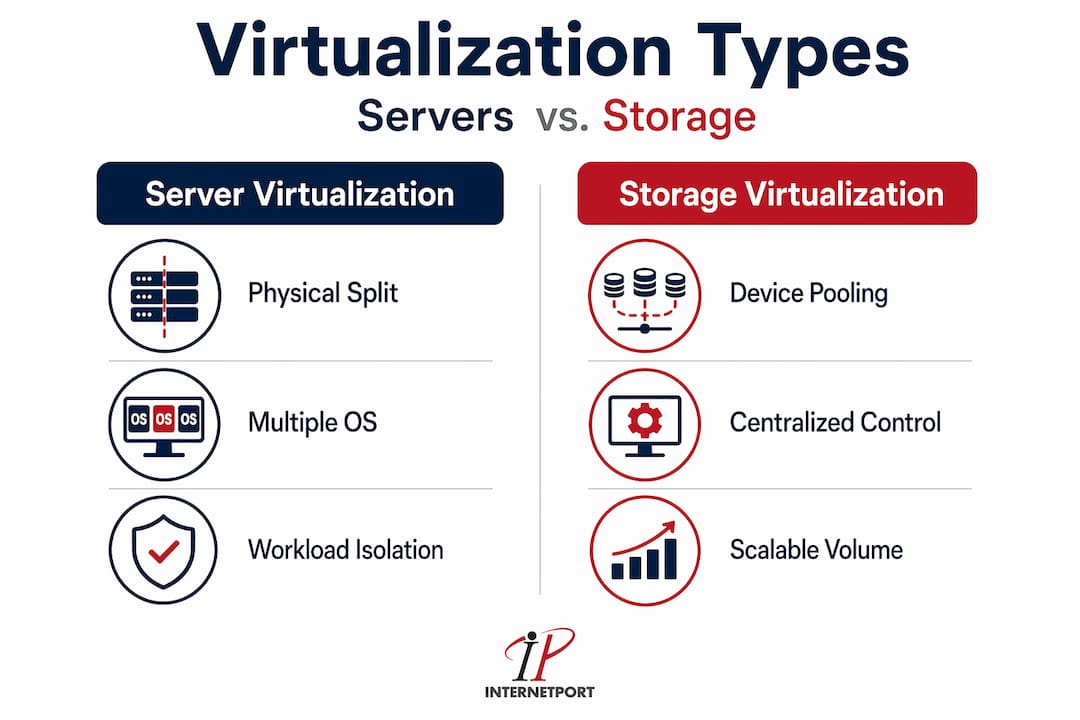
What is server virtualization in practical terms? It takes a single physical server and partitions it into multiple virtual servers, each running its own OS and applications. Server virtualization is what most enterprises and hosting providers rely on to get more function out of fewer physical machines. It is the most prevalent form of virtualization in production IT environments.
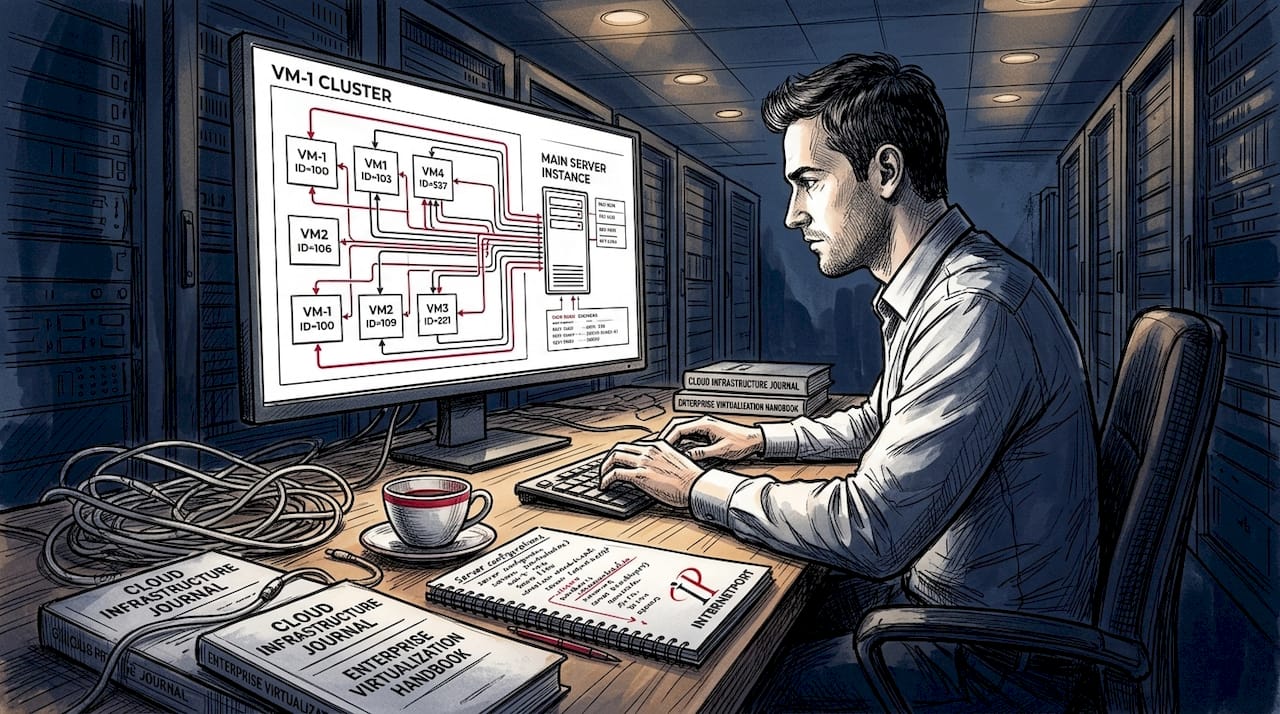
Storage virtualization pools physical storage from multiple devices into a single logical unit that administrators manage centrally. This eliminates the rigid allocation of storage to specific servers and makes capacity planning significantly more flexible.
Application virtualization separates apps from the operating system, allowing applications to run in a controlled virtual layer while the underlying OS on the user's device stays completely normal. This is especially useful for organizations managing complex software across diverse hardware environments.
A related concept worth clarifying is containerization. Containers differ from traditional VMs in one critical way: they share the host OS kernel rather than running a full separate OS. This makes them faster and lighter, but with less isolation than a full VM. Containers are not a replacement for virtualization. They are an additional layer that often runs on top of virtualized infrastructure.
How virtualization works under the hood
Understanding how virtualization works at the resource level gives you the clarity to make smarter infrastructure decisions. The mechanics are less complicated than they appear once you strip away the jargon.
Here is how the process unfolds in a production environment:
- Physical hardware is pooled. The host machine's CPU, RAM, disk, and network resources are made available to the hypervisor as a shared pool rather than assigned statically to any single workload.
- The hypervisor partitions resources. Based on configuration and real-time demand, the hypervisor allocates portions of CPU time, memory blocks, and storage to each VM running on the host.
- Virtual hardware is presented to each VM. Each VM sees a complete set of virtual hardware: CPU, memory, storage, and network interfaces, regardless of what physical hardware actually underlies it.
- Workloads run in isolation. Applications and operating systems inside each VM operate as though they have exclusive access to hardware. They have no awareness of the other VMs sharing the same physical machine.
- Live migration moves workloads without downtime. One of the most operationally significant capabilities in virtualization is the ability to migrate VMs between hosts while they are still running. This means you can move a VM to a different physical server for maintenance or load balancing without taking the application offline.
Pro Tip: Live migration is one of the most underused features in smaller IT environments. If your virtualization platform supports it, build it into your maintenance and disaster recovery playbook from day one. It removes a category of downtime that most organizations just accept as inevitable.
VM isolation also plays a direct security role. Because each VM operates in its own contained environment, a compromised VM cannot easily affect its neighbors on the same host. This containment model gives security teams a meaningful boundary to work with, which becomes especially important in multi-tenant hosting environments where multiple workloads coexist on shared infrastructure.
Benefits of virtualization for business IT
The benefits of virtualization are not abstract. They show up directly in infrastructure costs, operational agility, and risk management. Here is where the gains actually land:
- Hardware consolidation reduces capital expenditure. Virtualization optimizes physical capacity by running multiple environments on a single host. Organizations that previously maintained a rack of underutilized servers can consolidate into far fewer physical machines, reducing hardware purchasing, data center space, and power costs.
- Deployment speed increases dramatically. Spinning up a new VM takes minutes. Provisioning new physical hardware takes days or weeks. For teams that need to launch new services, test environments, or scale existing workloads quickly, this difference is operationally decisive.
- Disaster recovery becomes significantly more manageable. Because VMs are encapsulated as files, they can be copied, backed up, and restored across any compatible host. Virtualization enables faster disaster recovery by eliminating the hardware dependency that makes traditional recovery processes slow and unreliable.
- Scaling is both faster and cheaper. Need more capacity? Allocate more resources to an existing VM, or spin up additional instances. Need to scale down? Deallocate. You are not buying hardware for peak capacity and letting it sit idle the rest of the time.
- Management overhead drops. Centralized management of virtualized environments means fewer hands on keyboards, fewer physical interventions, and cleaner change management. Many organizations use virtualization to consolidate servers, increase uptime, and respond to business changes faster.
- Security isolation is built in. The boundary between VMs on the same host is a genuine security control, not just a logical separation. Workloads with different compliance requirements can coexist on the same physical infrastructure without mixing their data or access controls.
What is virtualization in hosting, specifically? It is the technology that makes shared hosting, virtual private servers, and cloud computing commercially viable. Without virtualization, every customer would need dedicated hardware, which would make hosting prohibitively expensive for all but the largest organizations.
Adopting virtualization: practical steps for decision-makers
Knowing the theory is necessary but not enough. If you are evaluating or expanding virtualization in your organization, here is a structured way to approach it:
- Audit your current infrastructure. Map out your existing physical servers, their utilization rates, and their workloads. Most organizations find that a significant portion of their physical servers run at under 20 percent CPU utilization. That unused capacity is the business case for virtualization.
- Define your workload requirements. Not every workload is ideal for virtualization. Latency-sensitive applications or systems with specialized hardware dependencies may need dedicated physical resources. Identify these exceptions before you start.
- Choose the right virtualization type. For most businesses, server virtualization is the starting point. If your organization has complex application delivery needs or distributed storage challenges, layer in application or storage virtualization from there.
- Plan for integration with existing systems. Legacy applications and older infrastructure can complicate a virtualization rollout. Assess compatibility before committing to a platform, and plan for a phased migration rather than a big-bang cutover. Efficient resource management in virtual environments is far easier when the migration itself is incremental.
- Select a platform and provider carefully. Virtualization technology explained in isolation is only part of the picture. The provider running your virtualized infrastructure, whether you are using cloud VPS, dedicated servers, or a private cloud, determines your actual reliability, performance, and support experience. Look for providers with proven uptime records, compliance certifications, and infrastructure located in jurisdictions relevant to your data governance requirements.
A note on performance overhead: virtualization does carry some computational cost. The hypervisor consumes resources, and the abstraction layer adds a small latency penalty. In practice, this overhead is negligible for most business workloads, especially on modern hardware with native virtualization support built into the CPU. Where it becomes a concern is in extremely latency-sensitive applications like high-frequency trading or real-time signal processing, situations where dedicated physical resources are the right answer regardless.
My take on virtualization's staying power
I've spent years watching the IT infrastructure market cycle through waves of "this changes everything" technology. Containers arrived and a certain contingent declared virtualization dead. Cloud-native architectures followed, and the same argument came back louder. Neither of those predictions aged well.
What I've seen consistently is that virtualization remains the floor of modern infrastructure, not the ceiling. Containers run on top of virtualized infrastructure. Cloud platforms are built entirely on hypervisor technology. The abstraction layers change, but the underlying need to separate workloads from physical hardware does not.
The mistake I see most often from IT decision-makers is treating virtualization as an infrastructure choice rather than a resource philosophy. When you understand that virtualization is about maximizing existing hardware investments, not just running more OS instances, the decisions about where to virtualize, how deeply, and with which platform become much clearer.
My honest advice: if your organization is still running physical servers at low utilization with no virtualization layer, the ROI case is not even close. The cost savings on hardware consolidation alone typically justify the project within the first year. What takes longer, and this is where I see projects stumble, is the organizational shift to treating compute as a flexible resource pool rather than a fixed allocation per application.
The future of virtualization sits squarely in hybrid and multi-cloud environments. Cloud services rely on virtualization for resource pooling and scalability, and organizations that understand virtualization concepts at a fundamental level will navigate multi-cloud decisions far more effectively than those who treat it as a vendor problem to solve.
— Peter
Virtualization-ready infrastructure from Internetport
If you have read this far and you are ready to move from understanding virtualization to actually deploying it, the infrastructure you run it on matters as much as the technology itself. Internetport offers cloud and VPS solutions built on proven virtualization technology, with data centers in Sweden and internationally for organizations that need data sovereignty alongside performance.

Whether you need flexible virtual private servers to start small and scale fast, or dedicated server capacity for workloads that demand isolated physical resources, Internetport provides options backed by PCI DSS compliance, private networking, and expert technical support. The platform is purpose-built for businesses handling real IT demands, not just those kicking the tires. Explore Internetport's hosting services to find the virtualization-ready infrastructure that fits your organization's scale and security requirements.
FAQ
What is the basic definition of virtualization?
Virtualization is the process of creating software-based versions of physical computing resources, such as servers, storage, or networks, allowing multiple isolated environments to run on a single physical machine. The core components are virtual machines and the hypervisor that manages them.
How does virtualization differ from cloud computing?
Virtualization is the underlying technology that makes cloud computing possible. Cloud providers use virtualization to pool physical resources and deliver them as scalable services. All cloud infrastructure runs on virtualized hardware, but not all virtualized infrastructure is cloud.
What is server virtualization used for?
Server virtualization partitions a physical server to run multiple virtual servers, each with its own OS and applications. It is most commonly used to consolidate underutilized servers, reduce hardware costs, and increase deployment flexibility in enterprise and hosting environments.
What are the main benefits of virtualization for businesses?
The primary benefits include lower hardware costs through consolidation, faster workload deployment, simplified disaster recovery, and the ability to scale resources without purchasing additional physical machines. Security isolation between workloads is an additional operational advantage.
How does virtualization support hosting services like VPS?
What is virtualization in hosting comes down to resource partitioning. A single physical server is divided into multiple virtual private servers, each with its own allocated CPU, memory, and storage. This is what makes VPS hosting cost-effective and scalable compared to purchasing dedicated hardware for every workload.