

TL;DR:
- Choosing the right web host is crucial to prevent costly site downtime, data breaches, and performance issues for Swedish SMBs. Evaluating hosting types, performance metrics, security, pricing, support, and conducting practical tests ensures a reliable, scalable, and GDPR-compliant online presence. Selecting a reputable provider like Internetport with a transparent upgrade path and strong local infrastructure benefits growing businesses.
Choosing the wrong web hosting is one of the most expensive mistakes a small business can make, and you rarely feel it until something goes wrong. Your site goes down during a product launch. A data breach exposes customer information. Your e-commerce store crawls at peak traffic. Knowing how to choose web hosting before you commit saves you money, legal headaches, and lost revenue. This guide is built specifically for Swedish SMBs, covering hosting types, performance benchmarks, GDPR compliance requirements, pricing traps, and a practical verification process so you can make a confident, informed decision.
Table of Contents
- Understand different web hosting types and your website needs
- Evaluate performance factors: speed, uptime, and scalability
- Security and compliance concerns for Swedish businesses
- Analyze pricing structures and customer support quality
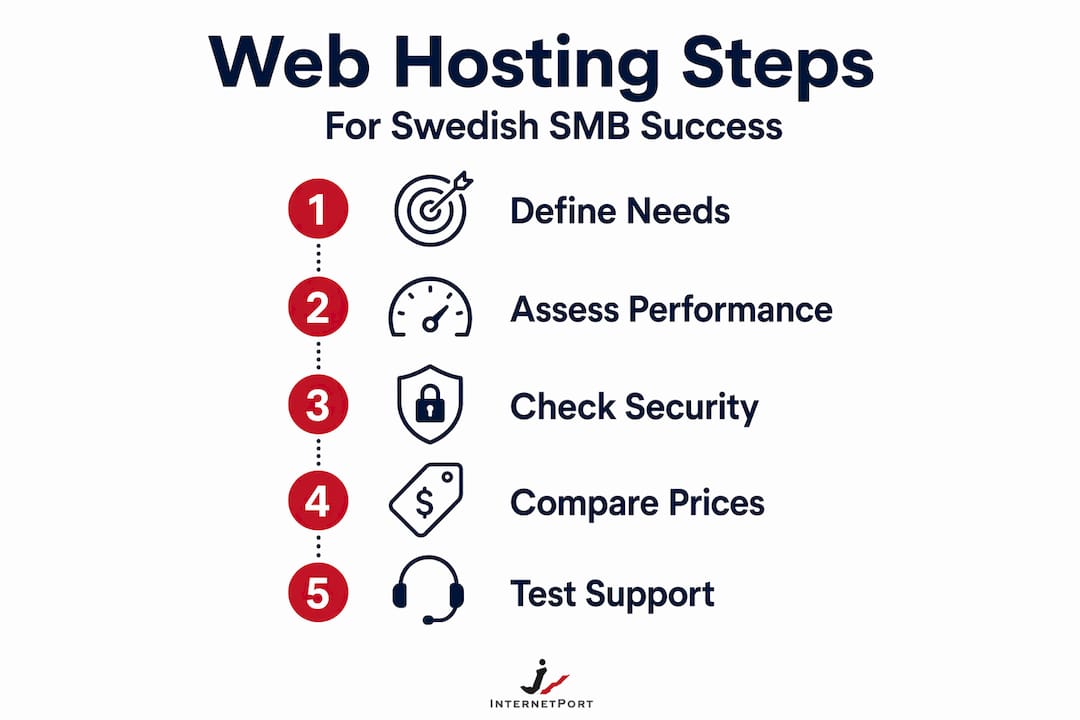
- Practical steps to verify hosting suitability before purchase
- Why Swedish SMBs should prioritize scalable and compliant hosting now
- Explore Internetport's web hosting solutions tailored for Swedish SMBs
- Frequently asked questions
Key Takeaways
| Point | Details |
|---|---|
| Match hosting to website needs | Choose shared hosting for small sites and scale to VPS or managed WordPress as traffic and complexity grow. |
| Prioritize uptime SLAs | Aim for at least 99.9% uptime backed by clear compensation policies to minimize costly downtime. |
| Ensure GDPR compliance | Select hosts with EU data centers, strong security, and a proper Data Processing Agreement. |
| Watch for renewal pricing | Review total multi-year costs beyond low introductory offers to avoid unexpected price hikes. |
| Test support responsiveness | Contact customer service before buying to ensure timely help when your business depends on it. |
Understand different web hosting types and your website needs
To choose effectively, you first need to understand which hosting type fits your specific website and business needs. The hosting market is full of options, and the wrong fit means either overpaying for resources you don't use, or underbuying and watching your site crash under real traffic.
There are five main hosting categories worth knowing:
- Shared hosting: Your website lives on a server alongside hundreds of other sites, sharing CPU, RAM, and storage. Cheap, easy to manage, but performance suffers under traffic and noisy neighbors affect your load times.
- VPS (Virtual Private Server): A physical server is divided into isolated virtual machines. You get dedicated resources and root access, but you manage the environment yourself unless you opt for managed VPS.
- Dedicated server: An entire physical machine is yours. Maximum performance and control, but also the highest cost and the most technical responsibility.
- Managed WordPress hosting: Built and optimized specifically for WordPress sites, with automatic updates, caching, and support staff who know WordPress inside out.
- Cloud hosting: Resources are distributed across multiple servers, which means high availability and instant scaling. Traffic spikes don't kill performance, and you typically pay for what you use.
For Swedish SMBs, the match between hosting type and site purpose matters enormously. A five-page brochure site for a local accountant is well served by shared hosting. A WooCommerce store processing hundreds of daily transactions needs at minimum a VPS, or ideally cloud hosting with guaranteed uptime. A membership site with gated content and user logins should lean toward managed hosting to reduce the burden on your team. As one web hosting buyer's guide puts it, shared hosting suits small business sites with modest traffic, while VPS or managed WordPress is essential for revenue-impacting sites to ensure reliability without needing in-house developers.
The managed versus unmanaged distinction is critical for non-technical owners. Unmanaged plans give you control but assume you know how to configure a server, apply security patches, and troubleshoot failures. Managed plans hand those tasks to the provider. The price gap is real, but so is the time cost of doing it yourself.
| Hosting type | Best for | Technical skill needed | Relative cost |
|---|---|---|---|
| Shared | Brochure sites, low traffic blogs | Low | Low |
| Managed WordPress | WordPress stores, news sites | Low | Medium |
| VPS (managed) | Growing e-commerce, membership sites | Low to medium | Medium |
| VPS (unmanaged) | Dev teams, custom configs | High | Medium |
| Cloud hosting | High-traffic, variable load applications | Medium to high | Variable |
| Dedicated server | Enterprise apps, high-security environments | High | High |
You can explore a deeper breakdown of the types of web hosting options to match your business stage and site complexity before moving forward.
Evaluate performance factors: speed, uptime, and scalability
Once you know your hosting type, the next step is evaluating performance metrics that impact your website's reliability and user experience. Two hosts can offer the same plan at the same price and perform completely differently under real conditions.

Uptime is the percentage of time your site is online and accessible. It sounds like a minor number until you do the math. A 99.9% uptime guarantee allows around 8.7 hours of downtime annually, while 99.99% allows only about 52 minutes. For a business taking online bookings or running an e-commerce store, 8 hours of downtime per year is a meaningful revenue risk. Always read the SLA (Service Level Agreement) terms carefully. Many providers advertise high uptime but offer compensation credits so small they barely cover the cost of the outage.
Storage type has a direct effect on how fast your pages load. Most modern hosts use SSD (Solid-State Drive) storage, but there is a significant performance gap between standard SSD and NVMe SSD (Non-Volatile Memory Express). NVMe is up to six times faster than standard SSD at reading and writing data, which reduces time to first byte and overall page load time. NVMe SSD vs HDD storage and PHP worker limits on shared plans are two factors most buyers overlook entirely. PHP workers control how many simultaneous requests your server can process. If you have ten visitors loading pages at the same time and only four PHP workers, six of them wait. On shared plans, this limit is rarely advertised upfront.
Bandwidth controls how much data your site can transfer to visitors. For sites with video content, large product catalogs, or downloadable resources, running into bandwidth limits causes slowdowns or extra charges. Look for hosts offering unmetered bandwidth with clear fair-use policies rather than vague caps.
Scalability is where many SMBs get trapped. You start small, the business grows, and suddenly your hosting plan cannot handle the load. A good host offers a clear upgrade path, whether that means moving from shared to VPS within the same provider, or scaling cloud resources on demand without migrating your entire site.
Pro Tip: Before committing, use a tool like GTmetrix or Pingdom to test the actual load time of existing sites hosted on a provider's infrastructure. Many providers publish customer case studies with domain names you can test yourself.
Use this web hosting checklist to track performance criteria as you evaluate providers, and review scalable hosting solutions that can grow alongside your business.
| Performance factor | What to look for | Red flag |
|---|---|---|
| Uptime SLA | 99.95% or higher with credit terms | Vague "best effort" language |
| Storage type | NVMe SSD preferred | HDD storage on any paid plan |
| PHP workers | Minimum 4 per site, more for WooCommerce | Not disclosed |
| Bandwidth | Unmetered with fair-use terms | Hard caps under 100GB/month |
| Scalability | Easy in-panel plan upgrade | Requires full migration to scale |
Security and compliance concerns for Swedish businesses
Security and legal compliance are non-negotiable aspects when selecting a host for your business website. For Swedish SMBs, this goes beyond basic SSL certificates. Operating under EU law means your hosting choices have direct legal consequences.
Here are the core security features your host must provide:
- SSL/TLS certificate: Encrypts data between your site and visitors. Essential for e-commerce, login pages, and any form collecting personal data. Many providers now include free SSL automatically.
- Automatic daily backups: Off-site, automated backups with at least 14 days of retention. If something goes wrong, you need to restore quickly.
- Web Application Firewall (WAF): Filters malicious traffic before it reaches your site, blocking SQL injection, cross-site scripting, and brute-force attacks.
- Two-factor authentication (2FA): Protects your hosting control panel and email accounts from unauthorized access.
- Malware scanning and removal: Active scanning catches infections early before they spread or get flagged by Google, which can remove your site from search results.
GDPR (General Data Protection Regulation) applies to any business that collects or processes personal data from EU residents, which covers virtually every Swedish SMB with a website contact form. Your hosting provider is classified as a data processor under GDPR, meaning you need a formal agreement in place. Hosting providers as data processors require a Data Processing Agreement (DPA) covering breach notification within 72 hours, sub-processor conditions, and data deletion upon contract termination.
If your provider stores data in servers outside the EU or EEA (European Economic Area), you face additional compliance obligations under GDPR's data transfer rules. Choosing a provider with data centers physically located in Sweden or within the EU removes that complexity entirely. This is not a minor consideration. Regulators in Sweden have issued fines to companies that failed to verify where their customer data was being stored.
Pro Tip: Before signing with any host, ask directly for their DPA and check which sub-processors they use. A provider who cannot produce a clear DPA quickly is a provider you should not trust with your customers' data.
Review how a secure hosting infrastructure is built to support compliance and business continuity.
Analyze pricing structures and customer support quality
After performance and compliance, pricing transparency and dependable support are crucial for your peace of mind and business continuity. Most hosting providers lead with attractive introductory pricing, and this is where many SMBs get burned.
The standard pattern looks like this: a provider advertises a plan at 29 SEK per month. You sign up for a 12-month term. At renewal, the price jumps to 89 SEK per month because the promotional rate only applies to new customers. Introductory pricing traps lead to significantly higher renewal rates, so you should evaluate total cost over 2 to 3 years including SSL certificates, backups, and other add-ons.
Common hidden costs to check before signing up:
- Domain registration and renewal: Often sold separately from hosting, and renewal prices can be much higher than year one.
- SSL certificate fees: Some hosts charge annually for SSL beyond the free certificate tier.
- Backup storage: Automatic backups may cost extra or only store limited history.
- CDN (Content Delivery Network) access: Often advertised as included but may be a basic free tier with paid upgrades.
- Site migration fees: Moving your existing site to the new host may cost extra if you need their team to do it.
- Staging environments: Useful for testing updates before going live, but often locked behind higher-tier plans.
Review pricing comparisons and always request a full breakdown of what the renewal rate and add-on costs will look like in year two.
Customer support is the factor most buyers underweight and most regret ignoring. During an outage at 2 AM on a Sunday, the quality of your host's support team is the only thing standing between you and lost revenue. Testing customer support pre-purchase via live chat or a support ticket on a non-sales query reveals actual responsiveness during outages better than any review site.
Pro Tip: Ask a technical question like "What is the PHP worker limit on your mid-tier shared plan?" before buying. A good support team answers precisely. A bad one redirects you to a sales page or gives a vague non-answer.
Evaluate hosting reliability and scalable hosting options that include transparent pricing and accessible support.
Practical steps to verify hosting suitability before purchase
Before you finalize your choice, it is wise to verify key promises through practical testing and checks to avoid surprises. A provider's marketing page is not evidence of actual performance. Here is how to validate before committing.
Step-by-step pre-purchase verification:
- Test their support with a technical question. Use live chat or email before purchasing. Ask something specific and technical. Measure response time and answer quality.
- Review the SLA terms in detail. Look for specific uptime percentages, maintenance window policies, and how credits are calculated and claimed.
- Check data center location. Confirm servers are EU-based. Ask for documentation if it is not clearly stated.
- Request or review a DPA. Any reputable provider should have one ready to share.
- Use the trial or money-back period. Most providers offer 14 to 30 days. Use this window seriously.
- Set up monitoring during the trial. Free tools like UptimeRobot check your site every five minutes and log any downtime. Running this during a trial exposes gaps the provider won't advertise.
- Test the control panel usability. Log in and attempt common tasks: creating an email account, adding a subdomain, accessing your backup log. If basic tasks are confusing, ongoing management will frustrate you.
During any trial period, also verify:
- Backup restoration actually works, not just that backups exist
- Security scanning is active and visible in the dashboard
- Load times from Sweden specifically, using tools like WebPageTest with a Stockholm-based test location
- Whether support response times hold up on weekends and outside business hours
Run a 14 to 30 day pilot monitoring HTTP status, DNS health, response times, and regional uptime to validate provider claims before signing a longer contract.
Pro Tip: Do not evaluate a host's performance by loading your homepage once. Use WebPageTest to run five consecutive tests at different times of day and average the results. Single-sample testing misses the variance that shows up under real conditions.
Keep your evaluation organized using a structured web hosting checklist so nothing critical slips through.
Why Swedish SMBs should prioritize scalable and compliant hosting now
Here is something most hosting guides won't say directly: the majority of Swedish SMBs that end up in trouble with their hosting made one of two mistakes. They chose the cheapest plan available, or they chose a provider outside the EU without understanding what that meant legally. Often both.
The cheap plan trap is particularly common with new business owners who treat hosting like a utility. It is not. Your web host is a business partner that handles your customer data, keeps your site online, and determines how fast your pages load. A 99-SEK-per-month plan sounds reasonable until you add up the cost of one serious outage: lost sales, emergency migration fees, possible GDPR fines, and the time you spend dealing with it instead of running your business.
The compliance angle is where Swedish SMBs face unique pressure compared to businesses in markets with less mature data protection enforcement. The Swedish Authority for Privacy Protection (IMY) is active, well-resourced, and has issued meaningful fines. Choosing a provider without a clear DPA, or one storing data in servers outside the EEA, is not a theoretical risk. It is a real and growing one.
Scalability deserves more weight than most SMBs give it early on. The cost of outgrowing your hosting plan is not just the upgrade price. It is the migration time, the risk of data loss during transfer, the potential downtime, and the developer hours if the move is complex. Choosing a provider with a genuine upgrade path from shared to VPS to dedicated or cloud within the same infrastructure eliminates most of that risk. You grow in place rather than starting over.
The balancing act for non-technical owners is real: managed hosting costs more but removes the burden of server administration. For a business owner whose core skill is not IT, paying for managed hosting is almost always the right call. The math becomes obvious when you consider what an hour of your time is worth versus what a managed plan costs per month.
Invest in scalable hosting solutions early. Retrofitting compliance and scalability after the fact costs far more than building on a solid foundation from day one.
Explore Internetport's web hosting solutions tailored for Swedish SMBs
With a clear understanding and practical checks in place, consider Internetport's hosting solutions to confidently launch or scale your online presence.

Internetport has been building hosting infrastructure for Swedish businesses since 2008. Their data centers are located in Sweden, meaning your customer data stays within the EU and GDPR compliance is built into the infrastructure rather than bolted on. Whether you are starting with Internetport webhosting for a business website or scaling up to Internetport VPS hosting as your traffic grows, the upgrade path is within the same trusted infrastructure. For businesses with the highest performance and security requirements, Internetport dedicated servers offer full resource isolation with up to 10 Gbps bandwidth and PCI DSS compliant environments. Their team is available around the clock, and their technical support staff know the difference between a vague answer and a useful one.
Frequently asked questions
What type of web hosting is best for small business websites?
For most small business websites with modest traffic, shared hosting is sufficient, but managed WordPress or VPS hosting offer better reliability and scalability for growing or revenue-critical sites. The right choice depends on your traffic volume, technical resources, and how much downtime you can absorb.
How important is uptime when choosing a web host?
Uptime is critical. A 99.9% uptime guarantee translates to around 8.7 hours of downtime per year, which directly impacts customer access and revenue. Always evaluate the SLA terms and compensation policies alongside the headline percentage.
What security features should I require from a web host to comply with GDPR?
Require SSL/TLS, daily automated backups, a web application firewall, two-factor authentication, and a signed Data Processing Agreement. As noted in GDPR hosting guidance, hosting DPAs must cover breach notification within 72 hours, sub-processor conditions, and data deletion rights upon contract termination.
How can I avoid surprises from web hosting renewal pricing?
Review the renewal rate before signing up, not just the introductory offer. Renewal rates often exceed introductory pricing significantly, so calculate total cost over two to three years including SSL, backups, and any add-ons before making your decision.
What is a good method to test web hosting support before buying?
Contact support with a specific technical question before purchasing. Testing support pre-purchase via live chat or a ticket on a non-sales query gives you a reliable signal of how they will respond when something actually goes wrong with your site.