

TL;DR:
- Uptime guarantees like 99.9% still allow significant downtime, risking revenue and reputation.
- Empirical data shows even top providers experience outages; recovery speed and transparency are crucial.
- Building multi-region, multi-cloud architectures and independent monitoring enhances reliability beyond SLAs.
Chasing a "99.9% uptime" guarantee feels like a safe bet until you realize that number permits nearly nine full hours of downtime every year. For an e-commerce platform processing thousands of transactions daily, or a SaaS operation serving enterprise clients across time zones, nine hours offline translates into revenue loss, contract violations, and reputational damage that no SLA credit will fully repair. Uptime percentages are useful shorthand, but they tell only part of the story. This article breaks down what hosting reliability actually means, how major providers measure up in the real world, and what concrete steps IT managers can take to build infrastructure that holds up when it matters most.
Table of Contents
- Understanding hosting reliability: Uptime, downtime, and SLAs
- Empirical reliability: Comparing top providers and downtime trends
- Going beyond SLAs: Advanced monitoring and architectural strategies
- Action steps for IT managers: How to choose and validate reliable hosting
- Why reliability is more than uptime: Lessons from the field
- Explore reliable hosting solutions tailored to your needs
- Frequently asked questions
Key Takeaways
| Point | Details |
|---|---|
| Reliability is more than uptime | High uptime percentages can hide critical hours of downtime, so IT managers need a broader reliability strategy. |
| Independent verification is essential | Using independent tools and multi-region monitoring helps ensure hosting reliability meets real organizational needs. |
| Architectural redundancy reduces risk | Multi-cloud and multi-region designs can minimize downtime and protect your infrastructure from localized incidents. |
| Downtime is expensive | Even a few minutes of downtime can cost thousands, highlighting the importance of proactive reliability planning. |
| Optimal SLAs require scrutiny | Carefully reviewing SLA terms, exclusions, and credits is vital to avoid hidden reliability gaps. |
Understanding hosting reliability: Uptime, downtime, and SLAs
Most conversations about hosting reliability start and end with a single number: uptime percentage. That is a mistake. Hosting reliability refers to the percentage of time a web hosting service is accessible and operational, primarily measured as uptime, where 99.9% allows roughly 8.76 hours of downtime per year. The number looks impressive on a spec sheet, but the table below shows how quickly those allowed hours stack up.
| SLA uptime | Downtime per year | Downtime per month | Downtime per week |
|---|---|---|---|
| 99.0% | 87.6 hours | 7.3 hours | 1.68 hours |
| 99.5% | 43.8 hours | 3.65 hours | 50.4 minutes |
| 99.9% | 8.76 hours | 43.8 minutes | 10.1 minutes |
| 99.95% | 4.38 hours | 21.9 minutes | 5.04 minutes |
| 99.99% | 52.6 minutes | 4.38 minutes | 1.01 minutes |
| 99.999% | 5.26 minutes | 26.3 seconds | 6.05 seconds |
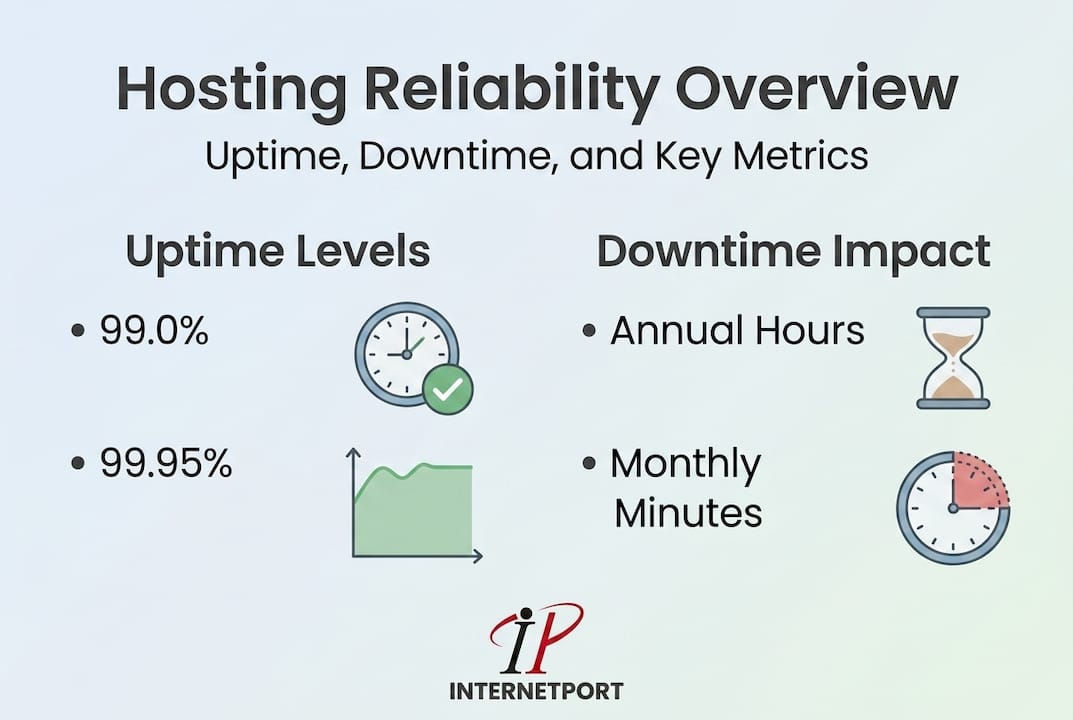
The gap between 99.9% and 99.99% is enormous in practice. Moving from three nines to four nines cuts allowed annual downtime from nearly nine hours to under an hour. For IT managers responsible for reliable hosting for IT managers, understanding this distinction is foundational before signing any contract.
SLAs (service-level agreements) define the terms under which providers commit to availability and what compensation, usually credits, applies when they fall short. But the fine print matters enormously. Most SLAs define "downtime" very specifically, often requiring sustained outages over a threshold, such as five consecutive minutes, before the clock starts. A series of 90-second interruptions that reboot your application servers and break user sessions may not qualify for a credit at all.
"Downtime costs organizations between $5,600 and $8,600 per minute, and even major hyperscalers experience regional failures regularly. AWS US-EAST-1 has recorded actual uptime of 99.89%, which is below most published SLA promises. The practical lesson: design for failure with chaos engineering rather than trusting a number on a contract."
Common misconceptions worth addressing directly:
- "99.9% is enterprise-grade." It is not. Most regulated industries and financial services require 99.95% or higher.
- "Hyperscalers never go down." They do, and regional outages are well-documented.
- "Credits make downtime acceptable." Credits rarely cover actual business loss, and claiming them is itself an administrative burden.
Use your web hosting reliability checklist to evaluate any SLA before committing. Reading the exclusions clause is just as important as reading the headline uptime number.
Empirical reliability: Comparing top providers and downtime trends
Theoretical SLAs are where providers make promises. Empirical data is where you find out if they kept them. When evaluating infrastructure choices, IT managers should look beyond marketing pages and examine incident histories and independent tracking data.
Empirical cloud uptime data from 2025 shows that AWS delivered 99.95% to 99.982% uptime across measured services, with six notable incidents during the year. Azure came in at 99.97% to 99.975%, with four to nine incidents depending on the service and region. GCP (Google Cloud Platform) recorded 99.98% to 99.973%, with three incidents. The average enterprise cloud environment experienced 14 to 18 hours of downtime per year when measured across all affected services and regions.
| Provider | 2025 reported uptime | Incidents logged | Avg downtime impact |
|---|---|---|---|
| AWS | 99.95% to 99.982% | 6 | Moderate regional |
| Azure | 99.97% to 99.975% | 4 to 9 | Mixed global/regional |
| GCP | 99.98% to 99.973% | 3 | Mostly regional |
What these numbers reveal is important: even the best-resourced providers in the world cannot guarantee zero incidents. The difference between them is often not whether outages happen, but how quickly they recover and how transparently they communicate.
There are several types of outages that affect organizations differently:
- Full regional outages affect all services in a given geographic zone, often for 30 minutes or more.
- Service-specific degradation impacts a single product like object storage or DNS while others remain functional.
- Intermittent connectivity issues cause partial failures that are harder to detect and diagnose.
- Dependency chain failures happen when a third-party service your application relies on goes down, even if your primary host is up.
Reviewing your enterprise hosting guide will help you map which failure types pose the greatest risk to your specific workloads. For organizations running mission-critical applications, the answer is rarely a single-provider strategy.
A cloud security engineer brings specialized expertise in designing resilient, multi-region architectures that reduce exposure to these failure types. If your team does not have this skillset in-house, it is worth either hiring for it or engaging a partner who does. The cost of a well-designed architecture is almost always lower than the cost of an unplanned major outage.
For IT managers evaluating scalable hosting solutions, the takeaway from this data is clear: empirical performance should weigh heavily in your provider evaluation, not just the headline SLA. Request incident post-mortems, ask providers how they handled their last major outage, and review their status page history independently.
Going beyond SLAs: Advanced monitoring and architectural strategies
Knowing that providers can and do experience outages is not a reason for paralysis. It is a reason to build smarter. The most resilient organizations do not simply trust their provider's monitoring; they run their own.
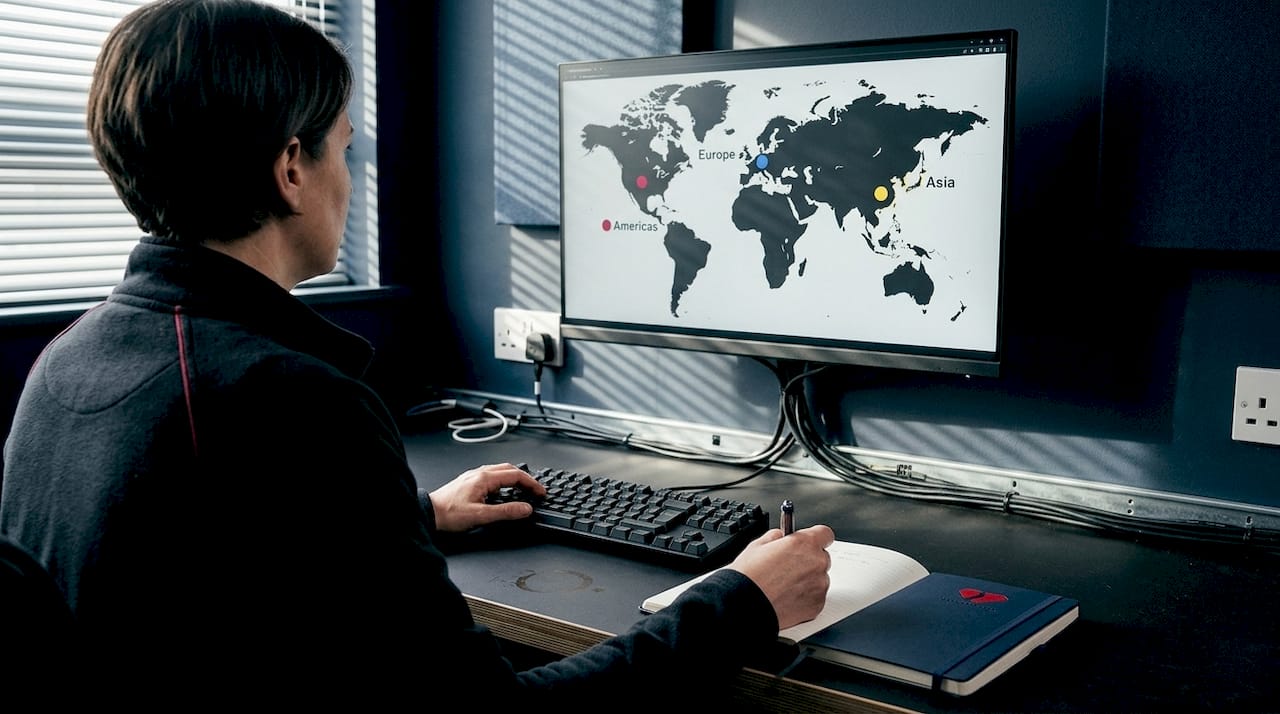
Expert guidance on monitoring strongly recommends independent multi-region monitoring with 30 to 60 second check intervals. This means deploying monitoring probes from multiple geographic locations so you are never relying solely on a sensor that happens to be in the same failed region as your application. If your monitor and your server both live in the same data center zone, your monitor may not detect the outage at all.
For microservices-based architectures, the RED metrics framework is the standard approach: Rate (requests per second), Errors (failed requests), and Duration (response latency). Tracking these three dimensions gives you a real-time picture of service health that goes far beyond a binary "up or down" check.
Key strategies for building reliable infrastructure beyond SLA compliance:
- Multi-cloud architecture: Distributing workloads across two or more cloud providers reduces overall outage exposure by approximately 17%, because regional failures rarely affect multiple providers simultaneously.
- Multi-CDN deployment: Using more than one content delivery network ensures that a single CDN outage does not take your entire frontend offline.
- Active failover design: Passive failover (warm standby) adds recovery time. Active failover (hot standby with live traffic routing) keeps users connected even during a primary zone failure.
- Regular failover testing: A failover system you have never tested is a failover system you cannot trust. Schedule quarterly drills.
- SLA exclusion review: Most SLAs exclude customer-induced errors, planned maintenance, and force majeure events. Map your specific risks against these exclusions before you finalize your architecture.
Pro Tip: Deploy UptimeRobot or a similar independent tool with monitoring nodes in at least three geographic regions. Set alert thresholds at 60 seconds or less, and route alerts to both your operations chat platform and your email. Never rely on a single alert channel.
Reviewing your uptime monitoring checklist is a practical starting point for building this monitoring layer. For teams managing physical infrastructure or co-location, understanding preventing data center outages is equally relevant, since many hardware-level failure points are preventable with proper environmental monitoring and power redundancy.
Chaos engineering deserves specific attention here. The practice involves deliberately injecting failures into your systems, killing processes, blocking network paths, simulating disk failures, to find weaknesses before real incidents expose them. Organizations that practice chaos engineering consistently report faster incident response times and fewer cascading failures. The discomfort of a controlled test is far preferable to the chaos of an unplanned production failure at 2 a.m.
Action steps for IT managers: How to choose and validate reliable hosting
Understanding reliability theory is valuable. Having a repeatable process to evaluate and validate providers is what actually protects your organization. Here is a structured approach IT managers can apply directly.
-
Define your availability requirement first. Before evaluating any provider, calculate what downtime actually costs your organization per hour. Use that number to determine whether you need 99.9%, 99.95%, or 99.99% SLA coverage. Do not let a vendor's tier structure dictate your requirement.
-
Audit the SLA language in detail. Request the full SLA document, not just the marketing summary. Look specifically for: how downtime is defined (HTTP 200 response check is the most reliable method), the minimum duration required before an outage qualifies, exclusion clauses, and the maximum credit percentage available.
-
Verify uptime claims independently. Prioritize providers that support clear downtime definitions using HTTP 200 responses, independent verification mechanisms, multi-region redundancy, and proportional service credits. Use UptimeRobot or Pingdom to monitor any shortlisted provider before committing.
-
Evaluate the provider's incident history. Ask for post-incident reports from the past 12 months. Review the public status page. Look for patterns: are outages isolated, or does the same region fail repeatedly?
-
Assess architecture and redundancy. For your hosting solution selection process, confirm whether the provider offers: geographic redundancy across multiple data centers, automatic failover at both the network and application layer, SSD-based storage for I/O performance under load, and daily backups with tested restore procedures.
-
Test the support response before you sign. Submit a technical question to the provider's support team during your evaluation period and measure response time and quality. During an actual outage, that support team becomes your most critical resource.
-
Review credit claim procedures. Some providers make credit claims intentionally cumbersome. Confirm that the process is clear, that claims do not require excessive documentation, and that credits are meaningful relative to your contract value.
Pro Tip: Once you have selected a provider, run a tabletop exercise with your team within the first 30 days. Simulate a full regional outage and walk through your response playbook. Identify gaps before you face a real incident. Document the process and update it quarterly.
For teams managing cloud infrastructure for SMBs, these steps apply equally whether you are running three servers or thirty. The scale changes; the due diligence does not. Smaller organizations often skip step six and seven, which is exactly when they regret it most.
Why reliability is more than uptime: Lessons from the field
Here is something the industry rarely admits: the organizations that handle outages best are not the ones with the highest SLA numbers. They are the ones that built operational muscle around failure recovery.
Chasing a perfect SLA is understandable, but it can create a false sense of security. A 99.99% SLA from a provider who takes four hours to acknowledge an incident is worse in practice than a 99.95% SLA from a team that has clear runbooks, instant escalation paths, and transparent communication during an event. The contractual number matters less than the operational culture behind it.
We have seen this pattern repeatedly. Organizations invest heavily in negotiating SLA terms and then underinvest in their own monitoring, incident response planning, and architecture review. The contract becomes a crutch rather than a foundation. Hosting reliability for IT management is ultimately about building systems and processes that reduce the blast radius of any failure, not just avoiding failure entirely.
The contrarian advice worth taking: spend less time negotiating the last decimal point of your SLA, and invest that energy in chaos testing, multi-region monitoring, and quarterly failover drills. That is where real resilience lives.
Explore reliable hosting solutions tailored to your needs
Building reliable infrastructure starts with choosing a provider that treats transparency and technical rigor as defaults, not upsells. Internetport has delivered enterprise-grade hosting since 2008, with two fully redundant data centers, PCI DSS certification, and infrastructure built specifically for organizations that cannot afford ambiguous SLAs.

Whether you need reliable web hosting services for business-critical applications, dedicated server solutions with guaranteed resources and physical isolation, or scalable VPS hosting backed by SSD performance and daily backups, Internetport offers solutions with the kind of infrastructure transparency this article has described. Explore what genuine hosting reliability looks like in practice.
Frequently asked questions
What is considered a good uptime percentage for enterprise hosting?
Enterprise hosting should deliver at least 99.95% uptime, which limits annual downtime to under five hours. AWS, Azure, and GCP all target this range or higher, making it a reasonable baseline expectation for any serious provider.
How much can downtime cost my business?
Downtime costs businesses between $5,600 and $8,600 per minute, making even a short outage an expensive event that no SLA credit will fully offset.
How can IT managers independently verify hosting reliability?
Use independent monitoring tools like UptimeRobot with nodes in multiple geographic regions, set to check at 30 to 60 second intervals, so you are not relying solely on your provider's own status reporting.
Do SLAs always account for all types of downtime?
No. SLA exclusions commonly cover customer-induced errors, planned maintenance windows, and certain regional or force majeure events, meaning some outages may never qualify for a credit regardless of their impact.
What is chaos engineering and how does it help reliability?
Chaos engineering deliberately injects controlled failures into your systems to expose weaknesses before real incidents do. Designing for failure this way consistently reduces both incident frequency and recovery time in production environments.