
TL;DR:
- A secure online presence involves layered controls like authentication, identity management, transport security, and ongoing monitoring. Implementing multi-factor authentication, HTTPS, and continuous account reviews safeguards web properties and digital identities from unauthorized access and attacks. Regular updating, monitoring, and applying Zero Trust principles are essential for maintaining resilient security defenses.
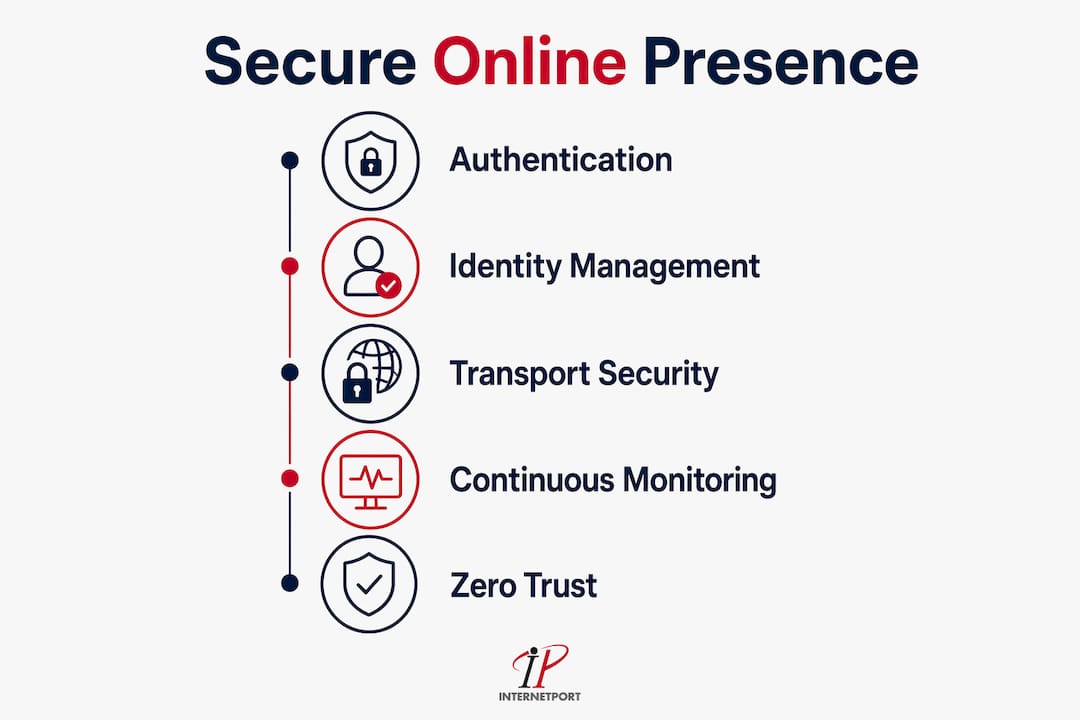
A secure online presence is the comprehensive protection of your organization's online-facing accounts, web properties, APIs, and digital identities to ensure only authorized users have access while blocking attackers from exploiting vulnerabilities. For business owners and IT professionals, this is not a single tool or setting. It is a layered discipline that spans authentication, identity governance, transport security, and continuous monitoring. NIST's Zero Trust Architecture and the CIS Critical Security Controls both treat this discipline as foundational, not optional. Understanding what is secure online presence means recognizing that every externally accessible system your organization runs is a potential entry point.
What are the essential security measures for a secure online presence?
A secure digital identity starts with authentication. Passwords alone are no longer sufficient protection for any externally exposed system. CIS Critical Security Control 6.3 mandates multi-factor authentication for all externally exposed enterprise and third-party applications as a foundational safeguard. That mandate exists because attackers consistently target public-facing systems where MFA is absent or inconsistently applied.
The National Cybersecurity Alliance identifies a set of core online safety practices that every organization must enforce:
- Multi-factor authentication: Add a second verification layer beyond passwords on every public-facing portal, webmail, VPN, and cloud dashboard.
- Strong, unique passwords: Use long, randomly generated passwords for each account. Password managers like Bitwarden or 1Password remove the burden of memorizing them.
- Regular software patching: Unpatched software is the most common vector for exploitation. Patch operating systems, applications, and firmware on a defined schedule.
- Encrypted backups: Maintain offline or air-gapped backups so ransomware cannot reach them. Test restoration quarterly.
- Phishing awareness training: Train staff to recognize credential phishing, business email compromise, and social engineering. Platforms like KnowBe4 deliver simulated phishing campaigns at scale.
- Privacy settings reviews: Audit social media accounts, business profiles, and third-party app permissions at least twice a year.
The National Cybersecurity Alliance's Core 4 framework treats these habits as layered controls, not standalone fixes. No single measure stops every attack. The combination is what builds real defense.
Pro Tip: Build a catalog of every externally exposed application your organization runs, including cloud dashboards, webmail, remote desktop portals, and API gateways. Apply MFA to every entry in that list before addressing anything else. Gaps in that catalog are where attackers find their way in.
HTTPS is the baseline for any customer-facing web property. Google's Safety Centre confirms that HTTPS connections encrypt data between the browser and the website, protecting sensitive information in transit. Chrome and other major browsers now display a "Not Secure" warning for any site not using HTTPS. That warning directly damages customer trust and signals to attackers that the site may have weak security hygiene overall.

How to manage and monitor online identities and digital footprints securely
Your organization's digital footprint is larger than most IT teams realize. Every employee account, API credential, service token, and business profile is part of your identity surface. Managing online identities means maintaining accurate, controlled information about who has access to what, and receiving alerts when credentials appear in breach databases or when suspicious logins occur.
A structured approach to identity management follows four steps:
- Inventory all credentials and accounts. Map every account tied to your organization, including social media profiles, cloud service logins, domain registrar accounts, and third-party SaaS tools. Unknown accounts cannot be protected.
- Apply identity assurance levels. NIST SP 800-63-4 formalizes identity proofing, enrollment, authentication, and authenticator lifecycle management. Assign assurance levels based on the sensitivity of what each account can access.
- Implement federated sign-in and SSO carefully. Single sign-on reduces password sprawl, but it also concentrates risk. Protecting identity tokens and assertions within SSO and federation frameworks is critical. A compromised token can bypass MFA entirely if token validation is not enforced at every step.
- Monitor for breach notifications and suspicious logins. Services like Have I Been Pwned and enterprise identity platforms such as Microsoft Entra ID provide breach alerts and anomalous login detection. Set up alerts for logins from new geographies, devices, or at unusual hours.
- Enforce least-privilege access. Every account should have only the permissions it needs to function. Review and revoke excess permissions quarterly. Former employees and inactive service accounts are a persistent source of unauthorized access.
Privacy settings on social media and business platforms deserve the same rigor as internal systems. LinkedIn company pages, Google Business profiles, and Facebook business accounts all expose metadata that attackers use for reconnaissance. Locking down who can post, what information is publicly visible, and which third-party apps have access reduces your data center security exposure at the perimeter.
What role does Zero Trust Architecture play in securing an online presence?
Zero Trust Architecture is a security model that eliminates the assumption that anything inside a network perimeter is trustworthy. NIST defines Zero Trust as a framework that enables secure, authorized access to enterprise distributed resources regardless of where the user or device is located. That shift matters enormously for businesses running hybrid workforces, cloud environments, or partner integrations.
Traditional perimeter security assumes that once a user is inside the network, they can be trusted. Zero Trust rejects that assumption entirely. Every access request is verified continuously, regardless of whether it comes from inside the office or from a remote location.
| Security model | Core assumption | Access control method | Best suited for |
|---|---|---|---|
| Perimeter-based | Internal network is trusted | Firewall and VPN boundary | On-premises, single-location teams |
| Zero Trust Architecture | No network location is trusted | Continuous identity verification | Hybrid cloud, distributed teams, partner access |
The practical components of Zero Trust include microsegmentation, enhanced identity governance, and device health verification. Microsegmentation divides the network into small zones so that a compromised account in one segment cannot move laterally to reach sensitive systems in another. Identity governance ensures that every access request is tied to a verified identity with appropriate permissions. Device health checks confirm that the endpoint requesting access meets security policy requirements before granting entry.
For businesses using hybrid cloud environments, Zero Trust is the only architecture that addresses the full scope of access risk. Cloud resources, on-premises servers, and partner portals all require the same continuous verification standard.
Pro Tip: Start your Zero Trust implementation by identifying your most sensitive data and the systems that access it. Enforce strict identity verification and microsegmentation around those systems first. Expanding outward from your most critical assets is more effective than trying to apply Zero Trust everywhere at once.
How can businesses implement secure web and communication practices?
Secure web and communication practices protect both your customers and your internal systems. The foundation is HTTPS with TLS 1.2 or higher on every customer-facing website, portal, and API endpoint. A site without HTTPS does not just risk data interception. It signals poor security hygiene to every browser, search engine, and customer who visits it.
Key practices for securing web and communication infrastructure:
- Enforce HTTPS sitewide. Redirect all HTTP traffic to HTTPS automatically. Use certificates from trusted certificate authorities and set up automated renewal through services like Let's Encrypt to prevent expiration gaps.
- Secure API authentication. APIs are a primary attack surface for modern businesses. Require OAuth 2.0 or API key authentication with rate limiting and logging on every endpoint. Unauthenticated APIs expose customer data and internal systems directly.
- Manage session security. Set short session timeouts, use secure and HttpOnly cookie flags, and invalidate sessions on logout. Session hijacking is a common attack against web applications with weak session controls.
- Use endpoint protection and network encryption. Deploy endpoint detection and response tools on all devices that access business systems. Encrypt traffic between internal services using TLS, not just on the public-facing layer.
- Evaluate your hosting environment's security posture. Shared hosting environments carry shared risk. A VPS or dedicated server gives your organization isolated resources with direct control over security configurations.
| Web security control | What it protects | Implementation tool |
|---|---|---|
| HTTPS/TLS | Data in transit between browser and server | Let's Encrypt, DigiCert |
| API authentication | Unauthorized access to data and services | OAuth 2.0, API gateway |
| Session management | User session hijacking | Secure cookie flags, timeout policies |
| Endpoint protection | Device-level threats and malware | CrowdStrike, Microsoft Defender |
| Secure hosting | Server-level isolation and access control | VPS, dedicated server |
Website security best practices for businesses also include regular vulnerability scanning and penetration testing. Automated scanners like Qualys or Tenable identify known vulnerabilities in web applications before attackers do. Schedule scans monthly and after any significant code deployment.
The VPS security practices that matter most include disabling unused ports, enforcing SSH key authentication instead of passwords, and configuring firewall rules to allow only necessary traffic. These controls apply whether you manage your own server or use a managed hosting provider.
Key Takeaways
A secure online presence requires layered controls across authentication, identity management, transport security, and continuous monitoring. No single measure is sufficient on its own.
| Point | Details |
|---|---|
| MFA is non-negotiable | Apply multi-factor authentication to every externally exposed application, portal, and cloud dashboard without exception. |
| Identity inventory comes first | Map every account and credential your organization owns before applying controls. Unknown assets cannot be protected. |
| Zero Trust replaces perimeter trust | Continuously verify every access request regardless of network location, especially in hybrid and cloud environments. |
| HTTPS is the baseline | Every customer-facing website and API must use HTTPS with TLS. Anything less signals weak security to browsers and attackers alike. |
| Resilience beats perfection | Stack multiple controls because no single safeguard stops every attack. Layered defense limits damage when one control fails. |
The uncomfortable truth about securing your business online
I have worked with organizations that spent significant budget on firewalls and endpoint tools while leaving their webmail portal, cloud admin console, and partner API completely unprotected by MFA. That gap is not a technology problem. It is an inventory problem. You cannot protect what you have not cataloged.
The most common failure I see is treating security as a project with a finish line. A team deploys MFA on the main VPN, checks the box, and moves on. Six months later, a new SaaS tool gets added to the stack without going through the same review. That tool becomes the entry point. Shadow IT, meaning systems and accounts that exist outside formal IT oversight, is the single biggest source of avoidable exposure for mid-sized businesses.
The security best practices for IT professionals that actually work share one trait: they are continuous, not periodic. Breach monitoring, access reviews, and patch cycles need to run on a schedule, not when someone remembers to check. The organizations that handle incidents well are not the ones with the most sophisticated tools. They are the ones with the clearest picture of what they are protecting and who has access to it.
The goal is not perfect security. Perfect security does not exist. The goal is resilience. Stack your controls, monitor continuously, and reduce the time it takes to detect and contain a breach. That mindset shift, from prevention to resilience, is what separates organizations that recover quickly from those that do not.
— Peter
How Internetport supports a secure online presence
Building a secure digital presence requires infrastructure you can trust at the foundation level. Internetport provides secure web hosting, cloud VPS, and dedicated server options from data centers in Sweden and internationally, with PCI DSS compliance built in.

Internetport's hosting environments give IT teams direct control over security configurations, isolated resources, and private networking options that shared hosting cannot match. Whether you need a VPS for a specific application or a dedicated server for high-security workloads, Internetport's technical support team helps you configure the environment to meet your security requirements from day one.
FAQ
What is a secure online presence?
A secure online presence means protecting your organization's accounts, web properties, APIs, and digital identities so only authorized users can access them. It combines authentication controls, encrypted communication, identity management, and continuous monitoring.
Why is multi-factor authentication critical for businesses?
CIS Critical Security Control 6.3 identifies MFA on externally exposed applications as a foundational safeguard because attackers consistently target public-facing systems where MFA is absent. Passwords alone cannot stop credential-based attacks.
What is Zero Trust Architecture and why does it matter?
Zero Trust Architecture continuously verifies every access request regardless of network location, replacing the outdated assumption that internal network traffic is safe. NIST recommends it for securing hybrid cloud, distributed workforces, and partner access scenarios.
How does HTTPS protect customer data?
HTTPS uses TLS encryption to secure data transmitted between a user's browser and your website. Without it, data is exposed to interception, and modern browsers display a "Not Secure" warning that damages customer trust.
How often should businesses review their online security posture?
Access permissions and account inventories should be reviewed quarterly. Vulnerability scans should run monthly and after major code changes. Breach monitoring and patch cycles should run continuously, not on a fixed calendar.