

TL;DR:
- Server location affects latency, regulatory compliance, and data security by determining proximity to users and legal jurisdictions. Proper placement improves web performance, supports legal requirements like GDPR, and reduces physical and network security risks. Regularly auditing user geography and compliance needs ensures optimal, secure server deployment over time.
Server location is the physical placement of the hardware that stores, processes, and delivers your data, and it directly determines how fast, how secure, and how legally compliant your IT infrastructure is. For businesses evaluating hosting decisions, why server location matters comes down to three measurable outcomes: latency, regulatory adherence, and data security. A server sitting in Stockholm responds to a Stockholm user in milliseconds. That same server responding to a user in Sydney does not. The gap between those two scenarios affects your revenue, your legal standing, and your exposure to risk. This article breaks down each dimension with specifics, not generalities.
Why server location matters: latency and performance
Latency is the time it takes for data to travel from a server to a user's device and back. It is measured in milliseconds, but even small increases compound into serious performance problems for web applications, SaaS platforms, and real-time services. The physics are simple: data travels through fiber optic cables at roughly two-thirds the speed of light, so physical distance always adds delay.

The server location impact on speed is not theoretical. Proximity-based hosting boosts speed by up to 40% compared to distant servers. That improvement translates directly into lower bounce rates, higher conversion rates, and better search engine rankings, since Google uses page speed as a ranking signal.
How distance affects real-time applications
SaaS providers and real-time applications experience noticeable lag when servers are geographically distant from users. For competitive gaming platforms, financial trading systems, and AI API services, even 50–100 milliseconds of added latency degrades the user experience enough to drive users away. A trading platform executing orders needs sub-10ms response times. A server in the wrong region makes that impossible.
The table below shows how distance affects typical round-trip latency and the practical consequences for business applications.
| Distance from Server | Typical Round-Trip Latency | Business Impact |
|---|---|---|
| Under 500 km | 5–20 ms | Excellent for real-time apps and SaaS |
| 500–2,000 km | 20–80 ms | Acceptable for most web applications |
| 2,000–5,000 km | 80–150 ms | Noticeable lag in interactive applications |
| Over 5,000 km | 150–300+ ms | Significant degradation for all use cases |
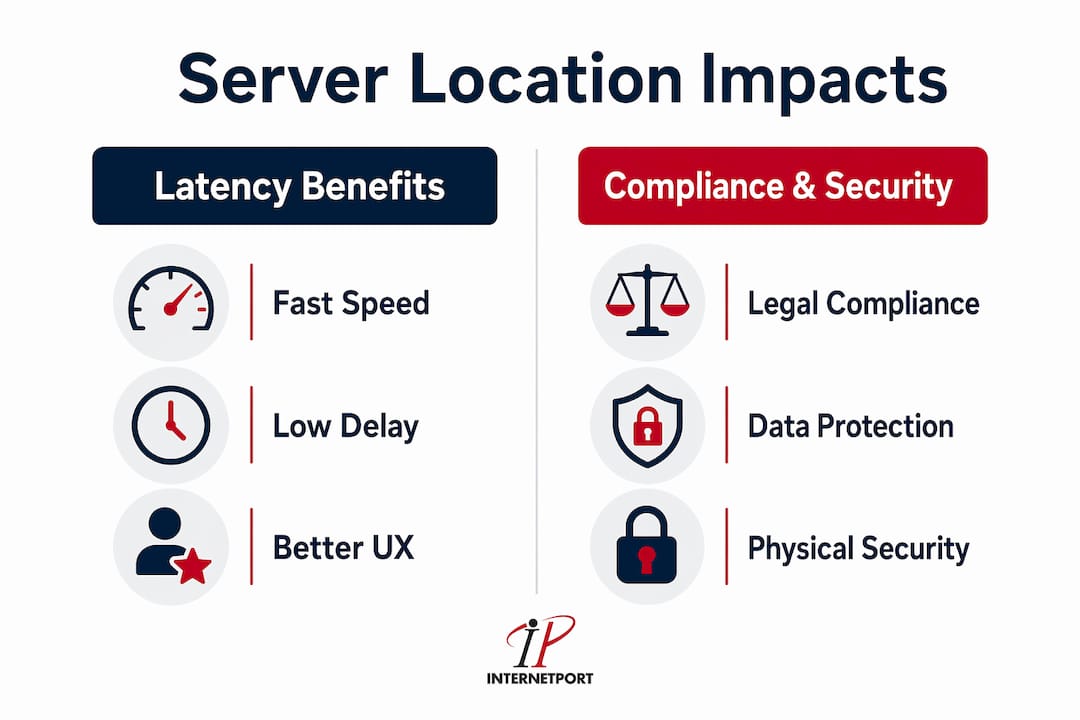
The role of cdns and their limits
Content Delivery Networks like Cloudflare and Akamai distribute cached content across global edge nodes, reducing the distance between static assets and end users. CDNs mitigate but cannot eliminate latency from distant origin servers. For static content like images and CSS files, CDNs work well. For dynamic content, database queries, and authenticated sessions, every request still routes back to the origin server. This is where geographic server placement becomes the deciding factor, not the CDN layer.
Pro Tip: Use Google Analytics or a similar analytics platform to map where your users are actually located before committing to a hosting region. Many businesses assume their users are domestic when a significant share is international, which changes the optimal server placement entirely.
How does server location affect compliance?
Local hosting strengthens legal compliance with data protection laws including GDPR, the California Consumer Privacy Act (CCPA), and sector-specific regulations in finance and healthcare. These laws do not just recommend local data storage. Many mandate it, with penalties that can reach tens of millions of dollars or a percentage of global annual revenue.
The importance of server location for compliance is especially acute for organizations operating in the European Union. GDPR requires that personal data on EU residents be stored and processed within the EU or in countries with equivalent protections. Hosting that data on servers in the United States without proper Standard Contractual Clauses or Binding Corporate Rules is a direct violation, regardless of how secure the facility is.
Industries with the strictest data locality requirements
Certain industries face layered compliance obligations that make server geography a board-level decision, not just an IT decision.
- Financial services: PCI DSS requires strict controls over where cardholder data is stored and processed. Regulators in the EU, UK, and Singapore have issued explicit guidance on data residency for financial institutions.
- Healthcare: HIPAA in the United States mandates that protected health information (PHI) be stored with specific security controls. Many EU member states add national-level health data laws on top of GDPR.
- Public sector: Government contracts in Sweden, Germany, and France increasingly require that data be hosted on servers physically located within national borders.
- Legal and professional services: Attorney-client privilege and professional secrecy obligations in several jurisdictions restrict where client data can reside.
Non-compliance consequences extend beyond fines. Regulatory investigations disrupt operations, damage client relationships, and in some sectors trigger mandatory breach notifications that become public record.
Pro Tip: Before selecting a hosting provider, request a written statement of where your data will physically reside. Providers that use third-party data centers or cloud sub-processors may store your data in jurisdictions you have not reviewed. This single document request prevents most compliance surprises.
What security advantages does server location provide?
Physical security and environmental factors directly influence the risk profile of any server deployment. A data center in a politically stable country with modern infrastructure, redundant power, and trained on-site security staff presents a fundamentally different risk profile than a facility in a region with unreliable power grids or elevated geopolitical tension.
The security advantages of local servers go beyond physical access controls. Network path length matters for security as well as speed. Every additional network hop between a user and a server is a potential interception point. Shorter network paths reduce the attack surface for man-in-the-middle attacks and make traffic analysis harder for adversaries.
Physical and environmental risk factors
When evaluating data center locations, IT teams should assess the following risk dimensions:
- Natural disaster exposure: Servers in flood zones, earthquake-prone regions, or hurricane corridors carry higher availability risk. Tier III and Tier IV data centers mitigate this with redundancy, but geography still sets the baseline risk.
- Political and legal stability: Servers in jurisdictions with strong rule of law and independent courts are less likely to be subject to arbitrary government seizure or surveillance orders that conflict with your clients' privacy expectations.
- Power grid reliability: Countries with modern, redundant power infrastructure reduce the risk of outages that backup generators cannot fully compensate for during extended grid failures.
- Physical access controls: Local data centers allow your team to conduct in-person audits, verify security procedures, and respond to incidents without relying entirely on remote attestations.
A breach tied to server geography is not hypothetical. Several high-profile incidents have involved attackers exploiting the long network paths between users and distant servers, intercepting traffic at transit exchange points in jurisdictions with weak data protection laws. Keeping servers close to your users and within jurisdictions you have vetted reduces this exposure materially.
For a detailed breakdown of how local data centers reduce risk, the security architecture differences between regional and global deployments are worth reviewing before making a final infrastructure decision.
How to optimize your server location strategy
Choosing the right server location is not a one-time decision. User bases shift, regulations change, and application architectures evolve. A structured approach to geographic server placement keeps your infrastructure aligned with business needs over time.
The following steps give IT managers a repeatable process for evaluating and adjusting server placement.
- Audit your user geography. Use Google Analytics to identify where your traffic originates. Segment by country and city to find concentration points. This data drives every subsequent decision.
- Map regulatory requirements. List every jurisdiction where you have users or store data. Identify the applicable data protection laws and their data residency requirements. This step often narrows your hosting options significantly.
- Benchmark current latency. Use tools like Pingdom, GTmetrix, or Catchpoint to measure round-trip times from your current server to your primary user locations. Document the baseline before making changes.
- Evaluate multi-region hosting. Multi-region and hybrid cloud deployments balance cost and performance for global user bases. For most mid-sized businesses, two or three strategically placed server regions cover the majority of users without the complexity of a fully distributed architecture.
- Deploy CDNs for static content. Layer a CDN like Cloudflare or Fastly on top of your origin servers to handle static assets. Reserve your origin server capacity for dynamic requests where proximity matters most.
- Monitor and iterate. Set latency thresholds in your monitoring stack. When average response times from a specific region exceed your target, treat it as a signal to evaluate adding a regional server or CDN node.
For practical guidance on optimizing server infrastructure, the technical steps for sysadmins cover configuration-level decisions that complement geographic placement choices.
Pro Tip: Do not optimize for the average user. Optimize for the 90th percentile. If your slowest 10% of users are experiencing 300ms latency, that is the segment most likely to abandon your application. Geographic server placement decisions should target the worst-performing user cohort, not the median.
The location-based server advantages of a well-planned multi-region strategy extend beyond speed. They also simplify compliance by keeping data within defined jurisdictions and reduce security risk by shortening network paths. For businesses with global hosting needs, the tradeoff between centralized simplicity and distributed performance is the central infrastructure question of 2026.
Key takeaways
Server location determines latency, compliance status, and security exposure simultaneously, making geographic placement one of the highest-leverage decisions in any business IT infrastructure plan.
| Point | Details |
|---|---|
| Proximity drives speed | Servers near users load up to 40% faster, directly improving conversions and SEO rankings. |
| Compliance requires data residency | GDPR, HIPAA, and PCI DSS all impose geographic constraints on where data can legally reside. |
| Local servers reduce security risk | Shorter network paths and vetted physical facilities lower both cyber and physical attack exposure. |
| CDNs supplement but do not replace location | CDNs handle static content well but dynamic requests still depend on origin server proximity. |
| Multi-region hosting balances cost and coverage | Two or three strategically placed regions cover most global user bases without full distribution complexity. |
The part most businesses get wrong about server location
I have reviewed infrastructure decisions for organizations ranging from regional e-commerce businesses to financial services firms operating across multiple EU jurisdictions. The pattern I see most often is this: companies treat server location as a cost variable rather than a compliance and performance variable. They pick the cheapest available region, then spend months troubleshooting slow load times and scrambling to address regulatory findings.
The compliance dimension surprises people the most. Many IT managers assume that encrypting data in transit and at rest satisfies GDPR. It does not. The regulation cares about where the data physically resides, not just how it is protected. I have seen organizations receive formal inquiries from data protection authorities not because they were careless with security, but because their hosting provider quietly moved workloads to a non-EU data center during a capacity event.
The second mistake is treating server location as a set-and-forget decision. User geography changes. A business that launched with a primarily Swedish user base may find 30% of its traffic coming from Germany and the Netherlands within two years. That shift changes the optimal server placement and may introduce new regulatory obligations.
My advice to IT decision makers is straightforward: treat server location as a living infrastructure parameter, not a deployment checkbox. Audit your user geography annually, review your compliance obligations whenever you enter a new market, and benchmark latency from your primary user regions at least quarterly. The businesses that do this consistently are the ones that avoid both the performance complaints and the regulatory surprises.
— Peter
Internetport hosts your data where it needs to be

Internetport operates data centers in Sweden and internationally, giving your organization direct control over where your data lives. Whether you need to satisfy GDPR data residency requirements, reduce latency for European users, or meet PCI DSS standards for cardholder data, Internetport's infrastructure is built for exactly these demands. Their web hosting plans include clear documentation of physical server locations, and their dedicated server options give you the isolated resources that compliance-sensitive workloads require. For organizations that need maximum control over hardware and geography, Internetport's team provides expert guidance on matching your regulatory and performance requirements to the right hosting configuration.
FAQ
What is server location and why does it matter?
Server location is the physical geographic placement of the hardware that stores and processes your data. It matters because it directly controls latency, determines which data protection laws apply, and influences the physical and network security of your infrastructure.
How does server location affect website speed?
Servers physically closer to users deliver data faster because data travels shorter distances over network cables. Proximity-based hosting can improve load times by up to 40% compared to distant servers.
Does server location affect GDPR compliance?
Yes. GDPR requires that personal data on EU residents be stored and processed within the EU or in countries with recognized equivalent protections. Hosting that data outside qualifying jurisdictions without proper legal mechanisms is a direct violation.
Can a CDN replace choosing the right server location?
No. CDNs handle static content effectively but route dynamic requests back to the origin server. The origin server's geographic placement still determines response times for database queries, authenticated sessions, and real-time application data.
What industries need to pay the most attention to server location?
Financial services, healthcare, public sector organizations, and legal firms face the strictest data residency requirements. These industries operate under PCI DSS, HIPAA, GDPR, and national-level regulations that explicitly govern where data can be stored and processed.